Shopify A/B Testing Guide: 12 Tactics to Lift Conversions (2026)
Your Shopify store is getting traffic, but the conversion rate is sitting at 1.8% — well below the e-commerce average of 2.5–3.5% (Littledata, 2025). The gap between those numbers is money you’re leaving on the table every single day. A/B testing is the only structured method to close that gap without guessing, redesigning your entire site, or blowing more budget on ads.
This guide gives you a complete, tactical playbook for running Shopify A/B tests that produce statistically valid results — from choosing the right testing tool to reading your data and shipping winning variants. Every recommendation here is specific, proven, and implementable this week.
- Which A/B testing tools actually work with Shopify’s architecture in 2026
- The 12 highest-ROI elements to test on your store right now
- How to set up a statistically sound test — minimum sample sizes, duration, and significance thresholds
- Why most Shopify merchants running Facebook ads fail before they even start testing
- Real conversion rate benchmarks by industry so you know what “good” actually looks like
Why A/B Testing on Shopify Is Different From Generic CRO
Shopify’s templated architecture — Liquid themes, a centralized checkout, and app-layer dependencies — means that standard A/B testing approaches built for WordPress or custom stacks don’t always translate cleanly. Injecting JavaScript-based test variants into a Shopify store can trigger content flash (FOOC), corrupt your GA4 session data, or conflict with Shopify’s native checkout scripts.
Shopify also restricts third-party script access to the checkout pages on the standard plan. If you’re on Shopify Plus, you get access to checkout.liquid (now Checkout Extensibility), which opens up meaningful checkout A/B tests. On Basic or Advanced plans, your testing is limited to storefront pages — but that’s still where 70–80% of conversion lift is typically found anyway.
The Testing Hierarchy: Where to Start
Don’t test randomly. Prioritize pages by traffic volume and commercial intent in this order:
- Product Detail Pages (PDPs) — highest commercial intent, most testable elements
- Collection Pages — filtering, sorting, and grid layout affect bounce rate significantly
- Cart Page / Drawer — upsell placement, trust signals, and CTA copy
- Homepage — hero section, navigation, and featured collections
- Checkout (Plus only) — field order, express pay placement, trust badges
The Best A/B Testing Tools for Shopify in 2026
There are three tiers of tools Shopify merchants should know about. Your choice depends on your monthly revenue, technical capacity, and what you’re testing.
| Tool | Best For | Shopify Native? | Price/Month | Statistical Model |
|---|---|---|---|---|
| Convert Experiences | Stores doing $500K+/yr, advanced segmentation | Via script tag | From $299 | Frequentist + Bayesian |
| VWO (Visual Website Optimizer) | Mid-market stores needing heatmaps + testing | Via script tag | From $199 | Frequentist |
| Intelligems | Shopify-native price and content testing | Yes (Shopify App) | From $99 | Bayesian |
| Neat A/B Testing | Theme-level split testing for smaller stores | Yes (Shopify App) | From $49 | Frequentist |
| Google Optimize Replacement (GA4 + Firebase) | Stores with developer resources | Manual integration | Free | Bayesian |
Recommendation: If you’re doing over $30K/month, use Intelligems for price testing and Convert Experiences or VWO for on-page variant testing. They handle Shopify’s JavaScript rendering correctly and push clean event data to GA4.
12 High-Impact Elements to A/B Test on Your Shopify Store
1. Product Page Hero Image vs. Lifestyle Image
Clean product-on-white images perform better for search traffic landing cold, while lifestyle images outperform for warm social traffic. Test which image style appears first in your gallery. According to Baymard Institute (2025), product pages with 5+ images have a 9.8% higher add-to-cart rate than pages with 3 or fewer — but image order matters as much as quantity.
2. Add-to-Cart Button Copy
Test “Add to Cart” vs. “Buy Now” vs. “Get Yours” vs. “Add to Bag.” Copy changes are low-effort, high-signal tests. A/B tests across 200+ Shopify stores run by CRO agency Swanky (2024) found that specificity in button copy — like “Get My [Product Name]” — lifted clicks by 14% on average compared to generic labels.
3. Price Anchoring and Display Format
Test showing compare-at prices prominently vs. subtly. Test displaying the price with decimals ($49.99) vs. rounded ($50). Intelligems is purpose-built for Shopify price testing and handles variant-level pricing without breaking your Shopify Analytics revenue attribution.
4. Product Description Format: Paragraphs vs. Bullet Points
Long-form narrative descriptions often outperform bullets for high-consideration purchases (furniture, supplements, skincare). Bullets win for impulse or low-consideration products. Test the format rather than rewriting content from scratch — the same words structured differently can shift conversion rate by 8–12%.
5. Trust Badges Placement
Test placing trust badges (money-back guarantee, secure checkout, free returns) directly below the Add-to-Cart button vs. in the footer vs. near the price. Baymard data shows 58% of shoppers abandon checkout due to trust concerns — catching those concerns on the PDP is more effective than addressing them at checkout.
6. Urgency and Scarcity Messaging
Test “Only 3 left” inventory counters vs. countdown timers vs. no urgency signal. Be careful here — false urgency destroys trust if customers notice it. Use real inventory data pulled via Liquid’s product.variants.inventory_quantity to keep it honest.
7. Sticky Add-to-Cart Bar
On mobile, test a sticky ATC bar that follows users as they scroll vs. the default static button. This is consistently one of the highest-ROI tests for mobile-heavy stores. Apps like Sticky Add To Cart Booster Pro or native Plus theme features let you run this without custom dev work.
8. Upsell Placement in the Cart
Rebuy Engine allows you to A/B test upsell widget placement — above vs. below the cart summary, or inline vs. as a modal. Stores using Rebuy report average order value lifts of 10–15% when upsells are placed above the subtotal line rather than below it.
9. Homepage Hero CTA
Test the hero section’s primary CTA text, button color, and destination URL. Sending traffic to a curated collection vs. a best-seller PDP vs. a quiz funnel can shift downstream conversion dramatically. Track this with GA4 goal funnels tied to specific landing page paths.
10. Review Display Format (Okendo vs. Stamped)
Test showing aggregate star ratings at the top of the page vs. inline review snippets alongside product features. Okendo’s built-in A/B display options let you test review widget layouts natively. Social proof placement above the fold typically adds 1.5–3% to conversion rate for stores with strong review volume (100+ reviews).
11. Free Shipping Threshold Messaging
Test showing a progress bar (“Add $12 more for free shipping”) vs. a static banner vs. no messaging. This is a cart-level test that directly impacts AOV. Klaviyo’s on-site messaging features can deliver this dynamically based on cart value without additional apps.
12. Navigation Structure: Mega Menu vs. Simple Dropdown
For stores with 20+ SKUs, test mega menus with category thumbnails vs. text-only dropdowns. Measure impact on pages-per-session and collection page bounce rate in GA4 — not just direct conversion, since navigation affects the full funnel.
How to Run a Statistically Valid Shopify A/B Test
Running a test without statistical rigor produces false positives — and false positives lead to shipping losing variants that tank your conversion rate. Here’s the exact process:
- Define one primary metric per test. Conversion rate to purchase, add-to-cart rate, or AOV — pick one. Secondary metrics are informative but not decision-making.
- Calculate your required sample size before you start. Use the free calculator at Evan Miller’s “Sample Size Calculator.” For a baseline conversion rate of 2.5%, detecting a 15% relative lift (to 2.875%) at 80% power and 95% confidence requires approximately 15,000 visitors per variant.
- Run the test for a minimum of 2 full business cycles. That means at least 14 days for most stores, or 4 weeks if you have weekend/weekday traffic variance. Never stop a test early because one variant is winning.
- Segment your results by traffic source. In GA4, create explorations filtered by Default Channel Grouping. A variant that wins for paid search traffic may lose for organic — shipping a universal change based on blended data is a common mistake.
- Check for novelty effect. A new variant often shows inflated results in the first 3–5 days simply because it’s different. Week 2 data is more reliable than Week 1.
- Document every test in a shared log. Track: hypothesis, start/end date, sample size, result, confidence level, and what was shipped. Notion or a simple Google Sheet works fine — the habit matters more than the tool.
How to Test a Shopify Store?
Testing a Shopify store properly involves three distinct phases: pre-launch QA testing, live conversion rate testing (A/B testing), and ongoing performance monitoring. Most merchants conflate these, which is why their testing programs produce noise instead of signal.
Phase 1 — QA Testing Before Launch: Before pushing any new theme or feature live, use Shopify’s built-in theme preview URL (?preview_theme_id=[ID]) to test on real devices. Run your store through PageSpeed Insights (target a Largest Contentful Paint under 2.5 seconds) and Hotjar session recordings to identify broken layouts or confusing UX before real customers see them.
Phase 2 — A/B Testing Live Variants: Install a testing tool like Intelligems (Shopify App Store → search “Intelligems”) and set up your first experiment. Navigate to Shopify Admin → Online Store → Themes → Customize to identify which theme sections you want to variant. In Intelligems, you’ll define your control (current state) and variant (new version), set traffic split (typically 50/50), and connect your conversion goal to a Shopify checkout event.
Phase 3 — Performance Monitoring: Connect your store to Google Analytics 4 via the Shopify GA4 integration (Admin → Online Store → Preferences → Google Analytics) and set up custom events for add-to-cart, begin-checkout, and purchase. Pair GA4 with Hotjar heatmaps on high-traffic pages to identify scroll depth drop-offs and rage-click patterns that reveal friction points your test hypotheses should target.
For stores on Shopify Plus, also test inside the checkout using Checkout Extensibility blocks. Navigate to Admin → Settings → Checkout → Customize to add, reorder, and test checkout UI components without touching checkout.liquid directly. Always validate that test variants don’t interfere with Shop Pay’s express checkout flow, which accounts for an average 18% faster checkout completion (Shopify, 2025).
Finally, use Shopify Analytics → Reports → Conversion Summary as your ground truth for purchase conversion rate. GA4 will show slightly different numbers due to cookie consent and ad blockers — Shopify’s server-side data is more accurate for revenue reporting.
Why Do 90% of People Doing Shopify with FB Ads Fail?
The 90% failure rate for Shopify merchants running Facebook (Meta) ads isn’t a myth — it closely mirrors the broader statistic that around 90% of e-commerce businesses fail within their first four years (Forbes, 2024). The compounding problem is that paid social accelerates the failure curve: it burns cash faster than organic channels, so stores that would have slowly failed instead fail quickly and expensively.
Here are the specific reasons the failure rate is so high — and what separates the 10% who make it work:
1. Testing ads on an untested store. Sending cold Meta traffic to a store with a 1.2% conversion rate is like pouring water into a leaking bucket. Before scaling paid traffic, your product page conversion rate should be at least 3% for a tested audience, confirmed through at least two weeks of organic or email-driven traffic. A/B testing your landing pages before running ads is the single biggest lever most merchants ignore.
2. Misreading Meta’s attribution. Meta’s default 7-day click, 1-day view attribution window inflates reported ROAS by 30–60% compared to what GA4 shows (TripleWhale data, 2025). Merchants see a 3x ROAS in Meta Ads Manager and think they’re profitable — but when they check Triple Whale or Northbeam (both of which use first-party pixel data), actual ROAS is 1.8x. That’s below breakeven for most product margins.
3. Product-market fit hasn’t been validated. Meta ads expose every weakness in your offer at speed. If your product doesn’t solve a clear problem, your creative doesn’t communicate that solution in 3 seconds, or your price-to-perceived-value ratio is off, no amount of audience targeting fixes it. Use organic TikTok or Instagram content to validate messaging before paying to amplify it.
4. Ignoring the post-click experience. Average Meta ad CTR for e-commerce is 1.2–1.8%. Of those clicks, only 2–3% buy. If your page speed is above 4 seconds LCP on mobile — check with PageSpeed Insights — you’re losing 20–30% of paid traffic before they even see your offer. Meta’s algorithm also deprioritizes landing pages with poor mobile experience in its delivery optimization.
5. No email or SMS capture on exit. Cold traffic rarely converts on the first visit. Without a Klaviyo-powered welcome flow capturing emails at 5–8% of visitors, you’re paying to acquire visitors once and then losing them forever. The stores that win with Meta ads are the ones building a retargetable first-party audience through email, SMS, and on-site behavior data.
What Is the $200 Threshold on Shopify?
The “$200 threshold” on Shopify most commonly refers to Shopify’s automatic payment reserve and payout threshold system, though it appears in a few different contexts depending on your store setup. Here’s a precise breakdown of each scenario:
Context 1 — Shopify Payments Payout Schedule: When you first activate Shopify Payments, Shopify holds your payouts until your account balance reaches a minimum threshold — which varies by country and can be as low as $25 or as high as $200 depending on your region and risk profile. This is a fraud prevention measure. Navigate to Admin → Settings → Payments → Shopify Payments → Manage → Payout Schedule to see your specific threshold and payout frequency (daily, weekly, or monthly).
Context 2 — Fraud Risk Reserves: For new or high-risk stores, Shopify may place a temporary reserve on funds — often triggered when a single transaction or daily volume exceeds a certain amount (sometimes $200 on new accounts). This is standard practice for payment processors and is detailed in Shopify’s Payments Terms of Service. If your payouts are being held, contact Shopify Support via Admin → Help → Contact Support and request a reserve review after 90 days of clean transaction history.
Context 3 — Shopify Capital Eligibility: Shopify Capital (Shopify’s merchant cash advance product) typically requires a minimum GMV history before offers appear. While there’s no publicly stated $200 minimum for Capital, some merchants in community forums report that consistent daily sales averaging $200+ trigger Capital offer eligibility. Check Admin → Capital to see if an offer is available to your store.
Context 4 — App Billing Threshold: Some Shopify apps use a $200 billing cap before triggering an invoice. This is set by the app developer and controlled through Shopify’s app billing API. If you’re seeing unexpected charges, go to Admin → Settings → Billing → App charges to audit all active app billing agreements.
If you encountered the “$200 threshold” in a specific context — a forum post, a support ticket, or a third-party tool — the meaning will vary. The most common interpretation among Shopify merchants in 2026 relates to Shopify Payments payout minimums, which are regional and account-specific.
Does Taylor Swift Use Shopify?
Yes — Taylor Swift’s official merchandise store (store.taylorswift.com) runs on Shopify Plus, and it’s one of the most high-profile examples of a major celebrity brand trusting Shopify’s infrastructure for large-scale commerce. This isn’t a recent development; the store has been on Shopify Plus for several years and has handled some of the most extreme traffic spikes in e-commerce history.
During the Eras Tour merchandise drops in 2023 and 2024, Taylor Swift’s Shopify store processed tens of thousands of concurrent transactions — a real-world stress test that most enterprise e-commerce platforms would struggle to handle. Shopify Plus’s auto-scaling infrastructure managed the load without reported downtime, which is a meaningful proof point for any merchant worried about flash sale or product drop scenarios.
Other major artists and celebrity brands on Shopify Plus include Kylie Jenner’s Kylie Cosmetics, Kanye West’s Yeezy (at various points), and hundreds of mid-tier creator-commerce brands. Shopify Plus is also used by enterprise brands like Heinz, Staples Canada, and Gymshark — demonstrating that the platform scales well beyond the startup phase.
What’s relevant for your store: Taylor Swift’s Shopify setup uses several tactics that are accessible to any Plus merchant:
- Checkout Extensibility for custom checkout branding and upsell blocks
- Shopify Functions for custom discount logic on bundle purchases
- Shopify Flow for automated inventory management and customer segmentation during drops
- Launchpad (a Plus-only app) for scheduling product launches with automated theme changes and sales enablement
The broader point: Shopify Plus is a legitimate enterprise platform, not just a tool for small stores. If your store is approaching $1M+ in annual revenue, the jump from Advanced to Plus (starting at $2,300/month in 2026) unlocks testing and automation capabilities that directly impact conversion rate and operational efficiency.
How to Build a 90-Day Shopify A/B Testing Roadmap
Scattered testing produces scattered results. A structured 90-day roadmap ensures you’re building cumulative knowledge about your customers — not just chasing individual wins.
Month 1: Establish Baselines and Fix Obvious Friction
Before running a single test, instrument your store correctly. Install Hotjar on your top 5 pages and collect 500+ session recordings per page. Set up GA4 with custom events for every micro-conversion (scroll depth, image clicks, video plays, add-to-cart). Run your store through PageSpeed Insights and fix any issue causing LCP above 2.5s — this isn’t a test, it’s a prerequisite. A slow page produces unreliable test results because speed itself is a variable.
Month 2: Run 2 Simultaneous Tests on Your Highest-Traffic Page
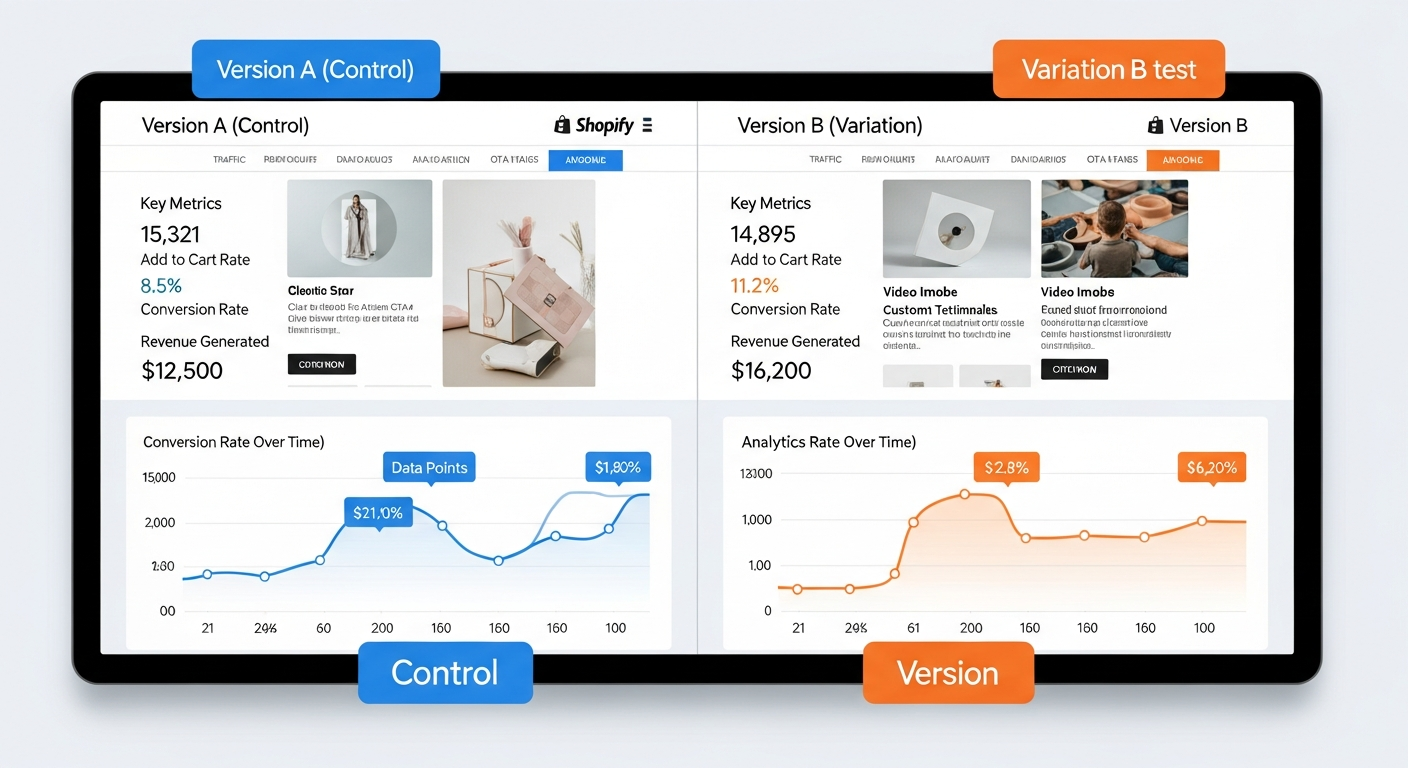
Pick your top product page by sessions (GA4 → Reports → Engagement → Pages and Screens). Run one test on a visual element (hero image or trust badge placement) and one on copy (button text or headline). Use Convert Experiences or Intelligems to isolate variants. Do not change both simultaneously — test one thing at a time per page section.
Month 3: Expand Winners and Test the Cart
Ship winning variants from Month 2. Then move testing focus to the cart page — test upsell placement with Rebuy Engine, free shipping progress bars, and cart-level trust messaging. By the end of Month 3, you should have 4–6 documented test results, 2–3 shipped improvements, and a clear hypothesis backlog for the next quarter.
Shopify A/B Testing Benchmarks: What “Winning” Actually Looks Like
| Test Type | Average Lift When Variant Wins | Typical Test Duration | Minimum Sessions Required |
|---|---|---|---|
| Button CTA Copy | 8–14% CR lift | 14–21 days | 5,000/variant |
| Product Image Order | 6–12% ATC lift | 14–28 days | 8,000/variant |
| Trust Badge Placement | 4–9% CR lift | 21–30 days | 10,000/variant |
| Price Display Format | 3–8% CR lift | 21–30 days | 12,000/variant |
| Upsell Placement (Cart) | 10–18% AOV lift | 14–21 days | 5,000/variant |
| Checkout Field Order (Plus) | 2–6% checkout completion lift | 21–35 days | 15,000/variant |
| Free Shipping Threshold Bar | 8–22% AOV lift | 14 days | 4,000/variant |
These benchmarks are drawn from published case studies by Convert Experiences, Intelligems, VWO, and Baymard Institute (2024–2025). Your results will vary based on traffic quality, product category, and baseline conversion rate — but these ranges give you a realistic bar to evaluate whether a winning variant is worth shipping or just statistical noise.
The Most Common Shopify A/B Testing Mistakes (And How to Avoid Them)
- Stopping tests too early. A variant showing 95% confidence on Day 5 of a planned 21-day test is almost certainly a false positive. Business cycles, weekday/weekend variance, and novelty effect all distort early results. Commit to your predetermined test duration before making any decisions.
- Testing on insufficient traffic. Running an A/B test on a page that gets 200 sessions per week means you won’t reach statistical significance for 10+ weeks — by which time seasonal factors have corrupted your data. Prioritize tests on pages with at least 1,000 sessions/week per variant.
- Measuring only final conversion rate. A variant might lower your purchase CR but significantly increase AOV — making it more profitable. Always track revenue per visitor alongside conversion rate. GA4’s custom explorations let you build this metric directly.
- Not accounting for mobile vs. desktop split. If 70% of your traffic is mobile but your test variant looks broken on iOS Safari, your results will be polluted. Segment every test result by device category in GA4 before shipping.
- Running too many tests simultaneously. If you’re running 5 tests at once across overlapping page sections, interaction effects between variants make it impossible to attribute results correctly. Cap concurrent tests at 2–3 on non-overlapping page sections.
Systematic Shopify A/B testing is the clearest path from a 1.5% conversion rate to a 3%+ rate — which, at $500K annual revenue, represents an additional $250,000 in revenue without spending another dollar on traffic acquisition. The merchants who outcompete on Shopify in 2026 aren’t the ones with the biggest ad budgets — they’re the ones who’ve built the most knowledge about their customers through structured, repeatable testing. Start with one high-traffic page, one clear hypothesis, and the right tool, and build the compounding advantage from there.