Shopify Mobile App Builder Comparison: 7 Best Options (2026)
Mobile shoppers now account for 73% of all ecommerce traffic (Statista, 2025), yet most Shopify stores are still sending those visitors through a mobile-optimized website — not a native app. The gap matters: native mobile apps convert at 3x the rate of mobile browsers, and push notification open rates sit around 20–30% versus email’s 2–5%. If you’re doing $50K+ a year on Shopify, a mobile app is no longer a “nice to have.”
The problem isn’t motivation — it’s the decision. Do you use a Shopify mobile app builder like Vajro or Tapcart, build a progressive web app (PWA), or commission custom Shopify mobile app development? The costs, timelines, and capability gaps between these paths are enormous. This guide breaks it down with real numbers so you can make the right call for your store.
- No-code Shopify mobile app builders (Vajro, Tapcart, Plobal) can go live in under 2 weeks for $99–$599/month.
- Custom Shopify mobile app development costs $15,000–$150,000+ upfront but delivers full control over UX, logic, and integrations.
- Push notifications from a native app can recover 20–35% more abandoned carts than email alone.
- Your revenue stage should drive your choice — app builders suit $50K–$1M stores; custom dev fits $1M+ brands with complex needs.
- PWAs offer a middle-ground: faster than no-code builders to deploy and cheaper than full custom development.
Why Your Shopify Store Needs a Mobile App in 2026
Mobile browser sessions on Shopify stores have a median checkout conversion rate of 1.8%, compared to 5.2% on native apps, according to AppsFlyer’s 2025 Mobile Commerce Report. That delta alone can mean hundreds of thousands in additional revenue annually if your store is already generating real traffic.
Beyond conversion rate, the retention mechanics of a native app are fundamentally different. Push notifications bypass the inbox entirely. You can trigger them based on browse abandonment, price drops, back-in-stock events, or loyalty milestones — all without paying for email deliverability or SMS credits.
There’s also the home screen real estate argument. A user who installs your app has made a commitment signal far stronger than a newsletter signup. App retention at day 30 averages 42% for commerce apps (Adjust Benchmarks, 2025), versus roughly 5% of email subscribers who open any given send after 30 days.
The 4 Paths to a Shopify Mobile App
Before comparing specific tools, understand the four distinct approaches — because choosing the wrong category is more costly than choosing the wrong tool within a category.
1. No-Code Shopify Mobile App Builders
Platforms like Vajro, Tapcart, and Plobal Apps let you drag-and-drop a native iOS/Android app using your existing Shopify catalog and theme data. No engineering required. You’re live in 1–2 weeks. The tradeoff is a templated UX and limited custom logic.
2. Progressive Web Apps (PWAs)
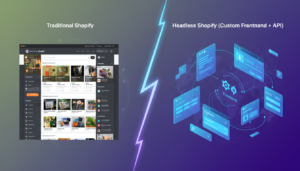
A PWA is a web app that behaves like a native app — installable from the browser, capable of push notifications, offline caching. Shopify’s native storefront doesn’t support PWA out of the box, but headless builds using Hydrogen + Oxygen can. Expect 4–12 weeks and $5,000–$25,000 in development costs.
3. Custom Native App Development
A fully bespoke iOS and/or Android app built with React Native or Flutter, connected to Shopify via the Storefront API. Full design control, custom checkout logic, advanced loyalty integrations. Cost: $15,000–$150,000+ depending on scope and whether you use a domestic or offshore agency.
4. Headless Commerce with App Shell
The most sophisticated option: decouple your Shopify backend entirely, serve your frontend via a headless framework (Next.js, Nuxt, Remix), and wrap it in a React Native shell for app stores. Used by brands like Allbirds and Gymshark. Requires a dedicated engineering team or a specialist agency.
Shopify Mobile App Builder Comparison: Feature-by-Feature
The table below benchmarks the top no-code and low-code Shopify mobile app builders available in 2026 across the metrics that matter most for growing stores.
| Platform | Monthly Cost | iOS + Android | Push Notifications | Custom Domain | Klaviyo Integration | Live in (days) | Best For |
|---|---|---|---|---|---|---|---|
| Vajro | $99–$599 | ✅ | ✅ Advanced | ✅ | ✅ | 7–14 | Fashion, lifestyle brands |
| Tapcart | $200–$1,000+ | ✅ | ✅ Advanced | ✅ | ✅ | 14–21 | High-volume DTC brands |
| Plobal Apps | $149–$499 | ✅ | ✅ Basic | ✅ | ✅ | 7–14 | Mid-market stores |
| Shopney | $99–$499 | ✅ | ✅ Advanced | ✅ | ✅ | 7–14 | Multilingual/international stores |
| MageNative | $49–$249 | ✅ | ✅ Basic | ❌ | Partial | 5–10 | Small stores, budget builds |
| Custom (India agency) | N/A (one-time $8K–$40K) | ✅ | ✅ Full control | ✅ | ✅ Full API | 60–120 | Complex logic, scale |
| Custom (US/UK agency) | N/A (one-time $40K–$150K+) | ✅ | ✅ Full control | ✅ | ✅ Full API | 90–180 | Enterprise, brand-critical UX |
Vajro vs. Tapcart: The Two Market Leaders
When store owners search for a Shopify mobile app builder, Vajro and Tapcart dominate the conversation — and for good reason. Both have proven track records, strong Shopify App Store ratings, and deep integration ecosystems. But they serve different store profiles.
Shopify Mobile App Builder by Vajro
Vajro’s core strength is speed and visual merchandising. Its drag-and-drop editor is genuinely intuitive, and the platform syncs your Shopify product catalog, collections, and metafields in real time. The Vajro Live Selling feature — which lets you host shoppable video streams inside the app — is a genuine differentiator for fashion and beauty brands.
On the analytics side, Vajro integrates natively with Google Analytics 4 and Facebook Pixel, and its push notification engine supports segmentation by browse history, cart value, and purchase frequency. At $99/month for the Starter plan, it’s one of the most cost-efficient entries into native mobile commerce.
Tapcart: For Brands Doing $1M+
Tapcart positions itself as the enterprise tier of no-code app builders. Its Custom Blocks feature lets developers inject custom code into specific app screens — a capability most no-code builders don’t offer. This means you can embed Rebuy’s smart cart recommendations, Okendo reviews widgets, or custom loyalty logic without rebuilding the whole app.
Tapcart’s push notification suite is best-in-class among app builders, with A/B testing, time-zone-based delivery, and Klaviyo flow triggers. Their data shows merchants see an average 8–12x ROI on push notifications within 90 days. The $200+ entry price reflects this capability gap.
Shopify Mobile App Builder Free: What Actually Exists
No credible Shopify mobile app builder offers a permanently free tier that publishes to the Apple App Store and Google Play. What you’ll find are:
- Free trials (14–30 days) from Vajro, Tapcart, and Shopney — useful for validating UX before committing.
- PWA solutions that are technically free to build if you’re using Shopify’s Hydrogen framework, though you’ll still pay developer time.
- MageNative’s entry plan at $49/month — as close to a free Shopify mobile app builder as exists for a published native app.
Be skeptical of any tool advertising a “free” published native app. Apple and Google charge annual developer fees ($99 and $25 respectively), and someone has to absorb that. Free tiers typically produce PWAs or web-view-wrapped apps — not true native apps. The performance and UX difference is significant, especially on older Android devices.
Shopify Mobile App Builder vs. Custom Development: Which Is Right for You?
This is the highest-stakes decision in the whole process. Get it wrong and you either overspend on custom dev for a store that didn’t need it, or you cap your growth with an app builder that can’t handle your product catalog complexity or integration requirements.
Choose a Mobile App Builder If:
- Your store does under $1M/year in revenue and has standard product catalog structures.
- You need to go live in under 30 days.
- Your app strategy centers on push notifications, loyalty, and browse-to-purchase flows — not complex custom logic.
- You don’t have in-house engineering resources or a dedicated technical partner.
Choose Custom Shopify Mobile App Development If:
- Your store has custom checkout logic, subscription complexity, or B2B pricing rules that no-code builders can’t replicate.
- You need deep integration with an ERP, 3PL, or custom loyalty platform via Shopify’s Admin API.
- Your brand equity demands a bespoke UX that no template can deliver.
- You’re doing $2M+ annually and the ROI math on a $40K–$80K custom build works within 12 months.
The ROI Math
Here’s a simple framework: if your mobile traffic is 50,000 monthly sessions and your current mobile browser conversion rate is 1.8%, you’re generating roughly 900 orders/month from mobile. If a native app lifts that to 3.5% (conservative), that’s 1,750 orders/month — an 850-order increase. At an AOV of $75, that’s $63,750/month in additional revenue. A $99/month app builder pays back in hours. Even a $60,000 custom app pays back in under 30 days at that scale.
Custom Shopify Mobile App Development in India: What to Know
India-based agencies have become serious contenders for custom Shopify mobile app development, with hourly rates ranging from $25–$60/hour versus $100–$200/hour in the US or UK. For a typical React Native Shopify app, an India-based team can deliver a production-ready product for $8,000–$40,000.
The caveats are real, though. You’ll need to budget 20–30% extra time for communication overhead, especially across time zones. Rigorous specification documents, wireframes approved before development begins, and weekly Loom video reviews are non-negotiable. Agencies to evaluate include Successive Technologies, Mobikul, and Konstant Infosolutions — all with documented Shopify Storefront API experience.
Before signing any contract with an offshore partner, confirm:
- They’ve built apps using Shopify’s Storefront API (version 2025-01 or later), not the deprecated AJAX Cart API.
- They handle Apple App Store and Google Play submission as part of scope.
- They provide 90 days of post-launch bug fixing at no additional cost.
- You retain full source code ownership and App Store developer account credentials.
Integrations That Make or Break Your Mobile App
The app itself is only as powerful as the tools it connects to. Before choosing any platform, verify these five integrations are supported natively — not via workarounds.
- Klaviyo: Sync app event data (installs, product views, add-to-cart) into Klaviyo flows so your email and push strategy share the same behavioral signals.
- Rebuy: Power in-app product recommendations, post-purchase upsells, and smart cart upsells using Rebuy’s AI engine. Tapcart’s Custom Blocks support this natively.
- Okendo: Surface UGC reviews and star ratings inside product pages to reduce purchase hesitation.
- Yotpo Loyalty (or Smile.io): Display loyalty point balances on the app home screen — a major driver of repeat open rates.
- Hotjar (or equivalent): While traditional Hotjar heatmaps don’t work in native apps, use in-app session recording tools like UXCam for the same insight layer.
How to Launch Your Shopify Mobile App: Step-by-Step
Using Vajro as the example (the most common starting point for stores in the $100K–$500K range), here’s the precise launch sequence:
- Install Vajro from the Shopify App Store. Go to your Shopify Admin → Apps → Search “Vajro” → Install.
- Connect your catalog. Vajro auto-syncs your products, collections, and metafields. Review the sync log for any variants with missing images — these will render poorly on mobile.
- Design your app screens. In the Vajro dashboard, configure your Home Screen layout using their block editor. Lead with a hero banner, featured collections, and a bestsellers carousel.
- Set up push notification segments. Create at minimum three segments: New Installs (Day 1 welcome), Cart Abandoners (2-hour delay trigger), and Win-Back (no purchase in 45 days).
- Configure your Apple Developer and Google Play accounts. Vajro submits on your behalf, but you must create the accounts: Apple Developer at developer.apple.com ($99/year) and Google Play Console at play.google.com/console ($25 one-time).
- Submit for App Store review. Apple’s review takes 1–3 business days. Google Play is typically 24–48 hours. Vajro’s team monitors the review and handles rejections.
- Launch and track in GA4. Connect Google Analytics 4 via Vajro’s integration settings. Your app events will appear as a new Data Stream under your existing GA4 property — Go to GA4 → Admin → Data Streams → Add Stream → Mobile App.
Can I Make a Mobile App with Shopify?
Yes — and in 2026, there are more paths to do it than ever before. Shopify itself does not offer a native “build your app” feature inside the admin dashboard, but the ecosystem around it makes building a branded mobile app entirely achievable for stores of almost any size.
The most accessible route is a no-code Shopify mobile app builder like Vajro, Tapcart, or Shopney. These tools connect directly to your Shopify store via the Storefront API, pull your product catalog, and let you design a native iOS and Android app without writing a single line of code. Most can publish to both app stores within two weeks of setup. Pricing starts at $49–$99/month, making them viable for stores doing as little as $5,000/month in revenue if mobile traffic is a meaningful share of sessions.
For stores with more complex requirements, Shopify’s Storefront API and Customer Account API (released in the 2024–2025 API versioning cycle) give developers the building blocks to create fully custom apps. These APIs handle product queries, cart management, checkout initiation, customer authentication, and order history — essentially everything a commerce app needs.
If you’re on Shopify Plus, you also have access to the Checkout Extensibility framework, which means your custom app can surface checkout UI extensions (upsells, custom fields, delivery date pickers) that were previously only available on the web checkout.
The one thing you cannot do is use Shopify’s default checkout inside a native app without going through the Storefront API checkout flow or redirecting to a mobile-optimized web checkout. Most app builders handle this seamlessly — users complete checkout in a webview that matches your store’s checkout settings, including Shop Pay, which consistently outperforms guest checkout by 1.72x on conversion (Shopify internal data, 2025).
How to Create Mobile Apps That Make $3,000 a Day?
Generating $3,000/day from a mobile app — roughly $90,000/month — requires hitting specific benchmarks across traffic, conversion, and average order value. Let’s work the math backward and then show you the operational levers.
At a 3.5% app conversion rate and $85 AOV (realistic for a mid-market DTC brand with a native app), you need 1,009 daily app sessions to hit $3,000/day. That’s roughly 30,000 monthly active app users assuming a 33% daily active rate. Building to that number takes a deliberate acquisition and retention strategy.
Acquisition: Getting App Installs
- Run a “Download for 15% off” pop-up on mobile web sessions. Use a tool like Privy or Klaviyo’s on-site forms to trigger this after 30 seconds on mobile. Industry benchmarks show 8–14% of mobile visitors will install when given a strong first-purchase incentive.
- Add an App Store badge to every Klaviyo email footer. Your existing email list is your highest-intent audience — converting even 5% of your list to app users creates a substantial base.
- Use Meta Ads with App Install objectives. Target your existing customer LTV audiences with a specific message around push-exclusive deals.
Retention: Getting Users Back
- Send a weekly “New Arrivals” push notification every Tuesday at 10am local time (highest open rates per Tapcart’s 2025 push benchmark report).
- Trigger price drop alerts for items users have viewed 3+ times. This single automation generates an average 4.2% conversion on sends.
- Implement a streak-based loyalty mechanic inside the app (e.g., “Buy 3 months in a row, unlock VIP status”). This is most easily done by connecting Smile.io or Yotpo Loyalty to your app builder.
AOV: Increasing Revenue Per Order
Install Rebuy’s Smart Cart as an in-app upsell widget. Rebuy’s 2025 data shows merchants see a 12–18% AOV lift when AI-powered recommendations are active at the cart stage. Combined with a free shipping threshold bar (set 20–30% above your current AOV), you can realistically add $15–$25 per order.
Does Shopify Work with Shein?
This is a common question, and the short answer is: no, Shopify does not have a native integration with Shein, and Shein does not operate as a sales channel within the Shopify ecosystem the way Amazon, Walmart, or TikTok Shop do.
Shein is a vertically integrated, closed-platform retailer with its own supplier and seller infrastructure. Independent brands cannot list products on Shein through Shopify in the same way they can syndicate inventory to Amazon via a Shopify sales channel. Shein’s marketplace program — which has expanded through its acquisition of Missguided and partnerships with third-party sellers — operates through Shein’s own seller portal, entirely separate from any Shopify admin workflow.
What you can do is use Shopify in parallel with a Shein seller account if Shein’s marketplace ever opens to your product category. In that scenario, you’d manage inventory in Shopify and use a third-party multichannel tool like Linnworks or Codisto to sync stock levels and orders — but this requires manual channel setup, not a native Shopify-Shein connection.
If your underlying question is about competing with Shein on mobile — that’s a different discussion. Shein’s app is the most-downloaded shopping app globally (Sensor Tower, 2024), largely because of its ultra-low price points and gamified UX. If you’re a Shopify merchant trying to win mobile shoppers away from Shein, your answer is differentiation through brand, UGC, and community — not price. A native Shopify app with Okendo reviews, loyalty mechanics, and push notifications builds the kind of relationship Shein’s model structurally cannot.
Who Is the Highest Earner on Shopify?
Shopify does not publicly disclose merchant revenue rankings, but based on publicly available data and reported figures, the highest-grossing Shopify stores are major enterprise and DTC brands that use Shopify Plus. Estimates place the top earners as follows:
Gymshark is frequently cited as one of the highest-grossing Shopify stores, with reported revenues exceeding $500M annually. The brand migrated to Shopify Plus in 2017 after a notorious site crash during a Black Friday sale — a move that became one of the most cited case studies in Shopify’s enterprise history.
Allbirds, Bombas, MVMT Watches, and Kylie Cosmetics (Kylie Jenner’s brand) have all been publicly confirmed Shopify Plus merchants at various points, each with annual revenues in the $100M–$400M range. Fashion Nova, one of the most followed fashion brands on Instagram, also reportedly operates on Shopify and generates over $400M annually.
Outside the DTC world, Heinz, Staples Canada, and Tesla’s merchandise store have all run on Shopify infrastructure.
The relevant insight for your business: none of these brands started at those revenue levels on Shopify. Gymshark started as a screen-printing operation in a garage. The Shopify platform scales from $0 to $500M+ without a forced replatform — which is exactly why the mobile app question matters. Building your mobile channel now, at $100K–$500K, is the same infrastructure decision these brands made early that compounded over time.
Picking the Right Shopify Mobile App Builder for Your Store
The “best” Shopify mobile app builder is a function of your revenue, catalog complexity, integration stack, and timeline. Here’s a clean decision framework:
- Under $250K/year: Start with Vajro or Shopney. Low cost, fast deployment, good enough push notification tooling to start building your mobile retention channel.
- $250K–$1M/year: Evaluate Tapcart seriously. The Custom Blocks feature and deeper Klaviyo sync are worth the premium at this revenue level, where every percentage point of mobile conversion has material impact.
- $1M–$5M/year: Run a genuine build-vs-buy analysis. A custom React Native app built by a strong India-based agency ($20K–$40K) may outperform any app builder’s template UX — and the total cost over 24 months may be comparable once you factor in monthly SaaS fees.
- $5M+/year: Custom development or headless + app shell is almost certainly the right answer. At this scale, 0.5% conversion rate differences translate to millions in annual revenue, and no template can optimize for your specific customer journey.
Regardless of which path you choose, track your mobile app’s performance with the same rigor you apply to your website. Connect GA4 to your app data stream, run Klaviyo push notification A/B tests quarterly, monitor cart abandonment rates inside the app separately from web, and use UXCam to identify friction in your mobile checkout flow. The stores that win on mobile in 2026 aren’t the ones with the fanciest app — they’re the ones iterating fastest on what their mobile data is telling them.