Shopify A/B Testing Guide: 12 Tactical Tests to Run in 2026
Your Shopify store is losing revenue right now — not because your product is wrong, but because your pages haven’t been systematically tested. According to VWO’s 2025 Benchmark Report, the median e-commerce conversion rate sits at 2.86%, yet the top quartile of Shopify merchants consistently converts at 4.5%–6.8%. That gap is almost entirely explained by disciplined A/B testing. If you’re running on gut instinct alone, you’re leaving thousands of dollars on the table every month.
This guide walks you through exactly how to build, run, and interpret A/B tests on your Shopify store — from choosing the right testing tool to reading statistical significance correctly. Every tactic here is validated against real merchant data and is actionable starting today.
- The exact framework for prioritizing which Shopify pages to test first (and why most stores get this backward)
- 12 specific A/B tests ranked by expected revenue impact, with benchmarks for each
- Step-by-step Shopify Admin navigation paths for setting up theme-based tests without a developer
- How to interpret statistical significance so you stop calling winners too early
- The right tools for Shopify A/B testing in 2026 — and which ones to avoid
Why Most Shopify A/B Tests Fail Before They Start
The number one reason Shopify merchants waste months on testing is poor prioritization. They test button colors on a product page that gets 200 sessions a week, then wonder why results are inconclusive after 60 days.
Before you run a single test, you need three things in place:
- Minimum viable traffic: A page needs at least 1,000 unique sessions per week to reach statistical significance within a 2–3 week test window. Use Google Analytics 4 (GA4) under Reports → Engagement → Pages and Screens to confirm this before you commit.
- A defined primary metric: Every test has one goal — add-to-cart rate, checkout initiation, or completed purchase. Secondary metrics (time on page, scroll depth) are observations, not decision-makers.
- A documented hypothesis: “Changing the CTA from ‘Add to Cart’ to ‘Get Yours Now’ will increase add-to-cart rate because it creates urgency and speaks to ownership.” No hypothesis, no valid test.
Use the PIE framework (Potential, Importance, Ease) to score every test idea on a 1–10 scale across all three dimensions, then multiply the scores. Run the highest-scoring tests first. This alone separates high-performing Shopify brands from those spinning their wheels.
Choosing the Right A/B Testing Tool for Your Shopify Store
Not all testing tools work cleanly with Shopify’s architecture. Here’s a practical comparison of the tools worth your attention in 2026:
| Tool | Best For | Shopify Native? | Starting Price/mo | Statistical Model |
|---|---|---|---|---|
| Google Optimize (deprecated → GA4 Experiments) | Basic front-end tests | No (requires GTM) | Free | Frequentist |
| Convert Experiences | Mid-market stores, full-funnel testing | No (JS snippet) | $199 | Frequentist + Bayesian |
| Intelligems | Price testing, Shopify-native splits | Yes (Shopify App) | $99 | Bayesian |
| Shoplift | Theme section A/B tests | Yes (Shopify App) | $149 | Bayesian |
| VWO | Enterprise, heatmaps + testing | No (JS snippet) | $425 | Frequentist + Bayesian |
| Optimizely (Feature Experimentation) | Headless / large catalog stores | No (API) | Custom | Sequential / Bayesian |
Our recommendation for stores doing $50K–$500K/year: Start with Shoplift or Intelligems. Both are built specifically for Shopify’s Online Store 2.0 architecture, which means they split-test sections natively without injecting flicker-prone JavaScript that pollutes your results.
For stores above $500K/year where price sensitivity and personalization matter, pair Convert Experiences with Hotjar for session recordings to understand why a variant won or lost — not just whether it did.
The 12 A/B Tests Ranked by Revenue Impact
1. Product Page Hero CTA Copy
The “Add to Cart” button is the most-tested element in e-commerce. Changing CTA copy to action-oriented, benefit-led language (“Claim Your [Product]”, “Get Free Shipping Today”) has shown an average 8–15% lift in add-to-cart rate across Shoplift’s aggregate Shopify data (2025). Test one variable: the button text. Keep color, size, and placement identical between variants.
2. Product Image Order and Type
Lifestyle images as the primary hero image consistently outperform white-background product shots for apparel and beauty brands, often by 12–20% in CVR. For technical products (electronics, tools), specification-forward images with callout labels perform better. Use Hotjar heatmaps to confirm where users’ eyes land before designing your variant.
3. Pricing Anchoring and Display
Intelligems is built specifically for this. Test showing the original price crossed out versus showing a percentage discount badge versus showing a “You save $X” message. Dollar-amount savings framing (“Save $40”) outperforms percentage framing (“Save 20%”) for products priced above $100, according to a 2024 meta-analysis by CXL Institute. For products under $50, percentages win.
4. Social Proof Placement
Star ratings above the fold versus below the product description is a consistently high-impact test. Okendo’s internal data shows that displaying review count and average score within the first viewport increases conversion by up to 18% for stores with 50+ reviews. Set this up by adjusting your theme’s section order in Online Store → Themes → Customize → Product Page.
5. Checkout Button Visibility on Mobile
On mobile, a sticky “Add to Cart” bar that follows users as they scroll is one of the highest ROI tests you can run. Mobile accounts for 73% of Shopify store traffic in 2025 (Shopify Commerce Trends Report), yet most themes bury the CTA below the fold. Test a sticky mobile CTA bar against your default theme layout using Shoplift’s section-level split.
6. Free Shipping Threshold Messaging
Replace a generic free shipping badge with a dynamic threshold message: “Add $12 more for free shipping.” This single change has been shown to increase average order value (AOV) by 4–9% in Rebuy’s customer data. Implement via Rebuy’s Smart Cart or build a custom Liquid snippet in your cart drawer template at Online Store → Themes → Edit Code → Sections → cart-drawer.liquid.
7. Homepage Hero Headline Framing
Test outcome-focused headlines (“Wake Up Without Back Pain”) against product-focused headlines (“The Ergonomic Chair Built for Remote Workers”). Outcome-led copy consistently performs better for top-of-funnel visitors who land from paid social. Measure homepage-to-product-page click rate as your primary metric, not bounce rate.
8. Upsell and Cross-Sell Placement
Test Rebuy’s AI-powered product recommendations in three positions: below the Add to Cart button, in the cart drawer, and on the post-purchase page. Post-purchase upsells (offered after payment, before the confirmation page) show the highest incremental revenue because they don’t interrupt the conversion — but they require a one-click upsell app like Rebuy or AfterSell to implement on Shopify.
9. Trust Signals Above the Fold
A trust badge bar (secure checkout, free returns, 30-day guarantee) positioned between the product title and price has shown a 5–11% CVR lift for stores with average order values above $75. Test its placement, not just its presence. Hotjar click maps will show you whether users are actually seeing and interacting with it.
10. Email Capture Popup Timing and Offer
Test exit-intent popups versus scroll-triggered popups (at 50% page depth) for email capture. Klaviyo’s native A/B testing for forms lets you split-test offer framing: “Get 10% off” versus “Join 40,000 customers and get exclusive access.” Personalized social-proof-based offers consistently outperform discount-only offers for premium brands — and they protect your margins.
11. Collection Page Filter and Sort Defaults
Your default sort order on collection pages is a hidden conversion lever. Test “Best Selling” versus “Recommended” versus “Featured” as the default. Change this in Online Store → Navigation → Collections → Default sort. Pair this with a Hotjar recording segment filtered to collection pages to watch how users interact with filters before and after.
12. Checkout Page Trust and Urgency Elements
Shopify Plus stores can edit the checkout via Settings → Checkout → Customize checkout using checkout extensibility blocks. Test adding a real-time low-stock counter (“Only 3 left”), a money-back guarantee badge, or a delivery date estimator. Displaying an estimated delivery date at checkout reduces checkout abandonment by up to 17% (Baymard Institute, 2025). Non-Plus stores can add urgency to the cart page using apps like Hurrify or Countdown Timer Bar.
What Is A/B Testing for Shopify Stores? A Tactical Definition
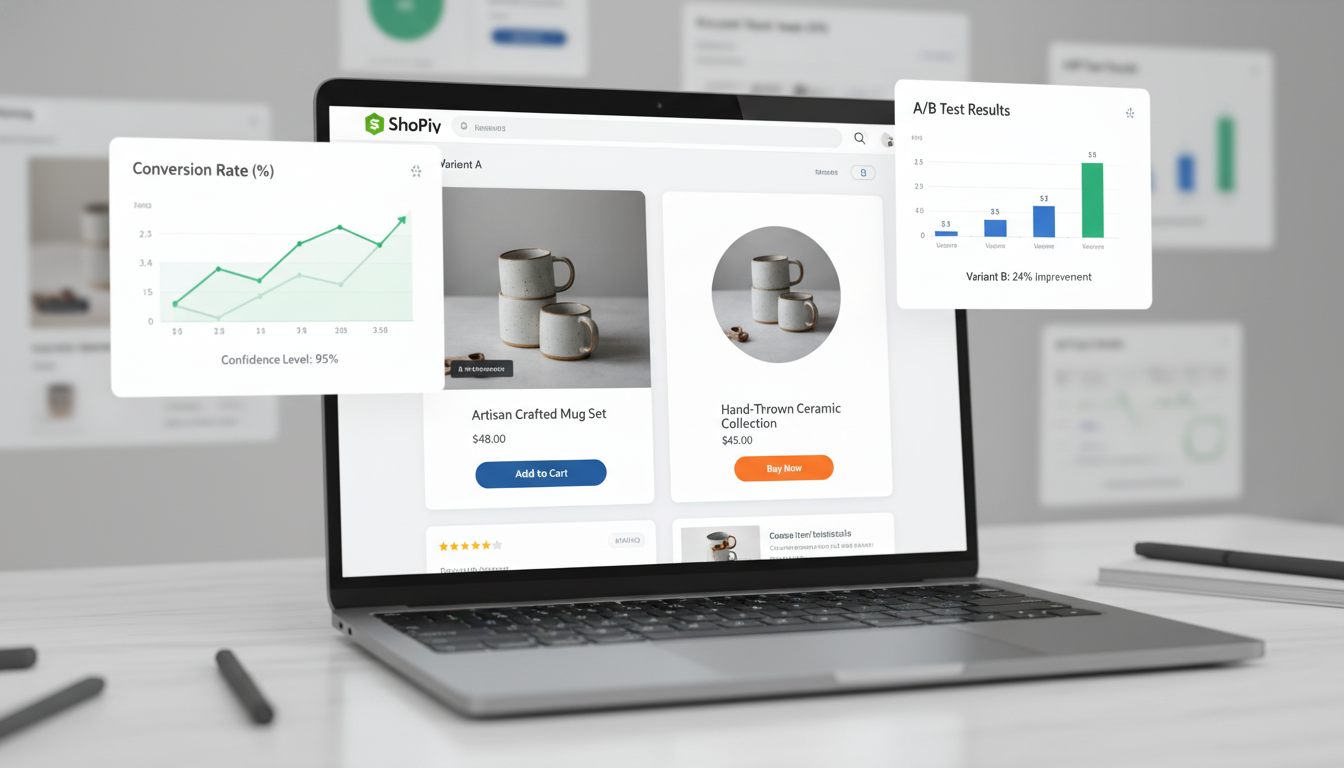
A/B testing on a Shopify store means serving two or more versions of a page element to different segments of your traffic simultaneously, then measuring which version drives more of a defined conversion event. Version A is your control (what’s live now). Version B — or C, D in multivariate tests — is your challenger variant.
The critical word is simultaneously. Testing version A for two weeks and then version B for two weeks is not A/B testing — it’s sequential comparison, and it’s contaminated by seasonality, traffic source shifts, and algorithm changes. A proper Shopify A/B test splits traffic in real time using a JavaScript snippet or a native Shopify app that assigns users to cohorts at the session level.
For Shopify specifically, there are two types of tests you’ll run:
- Front-end visual tests: Changes to layout, copy, images, button styles, and section order. Tools like Shoplift and Convert Experiences handle these without touching your theme code permanently.
- Back-end / data tests: Price testing, discount logic, product recommendation algorithms. Intelligems is purpose-built for this on Shopify because it hooks into Shopify’s pricing and cart APIs rather than just manipulating the DOM.
Statistical significance is the threshold at which you can be confident your result is real, not random. The industry standard is 95% confidence — meaning there’s only a 5% probability that the difference between your variants occurred by chance. Most Bayesian tools (Shoplift, Intelligems) express this as a “probability to be best” percentage. Don’t call a winner until you’ve hit 95% confidence AND collected data for at least 7 days to account for day-of-week variation in buyer behavior.
Sample size matters enormously. Use a sample size calculator (Evan Miller’s is the most widely cited) before you start. For a baseline conversion rate of 3% and a minimum detectable effect of 0.5%, you need approximately 22,000 visitors per variant. Most Shopify stores with under 5,000 monthly sessions should focus on testing macro-elements (entire page layouts, major offers) rather than micro-elements (button colors, font sizes) — the effect sizes need to be large enough to detect with limited traffic.
How to Set Up Your First A/B Test on Shopify: Step-by-Step
Here’s the exact process for running your first test using Shoplift — the most frictionless native option for Online Store 2.0 themes in 2026.
- Install Shoplift from the Shopify App Store. Go to Apps → Shopify App Store → Search “Shoplift” and install. It requires no code changes and integrates with your theme’s section architecture directly.
- Connect GA4 for revenue attribution. In Shoplift’s dashboard, go to Settings → Integrations → Google Analytics and paste your GA4 Measurement ID. This ensures you’re measuring actual revenue per variant, not just clicks.
- Choose your test page. Navigate to Shoplift → Create Test → Select Page Type. Start with your highest-traffic product page (confirm in GA4 under Reports → Engagement → Pages and Screens).
- Define your hypothesis. In the test setup panel, write your hypothesis in plain language: what you’re changing, why you expect it to improve conversions, and what your primary metric is.
- Build your variant. Shoplift opens a visual editor layered over your live theme. Change the element you’re testing — and only that element. Resist the urge to change five things at once; multivariate tests require 5–10x more traffic to reach significance.
- Set your traffic split. For most tests, use a 50/50 split. If you’re testing something risky (a dramatically different layout), start with a 90/10 split to protect revenue while gathering early data.
- Set your success metric and minimum run time. Primary metric: add-to-cart rate or purchase rate. Minimum runtime: 14 days. Minimum confidence threshold: 95%.
- Launch and monitor — but don’t watch obsessively. Check results weekly. Peeking at results daily and stopping tests early because one variant “looks” better is the single biggest source of false positives in e-commerce testing.
Why A/B Test Results Are Often Misleading on Shopify Stores
Running a test is not the same as running a valid test. Several Shopify-specific factors corrupt results if you’re not accounting for them.
The Flicker Problem
Many JavaScript-based testing tools (especially older VWO implementations) show users a flash of the control version before the variant loads. This “flicker” happens because Shopify renders the page first, then the testing tool overrides it client-side. Users who see the flicker are exposed to both variants, contaminating your data. Fix this by using async-loading tools or native Shopify app-based testers like Shoplift that operate at the server/theme level.
Returning Customer Contamination
If the same user sees variant A on Monday and variant B on Wednesday (because their cookie expired or they switched devices), your data is polluted. Shoplift and Intelligems handle this via Shopify customer ID binding for logged-in users. For anonymous visitors, cookie persistence of at least 30 days is the minimum acceptable standard.
Seasonal and Promotional Interference
Never run an A/B test through a major sale event (Black Friday, a flash sale, a significant paid media push). Traffic quality and buyer intent during promotional periods are fundamentally different from evergreen traffic. Pause tests 48 hours before any planned promotion and restart them after the promotional period ends.
Attribution Mismatch with Shopify’s Checkout
Shopify’s native checkout operates on a separate subdomain (checkout.shopify.com for non-Plus stores), which breaks GA4 cross-domain tracking if not configured correctly. Set up cross-domain measurement in GA4 under Admin → Data Streams → Configure Tag Settings → Configure Your Domains. Without this, up to 30% of conversions may be attributed to “direct” traffic rather than your test variant, making revenue comparison unreliable.
How to Build a Continuous Testing Culture on Your Shopify Store
One-off tests deliver one-off gains. The stores consistently converting at 5%+ are running 3–5 tests simultaneously across different pages and funnel stages, with a documented backlog of 20+ hypotheses queued up.
Here’s the operational setup that makes this sustainable:
- Weekly data review ritual: Every Monday, spend 30 minutes in GA4 reviewing your top exit pages, highest drop-off funnel steps (under Reports → Advertising → Attribution → Conversion paths), and Hotjar session recordings filtered by rage-clicks and exit intent. Every session should generate at least one new test hypothesis.
- A hypothesis backlog in Notion or Linear: Score every idea using PIE (Potential × Importance × Ease). The backlog should never drop below 10 scored ideas.
- Test documentation: After every test — win or loss — document the hypothesis, variant screenshots, result data, and the insight generated. A losing test that teaches you why users behave a certain way is often more valuable than a winning test you can’t explain.
- Segment your wins before shipping: A variant that wins for desktop users may lose for mobile users. Always segment your results by device type before declaring a global winner and publishing the change. Do this in Shoplift’s results dashboard under Results → Segment by Device.
Klaviyo data is a goldmine for test ideation. Look at your email campaign click-through rates by subject line and offer type — what messaging makes people click in email is a strong signal for what to test on-site. If “free shipping” subject lines dramatically outperform “discount” subject lines, that’s your next homepage hero test hypothesis.
How to Prevent Wasted A/B Tests on Shopify
The cost of a bad test isn’t just wasted time — it’s the opportunity cost of not having run a better test, plus the risk of shipping a losing variant as a “winner” and permanently suppressing your conversion rate.
Here are the six rules that prevent wasted tests:
- Never test without sufficient traffic. If a page gets fewer than 500 unique sessions per week, combine it with similar pages (e.g., test across your top 5 product pages simultaneously using Shoplift’s multi-page test feature) or don’t test it at all.
- Never run more than one test on the same page at the same time. Overlapping tests on the same URL create interaction effects that make results uninterpretable. Use a testing calendar to prevent collisions.
- Always QA your variant on mobile. Over 70% of your traffic is likely mobile. A variant that looks great on desktop but breaks the mobile layout will skew results downward and waste weeks of data collection.
- Set your success criteria before you look at any data. Define your minimum detectable effect (MDE) and required confidence level before launch. Changing these thresholds after peeking at early results is p-hacking — it produces false positives.
- Check for Sample Ratio Mismatch (SRM). If you launched a 50/50 test but variant A received 8,000 visitors and variant B received 6,200, something went wrong in your traffic allocation. An SRM invalidates the test. Intelligems flags this automatically; other tools require manual checks.
- Account for novelty effect. Users may behave differently with a new design simply because it’s new, not because it’s better. This effect typically fades after 1–2 weeks, which is another reason minimum test duration matters.
One more tactical point: integrate PageSpeed Insights checks into your test launch process. A variant that introduces a new image, font, or third-party script can negatively impact your Core Web Vitals — and a slower page will suppress conversion regardless of how good the copy is. Run a PageSpeed Insights audit on your variant URL before launching at full traffic. Target a Largest Contentful Paint (LCP) under 2.5 seconds on mobile.
Shopify A/B Testing Benchmarks: What a Good Result Looks Like
| Test Type | Typical Win Rate | Avg CVR Lift (Winners Only) | Avg Test Duration | Required Weekly Sessions |
|---|---|---|---|---|
| CTA Copy / Button Text | 35–45% | 8–15% | 14–21 days | 2,000+ |
| Product Image Order | 30–40% | 10–20% | 14–28 days | 2,000+ |
| Pricing Display / Anchoring | 25–35% | 5–12% | 14–21 days | 3,000+ |
| Social Proof Placement | 40–55% | 10–18% | 14–21 days | 2,000+ |
| Free Shipping Threshold Messaging | 50–65% | 4–9% AOV lift | 14 days | 1,500+ |
| Homepage Hero Headline | 30–40% | 5–12% CTR lift | 21–28 days | 5,000+ |
| Checkout Trust Signals (Plus only) | 45–60% | 10–17% | 14–21 days | 1,000+ |
These benchmarks are compiled from Shoplift’s 2025 aggregate data, Baymard Institute research, and CXL Institute’s e-commerce testing meta-analyses. Your results will vary based on your traffic quality, current baseline CVR, and category — but these ranges give you realistic expectations before you invest testing runway in any single hypothesis.
Pulling It All Together: Your Shopify A/B Testing Roadmap
The stores that win with A/B testing on Shopify aren’t running more tests — they’re running better-structured tests on higher-impact pages, with the right tools and disciplined statistical standards. Start with your highest-traffic product page, define a single clear hypothesis using the PIE framework, install a native Shopify testing tool like Shoplift or Intelligems, and commit to a 14-day minimum test window before touching the results.
Use GA4 and Hotjar together: GA4 tells you where users are dropping off, Hotjar tells you why. That combination generates hypotheses that are grounded in actual user behavior, not assumption. Pair your on-site testing with Klaviyo’s email A/B data to create a full-funnel signal loop — what works in email almost always deserves a test on the corresponding landing page.
Every test you run — win or loss — compounds. A store that runs 24 disciplined tests per year, with a 40% win rate and an average 10% CVR lift per winner, will roughly double its conversion rate within 18 months. That’s not a projection — it’s basic math applied to the benchmarks above. The only thing standing between your current conversion rate and 5%+ is a structured commitment to testing what you think you know.