Shopify Cart Abandonment Strategies: 14 Tactics to Recover Lost Revenue (2026)
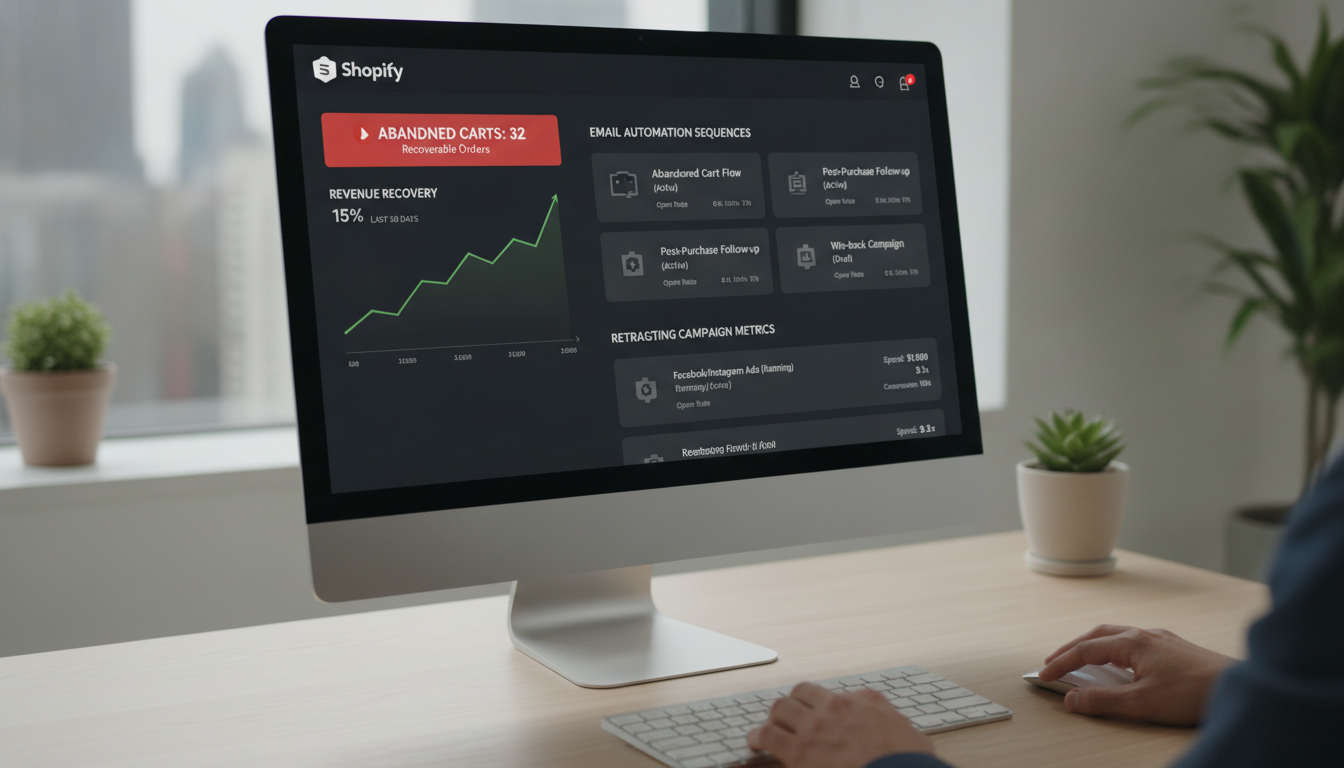
You’re losing nearly 7 out of 10 sales before they complete. The average cart abandonment rate across e-commerce sits at 70.19% globally (Baymard Institute, 2025) — and for most Shopify stores doing $50K–$5M per year, that’s the single largest recoverable revenue leak in the entire business. The good news: Shopify gives you more native infrastructure to fight cart abandonment than any other platform, and the right third-party stack amplifies it further. This guide covers exactly what to do, in what order, with specific tools and Shopify Admin paths so you can start recovering revenue this week.
- Why cart abandonment happens on Shopify stores — the real causes beyond “price”
- How to build a multi-channel recovery stack using email, SMS, push, and retargeting
- Exact Shopify Admin paths to fix checkout friction points that kill conversions
- Benchmarks for cart abandonment recovery rates by industry so you know what “good” looks like
- Preventive tactics — the UX and trust fixes that stop abandonment before it starts
Why Cart Abandonment Happens on Shopify Stores
Most store owners assume price is the primary reason shoppers leave. The data says otherwise. Baymard Institute’s 2025 study found that 48% of abandoners cited unexpected extra costs (shipping, taxes, fees) as the top reason — but forced account creation (24%), complicated checkout (22%), and slow load times (17%) collectively drive nearly as much abandonment as price does.
On Shopify specifically, the abandonment triggers tend to cluster around three areas: checkout friction, trust gaps, and traffic quality. Understanding which category is hurting your store most determines which tactics you prioritize first.
Checkout Friction
This includes unnecessary form fields, limited payment methods, a multi-page checkout flow that feels endless, and a lack of guest checkout. Shopify’s one-page checkout (rolled out broadly in 2023 and refined through 2025) addresses some of this natively, but it’s only effective if you’ve actually enabled it and removed redundant fields.
Trust Gaps
A shopper who doesn’t see familiar payment badges, a clear return policy, or real customer reviews near the buy button will hesitate — and hesitation converts to abandonment on mobile, where attention spans are shorter and competing apps are one swipe away.
Traffic Quality
High abandonment rates are sometimes a traffic problem disguised as a checkout problem. If your paid social campaigns are driving cold traffic to a product page with no warming content, the abandonment rate will be structurally high regardless of checkout quality. Use Google Analytics 4 (GA4) to segment abandonment rates by traffic source before assuming checkout is the culprit.
What Are Shopify Cart Abandonment Strategies?
Shopify cart abandonment strategies are the combination of preventive UX improvements and recovery campaigns that work together to either stop shoppers from leaving without purchasing, or bring them back after they’ve already left. They span your on-site experience, your email and SMS flows, your retargeting ad campaigns, and your checkout configuration.
The most effective programs operate on two tracks simultaneously:
- Prevention track: Reduce the friction, trust gaps, and surprise costs that trigger abandonment in the first place
- Recovery track: Capture abandoners through email, SMS, push notifications, and paid retargeting within a defined window
Running only one track leaves significant revenue on the table. A store with a 3-email Klaviyo abandonment flow but no checkout friction fixes is still losing people who never even reach the recovery window. Conversely, a store with a perfectly optimized checkout but no recovery system loses every shopper who leaves for reasons outside their control — a phone call, a distraction, a price comparison.
The benchmark most competitive Shopify brands target is a recovered revenue rate of 5–15% of total abandoned cart value. Stores with mature multi-channel recovery programs (email + SMS + retargeting) routinely hit the upper end of that range.
Cart Abandonment Rate Benchmarks by Industry (2026)
Before you panic about your abandonment rate, check it against your vertical. A 78% abandonment rate in luxury fashion isn’t necessarily broken — it may be exactly where competitors sit. Use this table to calibrate your expectations and set realistic recovery goals.
| Industry | Average Cart Abandonment Rate | Avg. Recovery Rate (Email) | Avg. Order Value |
|---|---|---|---|
| Fashion & Apparel | 74.6% | 6.3% | $85–$140 |
| Beauty & Cosmetics | 69.2% | 7.8% | $55–$95 |
| Home & Furniture | 78.4% | 4.9% | $200–$800 |
| Consumer Electronics | 80.1% | 3.2% | $150–$600 |
| Sports & Outdoors | 71.5% | 6.7% | $90–$200 |
| Food & Beverage (DTC) | 62.8% | 9.1% | $40–$80 |
| Health & Supplements | 67.3% | 8.4% | $60–$120 |
Sources: Baymard Institute 2025, Klaviyo E-Commerce Benchmarks 2025, SaleCycle 2025 Report
How to Fix Cart Abandonment on Your Shopify Store: 14 Tactics
1. Enable and Optimize Shopify’s One-Page Checkout
Go to Shopify Admin → Settings → Checkout and confirm you’re running the one-page checkout layout. This was Shopify’s most significant checkout update in recent years and reduces average checkout completion time by up to 30 seconds compared to the legacy three-page flow. Remove any custom scripts or theme modifications that re-introduce extra steps.
2. Activate Shop Pay
Navigate to Shopify Admin → Settings → Payments → Accelerated Checkouts and enable Shop Pay. Shopify’s internal data shows Shop Pay converts at a rate 50% higher than standard guest checkout. It pre-fills address and payment info for returning customers, eliminating the biggest form-filling friction point. Also enable Apple Pay and Google Pay from the same menu for mobile shoppers.
3. Kill Hidden Shipping Costs With a Threshold Bar
The single biggest stated reason for abandonment is unexpected costs at checkout. The fix has two parts: first, be transparent earlier. Display shipping costs on the product page using a shipping calculator app like Intuitive Shipping. Second, add a free shipping threshold progress bar to the cart drawer — apps like Cart X or native features in themes like Dawn show the shopper how close they are to earning free shipping, which simultaneously reduces abandonment and increases AOV.
4. Build a 3-Email Klaviyo Abandoned Cart Flow
A single “you forgot something” email is not a strategy — it’s a token gesture. Build a proper sequence:
- Email 1 — 1 hour after abandonment: Reminder with cart contents, product imagery, and a direct checkout link. No discount. Keep the friction of buying low.
- Email 2 — 24 hours after abandonment: Address objections. Show social proof (reviews via Okendo or Yotpo), highlight your return policy, and reinforce the product’s value.
- Email 3 — 72 hours after abandonment: Introduce urgency or a small incentive (e.g., 10% off or free shipping). Only discount here — not in email 1 or 2, or you train customers to abandon intentionally.
In Klaviyo, set this up under Flows → Create Flow → Browse Abandoned Checkout Templates. Klaviyo reports that abandoned cart flows generate an average of $5.81 revenue per recipient — the highest of any automated flow type.
5. Add SMS to Your Recovery Stack via Klaviyo or Postscript
Email open rates average around 45% for abandonment flows. SMS open rates average 98% with a 19% click-through rate (SimpleTexting, 2025). If you’re collecting phone numbers at checkout (which Shopify does by default if you enable it in Settings → Checkout → Customer contact method), you’re sitting on an underused recovery channel.
Send one SMS 30–60 minutes after the cart email goes out, keeping it under 160 characters. Include the customer’s first name, the product name, and a direct checkout link. Both Klaviyo (with SMS add-on) and Postscript integrate directly with Shopify’s abandoned checkout events — no custom development required.
6. Deploy Browser Push Notifications via PushOwl
PushOwl (now rebranded as Brevo Push for Shopify) captures shoppers who haven’t given you their email yet. When a visitor accepts push notifications, you can send a browser-based abandoned cart alert within minutes of them leaving. Push notification CTRs for cart abandonment average 12–15% (PushOwl internal data, 2024) — lower than SMS but valuable for the anonymous traffic segment that email can’t reach.
7. Retarget Abandoners on Meta and Google
Shopify’s native Meta and Google integrations (found in Shopify Admin → Marketing → Campaigns) automatically sync your product catalog and customer events. For cart abandoners, set up Dynamic Product Ads on Meta that show the exact product(s) left in the cart. On Google, run remarketing campaigns through Performance Max with a cart abandoner audience segment.
Cap your retargeting frequency at 4–5 impressions per day across platforms — above that, ad fatigue sets in and CPCs rise without proportional conversion lift. Set an audience window of 7–14 days for most product categories; luxury and high-consideration products can extend to 30 days.
8. Use Rebuy for Personalized Cart Recommendations
Rebuy is a Shopify-native personalization engine that can display AI-driven product recommendations inside the cart drawer. Showing a relevant upsell or bundle inside the cart before the shopper leaves serves two purposes: it increases AOV for those who do purchase, and it can re-engage a shopper who was on the fence about whether their cart felt “complete.” Rebuy integrates with Klaviyo so that cart contents flow directly into your email flows without manual configuration.
9. Add Trust Signals at Checkout
Shopify allows custom content in the checkout via Checkout Extensibility (available on Shopify Plus or via Checkout UI Extensions on standard plans). Add these trust elements directly at checkout:
- Payment security badges (SSL, McAfee Secured, Visa/Mastercard logos)
- A one-line return policy statement (“Free returns within 30 days”)
- A 5-star review snippet pulled from Okendo or Yotpo
- Real-time inventory scarcity (“Only 3 left in stock”) if genuinely true
10. Fix Mobile Checkout Performance With PageSpeed Insights
Run your checkout URL through Google PageSpeed Insights. A Largest Contentful Paint (LCP) above 2.5 seconds on mobile is directly associated with higher abandonment. Google’s own data shows a 1-second delay in mobile load time reduces conversions by up to 20%. Common culprits on Shopify stores: unoptimized app scripts loading in the checkout head, large hero images not using WebP format, and third-party chat widgets firing on checkout pages. Audit your Online Store → Themes → Edit Code → checkout.liquid for any injected scripts that don’t belong there.
11. Display an Exit-Intent Popup With a Targeted Offer
On desktop (exit-intent doesn’t work on mobile), tools like Privy or OptiMonk can detect when a cursor moves toward the browser close button and display a last-chance offer. The offer doesn’t always need to be a discount — it can be a reminder about free shipping, a reassurance about your return policy, or a “save your cart via email” capture form that feeds directly into your Klaviyo flow.
12. Enable Guest Checkout and Social Login
In Shopify Admin → Settings → Checkout → Customer accounts, set accounts to “Optional.” Forced account creation is the second-most-cited reason for abandonment (Baymard, 2025). You can also add social login via apps like Oxi Social Login, which lets shoppers authenticate with Google or Facebook instead of creating a new password — reducing friction for returning shoppers significantly.
13. Use Hotjar to Find the Specific Drop-Off Point
Hotjar session recordings and heatmaps let you watch exactly where real shoppers stall on your checkout pages. Install the Hotjar snippet via Online Store → Themes → Edit Code → theme.liquid or use the official Shopify integration. Look for rage clicks (repeated tapping on an element that doesn’t respond), scroll depth drop-offs, and form field confusion. Two to three hours of session review often reveals a single, fixable issue that’s costing you thousands per month.
14. Test a Sticky Cart or Slide-Out Drawer
If your theme uses a full cart page (a separate URL like /cart), you’re adding an extra step that creates an exit opportunity. A slide-out cart drawer keeps the shopper on the product page and reduces navigation drop-off. Most modern Shopify themes (Dawn, Prestige, Impulse) include this natively. If yours doesn’t, apps like Slide Cart Drawer by AMP add this without custom development. Combined with a free shipping threshold bar and Rebuy upsells inside the drawer, this single change commonly lifts checkout initiation rates by 8–12%.
How to Prevent Cart Abandonment on Shopify Before It Starts
Recovery is always worth investing in, but the highest-leverage work is preventing abandonment in the first place. Every shopper you keep doesn’t require a discount to convert — and every recovery email you don’t need to send saves you platform costs and avoids the trust erosion that comes from being perceived as a “discount brand.”
Be Transparent About Total Cost Before Checkout
Display shipping costs, estimated taxes, and any subscription terms on the product page itself. Apps like Intuitive Shipping let you show real-time carrier rates based on a zip code entry right on the product page — well before the shopper commits to the checkout flow. This single change can reduce the “unexpected costs” abandonment category by 15–20% on its own.
Build Product Page Trust That Carries Into Checkout
Shoppers make the decision to buy — or not — on the product page, not at checkout. Make sure every product page includes:
- A minimum of 15–20 verified reviews displayed via Okendo or Yotpo
- Clear size guides, material specs, or compatibility information (whatever eliminates the “I’m not sure this is right for me” doubt)
- User-generated content (UGC) photos from real customers — sourced via Okendo’s visual reviews feature or Loox
- A sticky Add to Cart button on mobile that stays visible as the shopper scrolls
Optimize Your Mobile Experience End-to-End
Mobile now accounts for over 67% of Shopify store traffic globally (Shopify Commerce Trends, 2025), yet mobile conversion rates remain 2–3x lower than desktop on most stores. The checkout experience on a phone needs to be tested specifically on real devices, not just through Chrome DevTools responsive mode. Pay close attention to: tap target sizes for form inputs (minimum 44x44px), autofill compatibility for address fields, and whether your payment options (Apple Pay, Google Pay) appear prominently at the top of the checkout on mobile.
Warm Up Cold Traffic Before Driving to Product Pages
Use GA4’s traffic source → goal completion report to identify which channels have the highest abandonment rates. Channels with >80% abandonment are often cold traffic that needs a middle step — a landing page, a quiz (built with Octane AI), or a collection page — before hitting a product page with an Add to Cart button. Sending cold Meta ad traffic directly to a product page with no brand context is one of the most common and most expensive abandonment drivers on Shopify stores.
What Is a Good Cart Abandonment Recovery Rate for Shopify?
Most Shopify merchants who have zero recovery infrastructure in place start at 0% of abandoned cart value recovered — meaning every abandoned cart is a permanent loss. When you implement a basic single-email Klaviyo flow, you’ll typically recover 2–4% of total abandoned cart value. That number sounds small, but at scale it compounds quickly.
Consider: a store doing $500,000 in annual revenue with a 70% cart abandonment rate is “abandoning” roughly $1.16M in cart value per year. A 5% recovery rate on that amount is $58,000 in recovered revenue — from automated flows that cost roughly $400–$600/month in Klaviyo fees. That’s a 9–12x return on the tool spend alone.
Here’s what recovery rates look like across maturity levels:
- Baseline (single email, no SMS): 2–4% of abandoned cart value recovered
- Intermediate (3-email sequence + SMS): 5–8% recovered
- Advanced (email + SMS + push + retargeting): 10–15% recovered
- Elite (above stack + personalized Rebuy recommendations + exit-intent): 15–20% recovered
Your goal in 2026 should be reaching the intermediate tier within 30 days and the advanced tier within 90. The tools to get there — Klaviyo, Postscript, PushOwl, Meta retargeting — are all plug-and-play with Shopify and don’t require a developer to implement the core flows.
Why Does Cart Abandonment Happen on Shopify? (The Root Causes)
Understanding why abandonment happens isn’t just academic — it determines which of the 14 tactics you prioritize. If you’re running a high-ticket furniture store with an 80% abandonment rate, the cause is almost certainly high price + comparison shopping, not checkout friction. Your priority should be a longer retargeting window, financing options (Klarna or Shop Pay Installments), and trust-building email sequences — not a one-page checkout optimization.
Here are the most common root causes by store type:
Price and Cost Transparency Issues
When shipping costs, taxes, or handling fees appear for the first time at checkout, the psychological impact is disproportionate to the actual dollar amount. A $6.99 shipping fee revealed at checkout on a $39 order has killed thousands of Shopify transactions. The fix is not always offering free shipping — it’s being transparent about costs earlier. Displaying “Shipping calculated at checkout” on the product page instead of showing an estimated rate is a self-inflicted wound. Fix it with Intuitive Shipping’s product page widget.
Comparison Shopping Behavior
Especially for electronics, supplements, and fashion, shoppers routinely add to cart across multiple stores before making a final decision. This is natural behavior that no amount of checkout optimization eliminates entirely. Your job is to make your store the one they return to — through superior email timing, stronger social proof, and better retargeting creative than competitors. According to SaleCycle (2025), 58.6% of online shoppers add items to cart deliberately as a “save for later” mechanism — these shoppers are warm leads, not lost causes.
Checkout UX Friction
On Shopify specifically, common UX friction points include: too many form fields, no guest checkout option, confusing coupon code fields that distract shoppers into opening a new tab to search for discounts (and then not returning), and broken or missing payment methods. Use Hotjar session recordings to identify exactly where your specific checkout loses people — it’s rarely where store owners assume.
Distraction and Unplanned Exits
A meaningful percentage of abandonment is simply life — the phone rang, the baby cried, the commute ended. These abandoners have high intent and respond well to a timely, warm first recovery email that doesn’t feel aggressive. Sending the first recovery email within 1 hour captures a significantly higher recovery rate than waiting 24 hours — the shopper is still in a buying mindset and the product is top of mind.
Building Your Shopify Cart Abandonment Tech Stack for 2026
You don’t need every tool at once. Build your stack in layers, prioritizing the highest-ROI additions first:
- Layer 1 — Foundation (Week 1): Enable Shop Pay, Apple Pay, Google Pay. Enable one-page checkout. Set guest checkout to optional. Total cost: $0.
- Layer 2 — Email Recovery (Week 2): Set up Klaviyo’s 3-email abandoned checkout flow. Estimated Klaviyo plan cost: $45–$400/month depending on list size.
- Layer 3 — SMS Recovery (Week 3–4): Add SMS to your Klaviyo flow or set up Postscript. Budget $50–$150/month for sends.
- Layer 4 — Paid Retargeting (Month 2): Activate Meta Dynamic Product Ads and Google Performance Max remarketing via Shopify’s native integrations. Budget $500–$2,000/month in ad spend depending on revenue size.
- Layer 5 — Personalization & Prevention (Month 2–3): Add Rebuy for cart recommendations, Hotjar for UX analysis, PushOwl for push notifications, and Intuitive Shipping for product-page cost transparency.
This layered approach ensures you’re generating positive ROI at each stage before increasing spend. Start with Layer 1 and 2 and you’ll likely recover enough revenue to fund every subsequent layer from day one.
Measuring What’s Actually Working: The Metrics That Matter
Too many Shopify merchants optimize for the wrong number. Open rate on your abandonment email is vanity. Revenue per recipient is what matters. Track these metrics in Klaviyo and GA4:
- Revenue per recipient (RPR): The most important metric for email flows. Anything above $4.00 for abandoned cart is solid; above $7.00 is excellent.
- Checkout initiation rate: The percentage of sessions that reach the checkout page. Track this in GA4 under Reports → E-commerce → Checkout journey. Industry average is 35–45%.
- Checkout completion rate: Of those who start checkout, what percentage finish? Average: 47–55%. Below 40% signals a checkout friction problem.
- Cart abandonment rate: In Shopify Analytics under Analytics → Reports → Shopping behavior. Use this as your top-level KPI.
- Flow-attributed revenue: In Klaviyo, track the total revenue attributed to your abandoned cart flow each month. This is your clearest ROI number.
Review these metrics weekly for the first 90 days of any new abandonment program. After that, a monthly review cadence with a quarterly optimization pass (A/B testing subject lines, flow timing, offer types) is sufficient for most stores.
Shopify Cart Abandonment Strategies: Putting It All Together
Cart abandonment is not a single problem with a single fix — it’s a system failure at one or more points in your purchase funnel, and solving it requires a systematic response. The stores winning in 2026 are running layered recovery programs built on Klaviyo, Postscript, and Meta retargeting, while simultaneously fixing the product page trust gaps and checkout friction issues that cause abandonment in the first place. Start with the zero-cost checkout fixes in Shopify Admin today, get your Klaviyo 3-email flow live within the week, and build from there. Every day without a recovery stack is a day you’re permanently losing revenue that a well-configured automation would capture automatically.