Shopify Cart Abandonment Strategies: 12 Proven Fixes to Recover Lost Revenue (2026)
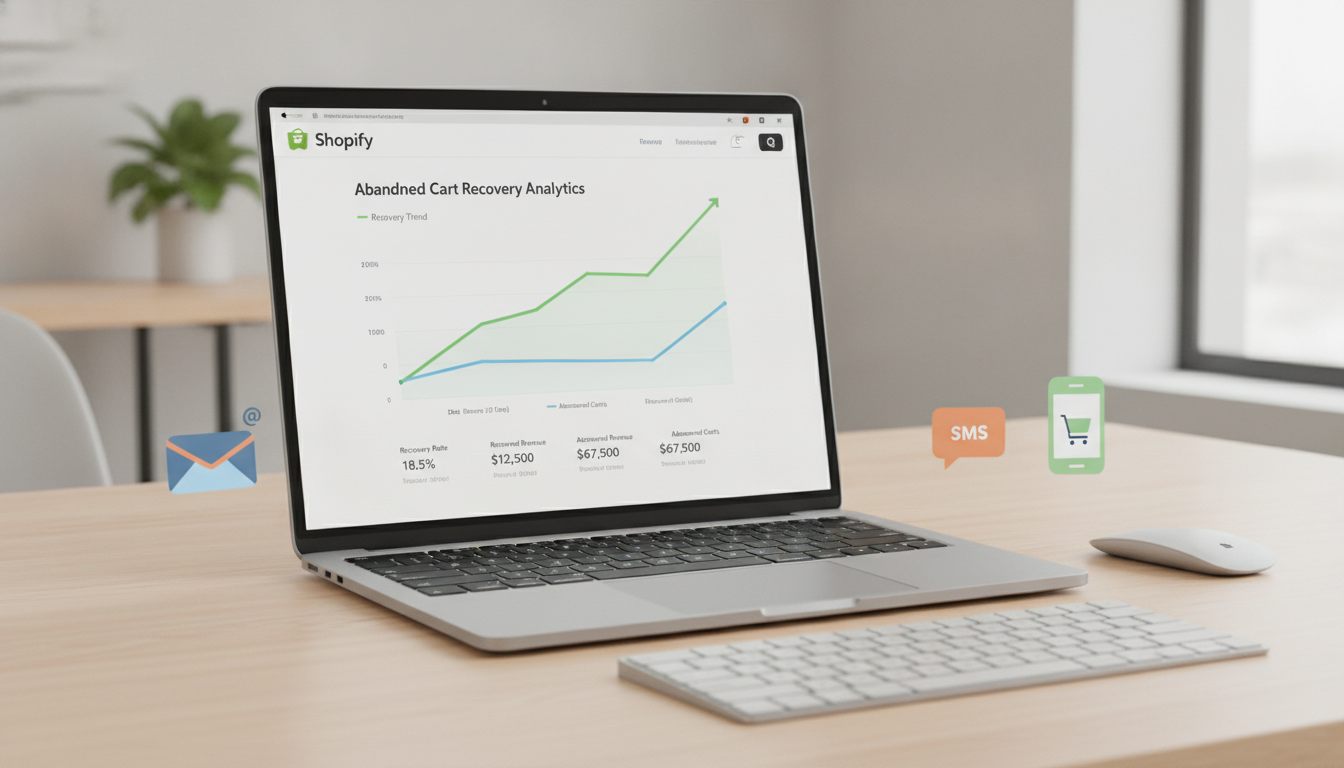
You built a great product, drove traffic to your Shopify store, and watched customers add items to their cart — only to see them vanish before completing the purchase. The global average cart abandonment rate sits at 70.19% across all industries (Baymard Institute, 2025), which means for most Shopify stores doing $500K/year, you’re leaving roughly $350K in potential revenue on the table every twelve months. The good news: most of those losses are recoverable with the right Shopify cart abandonment strategies in place.
This guide covers twelve specific, tested tactics — complete with tool recommendations, exact Admin navigation paths, and real benchmarks — so you can start recovering revenue this week.
- The #1 reason shoppers abandon carts is unexpected costs at checkout — fix your pricing transparency first.
- A well-structured Klaviyo abandonment email flow recovers 5–15% of abandoned carts on average.
- Exit-intent popups, when properly timed, convert 10–15% of about-to-leave visitors.
- Shopify’s native Shop Pay checkout reduces checkout abandonment by up to 18% compared to guest checkout.
- Page speed improvements alone can reduce cart abandonment — a 1-second delay in load time drops conversions by 7% (Google, 2024).
Why Cart Abandonment Happens on Shopify Stores
Before you can fix the problem, you need to understand exactly why shoppers leave. Blaming “distraction” or “browsing behaviour” is lazy analysis — the real causes are specific and addressable.
According to a 2025 Baymard Institute study of 4,500 US online shoppers, the top reasons for cart abandonment are:
- 48% — Extra costs (shipping, taxes, fees) were too high
- 26% — The site forced account creation
- 23% — The checkout process was too long or complicated
- 17% — The site didn’t display trust signals or payment security badges
- 16% — Estimated delivery was too slow
- 13% — The store didn’t offer enough payment methods
Notice that none of these are “the shopper changed their mind.” Every single one of these is a friction point your Shopify store created. That reframe is important — it means your abandonment rate is a product of your store’s experience, not your customers’ indecisiveness.
On Shopify specifically, there are additional technical triggers to watch for: slow theme performance, broken discount code fields, Shopify Payments not enabled in a given country, and missing accelerated checkout buttons on mobile product pages. Use Hotjar session recordings to watch real users drop off and pinpoint the exact moment abandonment happens — it’s consistently more revealing than GA4 funnel reports alone.
What Is a Cart Abandonment Strategy for Shopify?
A Shopify cart abandonment strategy is a system of interventions — before, during, and after checkout — designed to either prevent shoppers from leaving without purchasing, or recover those who already have. It’s not a single email or a single popup; it’s a layered retention framework.
Effective Shopify cart abandonment strategies operate across three phases:
- Prevention: Removing friction from the buying experience before the shopper considers leaving. This includes checkout UX improvements, transparent pricing, trust badges, and accelerated payment options.
- Interception: Catching the shopper at the moment of exit intent with targeted offers, reminders, or reassurances — exit-intent popups, cart save prompts, and browser push notifications.
- Recovery: Reaching back out to shoppers who have already left via email flows, SMS, and retargeting ads with personalised messaging tied to the specific items they abandoned.
Most Shopify stores only run a single abandonment email. The stores converting at the highest rates run all three phases simultaneously and consistently measure each one through GA4 goal tracking and Klaviyo flow analytics. Stores that implement all three phases recover up to 26% of abandoned carts, compared to 5–8% for stores running email alone (Omnisend, 2025).
The distinction matters because it changes how you prioritise your time. If your checkout page loads in over 3 seconds, fixing page speed will do more for recovery rates than launching a perfectly crafted email sequence. Always audit your prevention layer before investing in recovery.
How to Fix Cart Abandonment on Your Shopify Store: 12 Tactics
1. Display Shipping Costs Before the Cart
Unexpected shipping costs at checkout are the single biggest driver of abandonment. Show estimated shipping costs on the product page and cart page — not just at checkout. You can do this natively in Shopify by enabling the shipping rate calculator on cart pages via your theme settings: go to Online Store → Themes → Customize → Cart → Show shipping estimate.
If your economics allow it, test a free shipping threshold. Offering free shipping above a certain order value increases average order value by 30% and measurably reduces abandonment (BigCommerce, 2025). Even a banner reading “You’re $12 away from free shipping” actively drives shoppers to add more to their cart rather than leave.
2. Enable Shop Pay and Accelerated Checkouts
Shop Pay is Shopify’s accelerated checkout button that pre-fills shipping and payment details for returning customers. Enable it at Settings → Payments → Accelerated Checkouts → Shop Pay. Also enable Apple Pay and Google Pay in the same section — these dramatically reduce the friction of entering payment details on mobile.
Shop Pay has a checkout-to-order conversion rate 50% higher than standard guest checkout (Shopify, 2025). For mobile shoppers — who now account for over 65% of Shopify traffic — a one-tap payment option is the difference between a purchase and a bounce.
3. Set Up a Multi-Step Klaviyo Abandoned Cart Email Flow
The native Shopify abandoned checkout email (found at Settings → Notifications → Abandoned checkout) sends a single email at a fixed time. It works — but it leaves significant revenue on the table compared to a properly segmented Klaviyo flow.
A high-performing Klaviyo abandoned cart sequence looks like this:
- Email 1 — 1 hour after abandonment: A simple, personal reminder. Show the exact items left behind using Klaviyo’s dynamic product blocks. No discount yet.
- Email 2 — 24 hours after abandonment: Add social proof. Include Okendo review snippets for the abandoned product. Create urgency with stock-level messaging if inventory is genuinely low.
- Email 3 — 72 hours after abandonment: Introduce a time-limited offer (10% off or free shipping). Make it clear this is the final email in the sequence.
In Klaviyo, trigger this flow with the “Checkout Started” or “Added to Cart” event depending on how early you want to engage. Klaviyo users report an average of $5.81 revenue per recipient from abandoned cart flows (Klaviyo Benchmark Report, 2025).
4. Launch SMS Abandonment Recovery with Postscript or Klaviyo SMS
SMS abandonment messages get open rates of 98% compared to email’s 20–25%. Both Postscript and Klaviyo SMS integrate natively with Shopify and let you send personalised cart recovery texts with a direct link back to the shopper’s pre-filled cart.
Keep SMS messages short, conversational, and compliant. Send the first SMS 30–60 minutes after abandonment and never send more than two messages per abandonment event to avoid opt-outs. A/B test the timing in Klaviyo’s flow analytics — some Shopify niches (apparel, beauty) see stronger recovery in the evening, while others (home goods, B2B) perform better during business hours.
5. Use Exit-Intent Popups with a Specific Offer
Tools like Privy, OptiMonk, or Justuno detect when a mouse cursor moves toward the browser’s close button or address bar and trigger a popup at the exact moment of intent to leave. Done poorly, these are annoying. Done well, they convert.
The offer matters more than the design. A popup that says “Wait! Here’s 10% off your order” with a countdown timer and a one-click apply code will outperform a generic newsletter signup every time. Exit-intent popups that offer a tangible incentive convert at 10–15% of triggered impressions (Sumo, 2024). Only show these to visitors who have items in their cart to avoid degrading the general browsing experience.
6. Add a Persistent Cart Feature
By default, most Shopify themes clear a guest shopper’s cart after a browser session ends. If someone adds items on their phone, then returns to buy on their laptop, the cart is empty — and that’s a silent but significant source of abandonment.
Shopify stores carts for logged-in customers automatically. For guests, use an app like Cart Saver or enable persistent cart behaviour in your theme’s JavaScript to write cart data to local storage. Also encourage account creation post-purchase (not pre-purchase — that’s a friction point) using Shopify’s built-in account invite email at Settings → Notifications → Customer account invite.
7. Fix Your Checkout Page Speed
A slow checkout kills conversions. Run your checkout URL through Google PageSpeed Insights and aim for a mobile performance score above 70. The most common speed killers on Shopify checkouts are:
- Unoptimised images (use WebP, compress to under 100KB)
- Excessive third-party scripts (audit with GA4’s Coverage tab)
- Unminified JavaScript in your theme’s
assets/folder - Non-deferred analytics pixels loading synchronously
A 100ms reduction in page load time increases conversion rate by 1% (Deloitte, 2024). For a store doing $1M/year, that’s $10,000 recovered per 100ms shaved off your load time — the ROI on a developer fixing your Core Web Vitals is almost always positive.
8. Display Trust Signals Prominently in the Cart and Checkout
17% of abandoners leave because they don’t trust the site with their payment details. The fix is straightforward: add trust badges near your checkout button and in the checkout header.
Effective trust signals for Shopify checkout include:
- SSL/Secure Checkout badge (Shopify includes this natively)
- Payment method logos (Visa, Mastercard, PayPal, Amex)
- Money-back guarantee badge
- Real customer review count from Okendo or Judge.me near the CTA
- A brief returns policy snippet (“Free 30-day returns”) visible without clicking away
Add trust badge HTML/Liquid snippets to your cart template via Online Store → Themes → Edit Code → Sections → cart-template.liquid (or the equivalent section in your theme). If you’re on a premium theme like Dawn or Prestige, there’s usually a built-in “Custom HTML” block in the cart section you can use without touching code.
9. Use Rebuy for Personalised Cart Upsells That Increase Commitment
Counterintuitively, showing relevant product recommendations in the cart can reduce abandonment — not just increase AOV. When a shopper adds a complementary product to their cart, their psychological commitment to the purchase increases. They’ve invested more decision-making energy, and they’re less likely to abandon entirely.
Rebuy is the best tool for this on Shopify. It uses AI-powered recommendation logic trained on your store’s purchase history and pairs naturally with any theme. Stores using Rebuy’s Smart Cart report a 15% increase in AOV and a measurable reduction in single-item abandonment (Rebuy, 2025). Install it via the Shopify App Store and configure your recommendation rules at Apps → Rebuy → Smart Cart → Rules.
10. Implement Browser Push Notifications
Push notifications reach shoppers who never gave you their email or phone number. Tools like PushOwl (native Shopify app) send browser push notifications when a shopper abandons a cart, even if they haven’t logged in — as long as they previously accepted push permissions on your site.
PushOwl’s abandoned cart push notifications average a 16% click rate, compared to 2–3% for standard display retargeting ads. Set up the automation in Apps → PushOwl → Automation → Abandoned Cart and configure your message, timing, and opt-in prompt design. This channel is especially powerful for mobile web shoppers who haven’t downloaded your app.
11. Run Meta and Google Retargeting Campaigns for Cart Abandoners
Paid retargeting creates additional recovery touchpoints outside your owned channels. Build a Custom Audience in Meta Ads Manager using the “AddToCart” standard event fired by your Shopify Facebook Pixel, then exclude “Purchase” conversions to target only non-buyers.
Use dynamic product ads (DPA) so shoppers see the exact product they added to their cart — not a generic brand ad. Dynamic retargeting ads produce 10x higher CTR than standard display ads (Meta, 2024). Set your retargeting window to 7 days for cart abandoners (not the default 30) to maintain relevance and avoid ad fatigue. Allocate your highest CPMs to the 0–24 hour audience segment — that’s where intent is hottest.
12. A/B Test Your Checkout Flow with Shopify’s Native Tools
Most Shopify stores change their checkout once and never revisit it. High-performing stores continuously test. With Shopify Plus, you have access to Checkout Extensibility and can use tools like Convert.com or Shoplift to run proper A/B tests on checkout elements.
Even on standard Shopify plans, you can A/B test upstream pages — cart page CTA copy, button colour, trust badge placement — using Shoplift or Google Optimize’s successor via GA4 experiments. Test one variable at a time, run each test for a minimum of two weeks or 200+ conversions, and track results in GA4 via goal completions tied to the “Purchase” event.
Cart Abandonment Rate Benchmarks by Industry
Your abandonment rate only matters in context. Use this table to benchmark your current performance against industry averages and set realistic recovery targets.
| Industry | Average Cart Abandonment Rate | Top-Quartile Rate | Recoverable Revenue Estimate* |
|---|---|---|---|
| Fashion & Apparel | 68.3% | 52% | 15–22% of abandoned carts |
| Health & Beauty | 72.8% | 55% | 18–25% of abandoned carts |
| Home & Garden | 74.1% | 58% | 12–18% of abandoned carts |
| Electronics | 78.6% | 62% | 10–15% of abandoned carts |
| Food & Beverage | 57.9% | 44% | 20–28% of abandoned carts |
| Sports & Outdoors | 71.4% | 54% | 14–20% of abandoned carts |
| Jewellery & Accessories | 80.2% | 65% | 16–22% of abandoned carts |
*Recovery estimates based on stores running email + SMS + retargeting combined. Source: Baymard Institute & Klaviyo Benchmark Report, 2025.
If your abandonment rate is near or above your industry average, the tactics in this article will move the needle immediately. If you’re already in the top quartile, focus on incremental improvements to your recovery sequences — specifically email personalisation depth and SMS timing.
Why Does Cart Abandonment Happen on Shopify?
Cart abandonment on Shopify is not random — it’s predictable and pattern-driven. The root causes cluster into three categories: cost surprises, experience friction, and trust deficits.
Cost surprises are the largest category. When a shopper sees a $49 product and expects to pay $49, discovering $12.99 in shipping and applicable state sales tax at checkout is a genuine shock. Their internal price anchor was set at the product page price, and the checkout total violates it. This is why displaying all-in pricing or free shipping thresholds early in the shopping journey is not just a nice-to-have — it’s a revenue-critical decision.
Experience friction covers everything that makes the checkout harder than it needs to be: mandatory account creation, too many form fields, a checkout that doesn’t autofill on mobile, slow page loads, or a layout that breaks on certain Android browsers. Shopify’s hosted checkout is already well-optimised, but third-party app scripts and custom theme code frequently degrade it. Use Hotjar heatmaps on your cart page and GA4’s Funnel Exploration (Explore → Funnel Exploration → add steps: View Cart → Begin Checkout → Purchase) to find exactly where shoppers drop out of your specific funnel.
Trust deficits hit hardest for newer stores and smaller brands. A shopper who discovered your brand through a Meta ad five minutes ago has no relationship with you. If your checkout page doesn’t clearly signal security, a fair returns policy, and real customer proof, their risk calculus tips toward not buying. 73% of shoppers say they decide whether to trust a new online store within 30 seconds of arriving at the checkout (Trustpilot Consumer Report, 2024). That’s an extraordinarily short window, and what’s visible above the fold in your checkout drives most of that judgment.
There’s also a segment of abandonment that’s intentional “browse-to-save” behaviour — shoppers using the cart as a wishlist with no immediate intent to buy. You can’t fully prevent this, but you can accelerate the path to purchase for this segment with well-timed Klaviyo “back in stock” and “price drop” alerts that bring them back when conditions are right.
How to Prevent Cart Abandonment on Shopify
Prevention is more valuable than recovery — converting a shopper who’s about to leave costs more in incentives and effort than keeping them engaged in the first place. These are the highest-leverage prevention tactics for Shopify stores in 2026.
Optimise Your Cart Page Before Checkout
Your cart page is the last owned touchpoint before the checkout begins. It should be doing active selling work, not just displaying a list of items. Make sure your cart page includes:
- A prominent, single CTA (“Proceed to Checkout”) — not competing links or navigation
- Real-time shipping estimate based on the shopper’s country (enabled via theme settings)
- A discount code field that actually works — test yours manually every week, as broken promo code fields silently kill conversions
- A product image for each item (not just a text line item)
- A “you’re $X away from free shipping” progress bar — apps like Gift Box or Free Shipping Bar by Hextom handle this out of the box
Streamline Your Checkout to the Minimum Required Fields
Shopify’s standard checkout asks for: email, shipping address, shipping method, payment details. That’s already fairly lean. Don’t add custom fields unless they’re genuinely required for fulfilment. Each additional field reduces completion rate by approximately 2–3% (Baymard Institute, 2025).
On Shopify Plus, you can use Checkout Extensibility to remove or reorder fields via the new checkout editor at Settings → Checkout → Customize. On standard Shopify, you can customise certain checkout fields via Settings → Checkout → Form options — mark “Company” and “Address line 2” as hidden unless your customer base genuinely needs them.
Enable Guest Checkout and Make It Obvious
Forcing account creation before purchase is a proven conversion killer — 26% of shoppers abandon because of it. Ensure guest checkout is enabled at Settings → Checkout → Customer accounts → Accounts are optional and that the guest checkout option is visually prominent on the checkout login screen, not buried below the account creation form.
Show Social Proof at Every Friction Point
Install Okendo or Judge.me and surface review widgets not just on product pages but also in your cart drawer and, if possible, in the checkout header via a Shopify Plus checkout app extension. A 4.8-star rating with 847 reviews visible at the moment someone is about to enter their card details is a powerful trust signal that reduces hesitation.
Use Yotpo‘s loyalty widget to show earned points on the cart page for returning customers — reminding someone they’ll earn $4.50 in loyalty credits on this purchase can be the nudge that completes the transaction.
Address Delivery Anxiety Upfront
Shoppers abandon when they’re uncertain about delivery times. Show a specific delivery date estimate — not “5–10 business days” but “Estimated delivery: Thursday, June 12” — on your product page, cart page, and in the checkout. Apps like Estimated Delivery Date — Storetasker or the native delivery date display in newer Shopify themes handle this without custom development.
Stores that display specific delivery dates see a 22% reduction in shipping-related abandonment (Shopify Partners Survey, 2025). This is a high-impact, low-effort fix that most stores haven’t implemented yet.
Measuring Your Cart Abandonment Recovery Performance
You can’t manage what you don’t measure. Set up the following tracking stack to get a complete view of your abandonment and recovery performance:
- GA4 Funnel Exploration: Go to Explore → Funnel Exploration in GA4 and create a funnel: view_item → add_to_cart → begin_checkout → purchase. This shows you exactly where volume is leaking at each stage.
- Klaviyo Flow Analytics: In your abandoned cart flow, track Open Rate, Click Rate, and Revenue per Recipient for each email. Benchmark Email 1 open rate above 45%, Email 2 above 35%, Email 3 above 25%.
- Hotjar Recordings: Create a Hotjar segment for sessions that include cart page visited but no purchase. Watch 20–30 of these sessions per week to spot friction patterns GA4 can’t quantify.
- Shopify Analytics: Your native Shopify dashboard shows “Checkout abandonment rate” and “Cart abandonment rate” under Analytics → Reports → Acquisition. Monitor these weekly and benchmark against the industry table above.
- Postscript or Klaviyo SMS Reports: Track click-through rate and conversion rate separately for SMS recovery — these should convert at 2–5x the rate of email recovery messages due to higher intent.
Review your recovery stack performance monthly, not quarterly. Cart abandonment rates shift with traffic source, seasonality, and competitive pricing — a strategy that worked in Q1 may need recalibration by Q3.
Putting It All Together: Your Shopify Cart Abandonment Priority Order
With twelve tactics on the table, execution order matters. Here’s how to sequence your implementation based on effort vs. impact:
| Tactic | Implementation Effort | Revenue Impact | Start Here? |
|---|---|---|---|
| Enable Shop Pay + Apple/Google Pay | Low (10 minutes) | High | ✅ Yes — Day 1 |
| Enable guest checkout | Low (5 minutes) | High | ✅ Yes — Day 1 |
| Klaviyo 3-email abandoned cart flow | Medium (3–5 hours) | Very High | ✅ Yes — Week 1 |
| Shipping cost transparency | Low (1–2 hours) | High | ✅ Yes — Week 1 |
| Trust badges in cart/checkout | Low (1–2 hours) | Medium-High | ✅ Yes — Week 1 |
| Exit-intent popup (OptiMonk/Privy) | Medium (2–4 hours) | Medium | Week 2 |
| SMS recovery (Postscript/Klaviyo) | Medium (2–3 hours) | High | Week 2 |
| Page speed optimisation | High (dev work) | High | Week 3–4 |
| Meta/Google dynamic retargeting | Medium (4–6 hours) | Medium-High | Week 3–4 |
| Rebuy Smart Cart upsells | Medium (2–3 hours) | Medium | Week 4 |
| PushOwl browser push notifications | Low (1 hour) | Medium | Week 4 |
| A/B testing checkout elements | High (ongoing) | Compounding | Month 2+ |
Start with the zero-configuration wins — Shop Pay, guest checkout, and shipping transparency — then build your Klaviyo flow in week one. These three actions alone can recover 8–12% of your abandoned carts before you’ve touched a single line of code or spent a dollar on ads.
The stores winning on cart recovery in 2026 aren’t doing anything exotic — they’re executing the fundamentals with more precision and consistency than their competitors. Transparent pricing, frictionless checkout, a structured multi-channel recovery sequence, and continuous measurement. Every tactic in this guide is proven, specific, and available to you right now regardless of whether you’re on a standard Shopify plan or Shopify Plus. The only variable is whether you implement it.