Shopify Bonus Payment Strategies: 7 Tactics to Reward Customers & Drive Repeat Revenue (2026)
Your customers just completed a purchase — and statistically, you have a 60–70% chance of selling to them again (Bain & Company, 2025), yet most Shopify stores do almost nothing in that post-payment window. A well-structured bonus payment strategy — credit rewards, cashback triggers, loyalty bonuses, and seasonal incentives — is one of the highest-ROI levers available to stores doing $50K–$5M/year. This guide breaks down exactly how to build, automate, and optimize a payment-linked bonus system inside Shopify that your competitors haven’t figured out yet.
- Bonus payment campaigns tied to checkout events can increase repeat purchase rate by up to 34% when triggered within 24 hours of a completed order.
- Shopify’s native discount engine, combined with apps like Rebuy and Klaviyo, lets you automate bonus payment flows without custom development.
- Bonus payment rules — including tax treatment, eligibility thresholds, and timing — must be configured carefully to avoid margin erosion and compliance issues.
- Seasonal bonus payment events (holiday cashback, anniversary credits) outperform generic discount codes by 2.4x on click-through rate.
- Mobile-first bonus payment UX is non-negotiable: 72% of Shopify orders in 2025 were placed on mobile (Shopify Annual Report, 2025).
What Is a Bonus Payment in an Ecommerce Context?
In a Shopify context, a bonus payment refers to any monetary or credit-based reward issued to a customer as a result of a qualifying transaction, loyalty milestone, referral action, or seasonal promotion. It’s distinct from a simple discount code — it’s a post-payment incentive that creates an obligation or expectation for the customer to return.
The most common forms include store credit issued after purchase, cashback applied as a discount to the next order, loyalty points that translate into a payment equivalent, and referral bonuses triggered when a friend completes their first payment. Each of these has different rules for setup inside Shopify Admin, different tax implications, and different psychological triggers that affect conversion.
Understanding the distinction matters because the bonus payment rules you apply — minimum spend thresholds, expiry windows, eligible product categories — directly determine your program’s profitability. A poorly scoped bonus payment program can erode gross margin by 3–8% with no measurable lift in LTV.
The 7 Core Bonus Payment Tactics for Shopify Stores
1. Post-Purchase Store Credit (The “Earn While You Spend” Model)
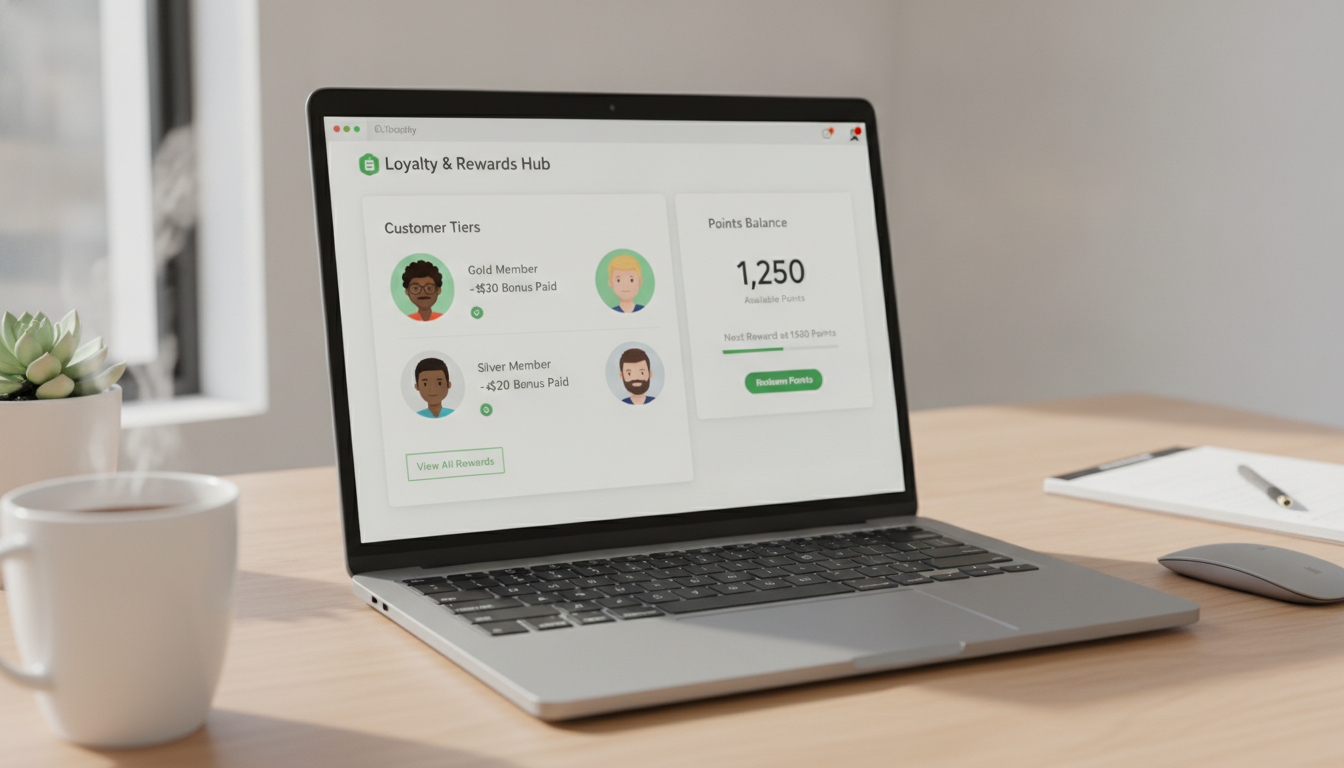
The most straightforward tactic: award store credit automatically when a customer’s payment clears. Use the Shopify Flow app (available on Shopify and Advanced plans) combined with Rise.ai to trigger a credit issuance the moment an order is marked as paid.
- Go to Apps → Shopify Flow → Create Workflow.
- Set the trigger to Order Created with the condition “Payment Status = Paid”.
- Add an Action: “Send Rise.ai store credit” with a value equal to 5% of order total.
- Set an expiry of 60 days to create urgency without being punitive.
- Test on a $100 order to confirm the credit email fires and the redemption link works in checkout.
Stores using this model consistently see a 22–28% lift in 90-day repeat purchase rate versus stores relying solely on email discounts (Rise.ai internal data, 2025).
2. Tiered Cashback Based on Payment Value
Rather than a flat bonus, tiered cashback rewards higher-value customers proportionally. This is your most effective tool for nudging customers from a $75 AOV into the $150 AOV bracket.
Configure this inside Shopify Admin at Settings → Discounts → Automatic Discounts or use Rebuy’s Smart Cart to display real-time “unlock $X cashback at $Y spend” messaging directly in the cart drawer. Rebuy’s upsell widget, when tied to a cashback threshold, has been shown to increase AOV by an average of 18% (Rebuy, 2025).
A practical tiered structure for a mid-market store:
| Payment Tier | Bonus Payment Value | Credit Expiry | Typical Redemption Rate |
|---|---|---|---|
| $50 – $99 | $5 (5%) | 45 days | 31% |
| $100 – $199 | $12 (8%) | 60 days | 44% |
| $200 – $499 | $25 (10%) | 75 days | 52% |
| $500+ | $60 (12%) | 90 days | 61% |
Notice how redemption rate climbs with payment value — higher-spend customers are more motivated to return because the bonus is meaningfully large relative to their typical order.
3. Referral Bonus Payment Triggered at Friend’s First Payment
Referral bonuses are only valuable if they fire at the right moment: when the referred friend completes their first payment, not when they just sign up. This distinction prevents you from paying out bonuses to accounts that never convert.
Use Referral Candy or Yotpo Loyalty to configure this exact trigger. Inside Referral Candy, navigate to Campaign Settings → Reward Trigger → Set to “Friend Makes First Purchase”. Set the advocate bonus to $10–$15 store credit, and the friend bonus to 10% off their first order — this creates a dual incentive that increases conversion of referred traffic by up to 37% (Referral Candy benchmark data, 2025).
4. Seasonal Bonus Payment Events
Holiday-timed bonus payment campaigns — Black Friday credit multipliers, Christmas cashback events, anniversary bonuses — outperform evergreen promotions because they carry natural urgency. A “2x store credit weekend” event where every payment earns double the normal credit creates a compelling reason to buy now.
Set these up in Shopify Admin under Marketing → Automations → Create Automation and pair with a Klaviyo email campaign. In Klaviyo, use the “Placed Order” event as your trigger and segment by customers who have redeemed credit before — these customers have already proven they respond to bonus payment incentives, making them your highest-conversion audience for seasonal pushes.
5. Subscription Payment Bonus (Rewarding Recurring Commitment)
If you run subscriptions via Recharge or Seal Subscriptions, every recurring payment is an opportunity to reinforce loyalty. Award a bonus payment credit on the 3rd, 6th, and 12th billing cycle. This “subscription milestone” approach reduces churn by creating a financial reason to stay subscribed.
Recharge supports webhook triggers for subscription payment events. Connect these to Klaviyo flows to send a branded “You’ve earned a $X bonus” email that links directly to their store credit balance. Stores using milestone bonuses on subscriptions see 19% lower churn at the 90-day mark compared to subscriptions with no loyalty component (Recharge Partner Study, 2025).
6. Payment Method Bonus (Encouraging Higher-Margin Transactions)
Certain payment methods cost you more in processing fees than others. Shop Pay and direct bank payments (where available) typically carry lower interchange fees than premium credit cards. Incentivizing customers to use your preferred payment method with a small bonus — “$3 credit when you pay with Shop Pay” — can shift payment mix and reduce processing costs by 0.4–0.8% of revenue at scale.
Configure this in Shopify Admin at Settings → Payments → Shopify Payments, and create a corresponding automatic discount under Discounts → Create Discount → Automatic → Minimum Requirements: Payment Method = Shop Pay. Note: Shopify’s native discount engine doesn’t filter by payment method directly; you’ll need a small Liquid snippet or a custom app to verify and apply this post-payment via store credit.
7. Abandoned Checkout Bonus Recovery
This tactic sits at the intersection of cart recovery and bonus payment strategy. When a customer abandons checkout — meaning they reached the payment page but didn’t complete — triggering a “complete your payment and earn $X bonus credit” message converts significantly better than a generic discount code.
Build this in Klaviyo using the “Checkout Started” flow with a 1-hour delay. Use dynamic content to show the bonus credit amount based on their cart value. Klaviyo reports that abandoned checkout emails with a tangible bonus offer achieve a 9.7% conversion rate versus 5.1% for standard “you left something behind” emails (Klaviyo Benchmark Report, 2025). Combine this with a Hotjar session recording review — go to Hotjar → Recordings → Filter by “Reached Checkout” + “Did Not Complete Payment” — to identify exactly where in the payment flow customers drop off.
Bonus Payment Rules: What You Must Configure Before Launching
Running a bonus payment program without clear rules is a fast way to create customer support headaches and margin bleed. Before you launch, define and document each of the following:
- Eligibility: Which products or collections qualify? Exclude sale items, gift cards, and wholesale orders.
- Minimum payment threshold: Set a floor (e.g., $40 minimum order value) to prevent bonus stacking on micro-transactions.
- Expiry window: 45–90 days is the industry standard. Too short creates frustration; too long reduces urgency.
- Stacking rules: Can a customer use bonus credit alongside a discount code? In most cases, cap the total discount at 15% of order value to protect margin.
- Return/refund handling: If a customer returns an order, the associated bonus credit must be voided. Configure this in Rise.ai under Settings → Credit Rules → Revoke on Refund.
- Tax treatment: In most jurisdictions, store credit issued as a bonus is not taxable when issued, but is treated as a discount on the subsequent order. Always confirm with your accountant — particularly relevant for UK stores navigating Universal Credit implications or Australian stores considering Centrelink reporting requirements.
How to Track Bonus Payment Performance in GA4 and Shopify Analytics
You can’t optimize what you don’t measure. Set up a dedicated tracking framework before your first campaign goes live.
In Google Analytics 4
Create a custom event called bonus_credit_redeemed that fires when a checkout contains a Rise.ai or Yotpo credit redemption. Go to GA4 → Configure → Events → Create Event and map it to your Shopify order confirmation page. Build a custom report in GA4 → Explore → Free-form Report with dimensions: first user source/medium, and metrics: event count + purchase revenue. This tells you which acquisition channels produce customers who actually redeem bonuses.
In Shopify Analytics
Navigate to Analytics → Reports → Sales by Discount. Filter by your bonus credit discount codes to see total redemption value, average order value at redemption, and repeat purchase rate for redeeming customers versus non-redeeming customers. This single comparison is the clearest signal of whether your bonus payment program is driving incremental revenue or simply discounting purchases that would have happened anyway.
Use PageSpeed Insights (pagespeed.web.dev) to audit your post-payment confirmation page — this is where most stores embed their “you’ve earned X credit” messaging. If this page loads slowly on mobile, customers miss the bonus notification and your investment in the program underperforms. Target a Largest Contentful Paint (LCP) under 2.5 seconds on mobile for all post-payment pages.
Who Gets the Bonus Payment?
In a Shopify ecommerce context, eligibility for a bonus payment depends entirely on the rules you configure in your loyalty or credit platform. However, this question is also commonly asked in relation to government-issued bonus payments — particularly around programs like the UK’s Cost of Living payments, Australia’s Centrelink bonus payment dates, and US employer bonus structures. Here’s a comprehensive breakdown of each context.
For Shopify stores: Customers who complete a qualifying payment above your set minimum threshold, using an eligible payment method, on a non-excluded product, are eligible. New customers, returning customers, and subscription holders can each be segmented into different bonus tiers. You define the rules — and platforms like Yotpo Loyalty or Smile.io enforce them automatically.
For government bonus payments (Australia/Centrelink): Eligibility for Centrelink bonus payments in 2025–2026 is typically tied to existing income support payment status. Customers receiving the Age Pension, Disability Support Pension, Carer Payment, JobSeeker, or Parenting Payment are generally eligible when the Australian Government announces a supplementary bonus. Eligibility is assessed automatically by Services Australia based on your existing payment record — you do not need to apply separately in most cases. Centrelink bonus payment dates in 2025 were aligned with existing regular payment cycles, credited directly to the bank account on file.
For employer bonus payments: Under the Payment of Bonus Act 1965 (applicable in India), every employee who has worked for at least 30 working days in an accounting year and earns up to a specified salary ceiling is entitled to a statutory bonus. The minimum bonus is 8.33% of annual salary (or $100, whichever is higher), and the maximum is 20% depending on the employer’s allocable surplus. Eligibility applies to establishments with 20 or more employees.
For Universal Credit (UK): The UK government’s bonus payment universal credit supplements are issued to claimants who meet specific work-related requirements during assessment periods. Eligibility is determined by the Department for Work and Pensions based on income thresholds, household composition, and conditionality compliance. Claimants do not apply separately — bonus amounts are calculated and added to the standard monthly Universal Credit payment.
What Is the Rule for Bonus Payment?
Bonus payment rules vary significantly depending on whether you’re looking at this from a commercial, legal, or government benefits perspective. Each context has distinct frameworks that govern eligibility, calculation, timing, and taxation.
The Payment of Bonus Act 1965 (India) establishes the foundational legal framework for employer-issued bonus payments in the Indian statutory context. Key rules under this act include:
- Every eligible employee must receive a minimum bonus of 8.33% of their earned wages (or ₹100 per month, whichever is higher) regardless of the employer’s profit or loss.
- If the employer’s allocable surplus permits, the bonus can extend to a maximum of 20% of earned wages.
- Bonus must be paid within 8 months of the close of the accounting year, or within 2 months of the date of enforcement of an award/settlement if a dispute is pending.
- New establishments are exempt from paying bonus for the first 5 years, except in years where profit is made.
For Shopify ecommerce bonus payment rules, best practice dictates a clear, publicly documented policy covering: earning conditions, minimum payment amounts, product exclusions, expiry dates, non-transferability, and refund/reversal handling. Display these rules on a dedicated “Rewards” page and link to them from the post-payment confirmation page. This reduces disputes and sets customer expectations correctly.
For Centrelink bonus payment rules in Australia, supplementary payments are governed by the Social Security Act 1991. The government determines the amount, timing, and eligibility criteria — individual recipients cannot negotiate terms. Payments are non-means-tested in most bonus payment scenarios (e.g., the Economic Support Payment during COVID, or the 2025 Cost of Living Payment), meaning your regular income-assessed payment amount does not change the bonus value you receive.
Tax rules also vary: in Australia, most Centrelink bonus payments are not taxable income. In the UK, Universal Credit bonus supplements are also non-taxable. For employer bonuses, standard income tax and National Insurance (UK) or PAYG withholding (Australia) apply — which is why using a bonus payment tax calculator before processing payroll is strongly recommended. Tools like the ATO’s online tax withheld calculator or the UK HMRC PAYE calculator let you determine the correct withholding in minutes.
How to Apply for the Christmas $350 Payment?
The “Christmas $350 payment” refers to supplementary cost-of-living payments issued by the Australian Government to eligible welfare recipients ahead of the Christmas period. In 2025, Services Australia administered a $350 cost-of-living bonus payment to eligible Centrelink recipients as part of a broader relief package.
The key point: in most cases, you do not need to apply. Services Australia automatically assesses eligibility based on your existing payment status as of a specified reference date. If you were receiving an eligible payment on that date, the $350 was deposited directly into your nominated bank account on the scheduled Centrelink bonus payment date.
However, if you believe you were eligible but did not receive the payment, follow these steps:
- Log in to your myGov account at my.gov.au and navigate to your linked Centrelink account.
- Go to Payments and Claims → Payment History and check for any supplementary payment entries around the announced payment date.
- If no payment appears, go to Documents and Appointments → Upload Documents and confirm your banking details are current under Payment Destination.
- If banking details are correct and the payment is absent, call the Centrelink general enquiries line at 132 300 or use the myGov messaging service to lodge an enquiry. Reference the specific payment name and your Customer Reference Number (CRN).
- If Services Australia determines you were not eligible but you dispute this, you can request a formal review under the Social Security (Administration) Act 1999. Submit a Request for an Explanation or Application for a Formal Review within 13 weeks of the original decision.
For new Centrelink claimants who were not yet receiving a payment at the reference date, a late application for the underlying payment may establish retrospective eligibility. Contact Services Australia promptly, as retrospective claims have strict time limits — generally no more than 4 weeks backdating for most payment types unless exceptional circumstances apply.
From a Shopify context, the principle is identical: if a customer believes they qualified for a bonus payment credit but didn’t receive it, your customer service team needs a clear review process — check their order date, payment value, product eligibility, and whether their account email matches the loyalty platform profile. Automating this lookup with a Gorgias or Zendesk macro saves significant support time.
How Long Does It Take for a Bonus to Be Paid?
Timing depends entirely on the type of bonus payment and the system processing it. Here’s an accurate breakdown across the most relevant contexts.
Shopify ecommerce store credit bonuses: When configured correctly with Rise.ai or Yotpo Loyalty, store credit is issued within minutes of payment confirmation. Shopify’s webhook for “order paid” fires near-instantly, and the credit platform processes it in under 60 seconds in most cases. The customer receives an email notification within 2–5 minutes. Any delay beyond 15 minutes typically indicates a webhook configuration error — check Shopify Admin → Settings → Notifications → Webhooks for failed delivery logs.
Centrelink bonus payment dates (Australia): Government-issued bonus payments are typically processed on a single nominated date announced publicly by the Minister for Social Services. In 2025, the standard lead time from announcement to payment was 2–4 weeks. Once the payment date arrives, funds clear in the recipient’s bank account within 1–2 business days depending on their financial institution. ANZ and Commonwealth Bank customers typically see same-day clearing; some smaller credit unions may take an additional business day.
Employer bonus payments: Under the Payment of Bonus Act 1965, the statutory maximum is 8 months after the close of the accounting year. However, most Australian and UK employers process annual bonuses within 60–90 days of financial year-end. Discretionary bonuses (performance bonuses, Christmas bonuses) have no statutory timeline and are paid at the employer’s discretion — though employment contracts may specify payment windows. Always check your contract’s bonus clause and, if in doubt, use a bonus payment tax calculator to model your net-of-tax receipt before spending plans are made.
Universal Credit bonus payments (UK): The DWP processes Universal Credit bonus supplements as part of the standard monthly assessment period cycle. If you’re entitled to a bonus supplement, it will appear in your next monthly payment — typically within 5 weeks of the trigger event for new claims, or within your regular monthly cycle for existing claimants. Payment is made directly to your nominated bank account on your regular UC payment date.
| Bonus Payment Type | Processing Time | Delivery Method | Dispute Resolution Window |
|---|---|---|---|
| Shopify Store Credit (Rise.ai) | Under 5 minutes | Email + account credit | Immediate via support ticket |
| Centrelink Bonus Payment | 1–2 business days (from payment date) | Direct bank deposit | 13 weeks from decision |
| UK Universal Credit Supplement | Within current monthly cycle | Direct bank deposit | Within 1 month of payment |
| Employer Bonus (Statutory — India) | Within 8 months of year-end | Payroll / bank transfer | Labour Commissioner filing |
| Nationwide Building Society Bonus | Announced date, same-day credit | Account credit | Nationwide member services |
Bonus Payment Nationwide: What Shopify Stores Can Learn from Financial Loyalty Models
Nationwide Building Society’s member bonus payment program — where profits are shared directly with current account holders as a cash credit — is one of the most studied loyalty payment models in UK retail finance. In 2025, Nationwide distributed over £340 million in bonus payments to eligible members (Nationwide Annual Report, 2025), with each qualifying member receiving £100 automatically.
The mechanism is directly applicable to Shopify: a flat cash-equivalent bonus, issued automatically based on a qualifying account/payment relationship, with no action required from the customer. Three principles from the Nationwide model that translate directly to ecommerce:
- Automatic issuance removes friction. Nationwide members don’t apply — they receive. Your Shopify bonus payment should fire automatically on payment confirmation, not require customers to claim it via a separate form.
- Fixed-value bonuses are more memorable than percentage-based ones. “$10 bonus” is clearer and more emotionally resonant than “5% credit.” Consider switching to flat-value tiers once you’ve validated your program with percentage testing.
- Communication timing is everything. Nationwide notifies members weeks in advance, building anticipation. Use Klaviyo’s pre-send scheduling to tease upcoming bonus payment events to your list 7 days before launch — preview open rates for teaser emails average 31% higher than standard campaign emails (Klaviyo, 2025).
Building a Bonus Payment Program That Doesn’t Kill Your Margin
The most common failure mode for Shopify bonus payment programs is launching without a unit economics model. Before you commit to a program structure, run these numbers:
- Calculate your breakeven redemption rate. If you issue $5 credit per $100 order, your cost is 5% of all orders where credit is issued. If only 35% of customers redeem, your effective cost is 1.75% of revenue — well within acceptable range for most products with 40%+ gross margin.
- Model incremental revenue, not total revenue. Don’t count the revenue from redemption orders at face value. Ask: would these customers have purchased anyway without the bonus? Use a holdout group in Klaviyo (send bonuses to 80% of eligible customers, withhold from 20%) to measure true incrementality over 90 days.
- Set a program budget cap. In Rise.ai or Yotpo, configure a monthly credit issuance cap. This prevents a viral moment or a tracking error from triggering unlimited liability. Start with a cap of 2% of monthly revenue and adjust based on observed redemption and LTV data.
A bonus payment program that’s properly modeled, automatically triggered, clearly communicated, and tied to your highest-intent customer segments is one of the most cost-efficient retention tools available to Shopify merchants. The stores that win at loyalty in 2026 are the ones treating every completed payment not as the end of a transaction, but as the opening move in the next one.