
Custom Shopify Development Best Practices: 17 Tactics That Drive Revenue (2026)
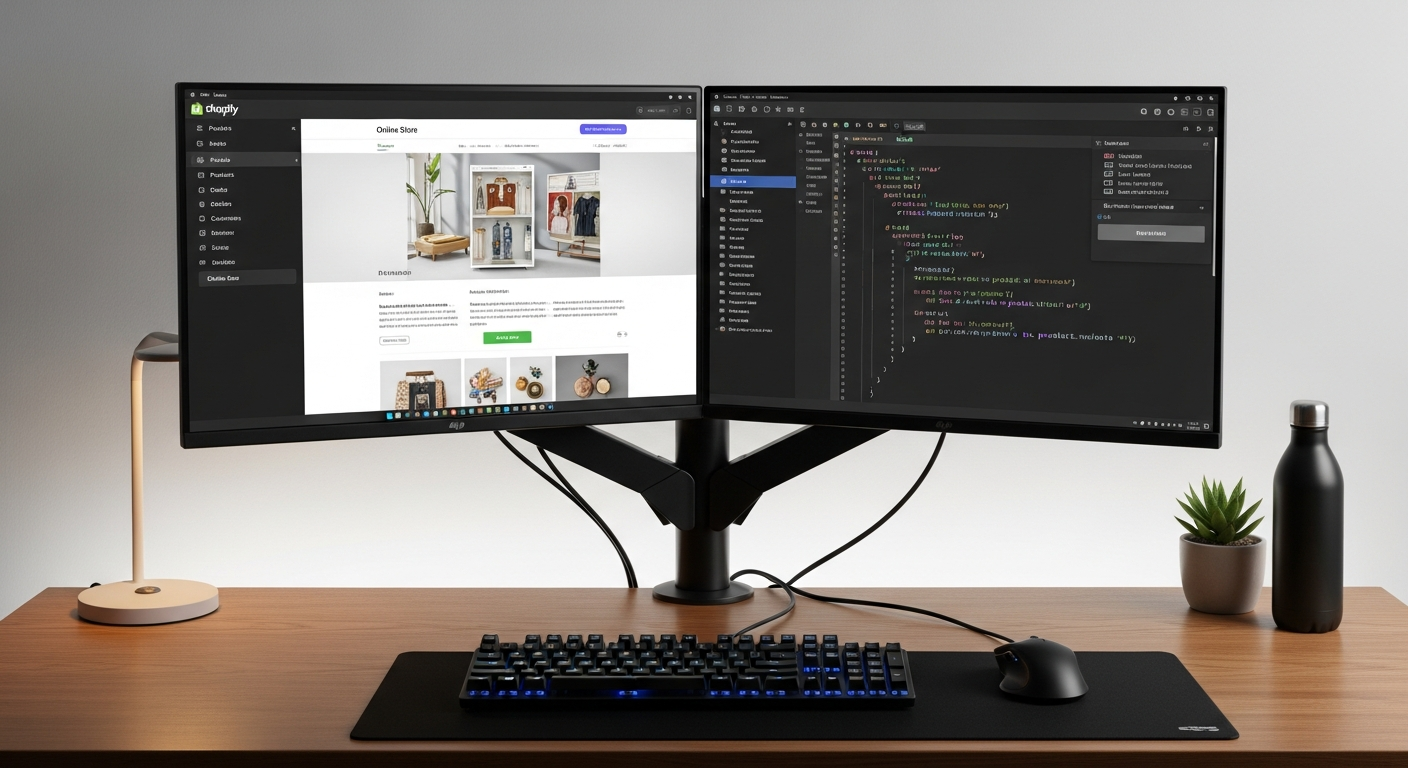
Your Shopify store is losing money every day it runs on a theme that wasn’t built for your exact business logic. According to Baymard Institute, 69.9% of shopping carts are abandoned — and a significant slice of that comes from friction that generic themes cannot fix. Custom Shopify development is how seven- and eight-figure brands close that gap, but only if the code is built the right way from day one.
This guide covers the exact best practices used by elite development teams to ship Shopify stores that are fast, maintainable, and built to scale — without the technical debt that kills momentum six months post-launch.
- Custom Shopify development only pays off when built on a disciplined architecture — sections everywhere, modular Liquid, and theme-first logic.
- Page speed is a development decision: how you write Liquid and load assets directly determines your Core Web Vitals scores.
- Custom Shopify app development and custom plugin development follow different rules than theme work — API rate limits and webhook reliability must be engineered in from the start.
- Hiring the right Shopify developer (freelancer vs. agency) depends on project scope, not just budget.
- AI will not replace Shopify developers in 2026 — but developers who use AI tools will outproduce those who don’t.
Why Generic Themes Cap Your Revenue Ceiling
Dawn and other free Shopify themes are engineering compromises. They are built for the widest possible merchant — which means they are optimized for no merchant specifically. When your catalog logic, upsell flow, or checkout experience doesn’t match the assumptions baked into a generic theme, you’re fighting the tool instead of using it.
Custom Shopify theme development removes that ceiling. You control the DOM structure, the JavaScript payload, the section schema, and exactly how your product data renders. Google’s Core Web Vitals data shows that pages with a Largest Contentful Paint (LCP) under 2.5 seconds convert at roughly 2x the rate of pages above 4 seconds (Google Web Almanac, 2025). That delta lives in your theme code.
The brands doing $1M+ annually on Shopify almost universally run custom-developed themes or heavily engineered versions of starter themes like Shapes or Prestige — not out-of-the-box solutions.
Shopify Custom Development: The Architecture Foundations
Before writing a single line of Liquid, your team needs architectural decisions locked in. Poor architecture is the single largest source of expensive rewrites.
1. Use Sections Everywhere — No Exceptions
Since Shopify’s Online Store 2.0 rollout, sections everywhere is not optional — it’s the expected standard. Every content block on every template type (product, collection, page, blog) should be a section with a configurable schema. This gives merchants editing flexibility without touching code and makes future design iterations surgical instead of destructive.
Define your section schema tightly: name every setting with a descriptive id, group related settings under settings_groups, and always set sensible defaults so a new section drop-in looks professional immediately.
2. Keep Business Logic Out of Liquid
Liquid is a templating language — not an application layer. If you’re running complex conditional logic, price calculations, or customer segmentation rules inside .liquid files, you’re building a maintenance nightmare. Move that logic to:
- Shopify Functions (for discounts, payment customizations, and delivery rules — runs serverless at Shopify’s edge)
- Custom Shopify app development via the Admin API or Storefront API for data-heavy operations
- JavaScript modules loaded conditionally, not globally
3. Modularize Your JavaScript
Shopify themes that load 400KB of JavaScript on every page are burning their own conversion rate. Use native ES modules with dynamic import() calls to load scripts only when their trigger element is in the viewport or interacted with. A product page should not load cart drawer JavaScript until a user hovers over “Add to Cart.”
Run PageSpeed Insights on every major template before launch. A passing score — LCP under 2.5s, INP under 200ms, CLS under 0.1 — is a launch requirement, not a nice-to-have.
4. Implement a Git-Based Deployment Workflow
Shopify’s built-in theme editor is fine for content changes. It is not fine for code deployments. Use the Shopify CLI paired with GitHub Actions (or Bitbucket Pipelines) to enforce a branch-based workflow:
- Create a feature branch off
mainfor every development task. - Push to a development theme for QA review (use
shopify theme push --theme=[ID]). - Merge to
mainonly after QA sign-off triggers an automated publish to your live theme. - Keep your live theme ID locked in environment variables — never deploy directly from local without a CI gate.
This single workflow prevents the “someone edited the live theme” horror story that costs agencies client relationships every quarter.
Custom Shopify Theme Development: Performance Best Practices
5. Lazy-Load Every Image Below the Fold
Shopify’s image_url filter and image_tag helper support native lazy loading and automatic CDN delivery. Always use them instead of raw <img> tags. Set loading: 'lazy' on every image except your hero — the hero image should use fetchpriority: 'high' and be preloaded in your theme’s <head>.
6. Preconnect to Critical Third-Party Origins
Most Shopify stores load resources from Klaviyo, Meta Pixel, Google Analytics 4, and Hotjar. Each of those domains adds DNS lookup latency. Add <link rel="preconnect"> tags for every third-party origin you use, and load non-critical scripts (Hotjar, GA4 behavioral tracking) using defer or after the DOMContentLoaded event.
7. Minimize Liquid Render Cycles
Every {% for %} loop in Liquid runs server-side. Nested loops — especially on collection pages iterating over products and then over each product’s variants — create render latency you can’t fix with CDN caching. Flatten your data structures in Liquid where possible, and use {% liquid %} blocks to batch multiple tag operations without extra whitespace output.
Custom Shopify App Development Best Practices
Custom Shopify plugin development and app development operate on a completely different risk profile than theme work. A bug in your theme hurts UX. A bug in your app can corrupt order data, double-charge customers, or cause a webhook storm that triggers Shopify’s API throttling.
8. Build on Shopify’s App Bridge 4.x
If your custom app renders any UI inside the Shopify Admin, use App Bridge 4.x with the Polaris design system. Apps that bypass App Bridge load inside iframes without session token authentication — a security and performance liability. App Bridge 4 uses direct API calls without iframes and is Shopify’s supported standard for 2026.
9. Design for API Rate Limits from Day One
Shopify’s REST Admin API allows 2 requests per second per store on most plans (40 request leaky bucket). The GraphQL Admin API uses a cost-based system — 50,000 points per minute on most plans. If your app bulk-processes orders or syncs inventory, you will hit these limits. Build exponential backoff into every API call, and use the Bulk Operations API for any operation touching more than 250 records.
10. Use Webhooks with Idempotency Keys
Shopify guarantees webhook delivery but not exactly-once delivery. Your webhook handlers will receive duplicate events. Design every handler to be idempotent: store the X-Shopify-Webhook-Id header in your database and skip processing if that ID has already been handled. Missing this causes duplicate fulfillments, double inventory decrements, and support tickets you can’t explain.
11. Use Shopify Functions for Discount and Checkout Logic
Before 2024, customizing checkout required Shopify Plus and checkout.liquid. Now, Shopify Functions — available on all plans for certain use cases — let you run WebAssembly-compiled logic serverless at Shopify’s edge for discounts, payment method filtering, and delivery customization. This replaces dozens of fragile third-party discount apps with deterministic, testable, version-controlled code.
Go to Settings → Functions in the Shopify Admin to see deployed functions and their execution logs.
Shopify Custom Development: Integration Architecture
12. Build a Single Source of Truth for Customer Data
The average Shopify store at $500K+ ARR uses 12–18 apps (Shopify App Store data, 2025). Each app maintains its own customer record. Without a deliberate integration strategy, you get Klaviyo with one email, your loyalty app with a different phone number, and your ERP with a third customer ID — all for the same person.
The solution is a centralized customer data pipeline. Use Shopify’s Customer API as the master record, sync to a data warehouse like BigQuery or Snowflake via Shopify’s Bulk Operations API, and push enriched segments back to Klaviyo and Rebuy via their respective APIs. This is architecture work — not app configuration — and it is where custom Shopify development services deliver their highest ROI.
13. Use Metafields and Metaobjects for Structured Custom Data
Stop storing custom data in product descriptions or variant titles. Shopify’s metafields system (accessible at Settings → Custom Data in the Admin) supports typed data — integers, JSON, file references, product references — with full API and Liquid access. Metaobjects extend this to create custom entity types (e.g., “Ingredient,” “Fabric,” “Supplier”) that can be referenced across products, collections, and pages.
Using metafields correctly means your custom data is queryable via the Storefront API, filterable in Liquid, and editable by merchants without developer involvement — a massive operational efficiency gain.
Performance Benchmarks: Custom vs. Out-of-the-Box Shopify Themes
| Metric | Generic Theme (Dawn) | Lightly Customized Theme | Fully Custom-Built Theme | Target Benchmark |
|---|---|---|---|---|
| LCP (mobile) | 3.2 – 4.8s | 2.6 – 3.5s | 1.4 – 2.3s | < 2.5s |
| Total Blocking Time | 250 – 600ms | 150 – 300ms | 30 – 100ms | < 200ms |
| JavaScript Payload | 350 – 500KB | 250 – 400KB | 60 – 180KB | < 150KB |
| PageSpeed Score (mobile) | 45 – 65 | 60 – 75 | 80 – 97 | > 80 |
| Avg. Conversion Rate Impact | Baseline | +8 – 15% | +20 – 40% | +20%+ vs. generic |
Benchmarks derived from aggregate PageSpeed Insights data and merchant case studies, 2025–2026. Actual results vary by traffic source and product category.
14. Quality Assurance: The Pre-Launch Checklist
Shipping broken code to a live store costs more than the time saved by skipping QA. Every custom Shopify development project should pass this checklist before launch:
- Cross-browser testing: Chrome, Safari (iOS), Firefox, and Samsung Internet — in that order of priority by Shopify’s own traffic data
- Accessibility audit: Run axe DevTools on every template; target WCAG 2.1 AA compliance
- Liquid syntax validation: Use the Shopify CLI’s
shopify theme checkcommand to catch deprecated filters and missing translations - Checkout flow end-to-end: Complete a real transaction with a test payment gateway on every device category
- PageSpeed Insights: Score all key templates (homepage, PDP, collection, cart) before launch
- GA4 and Klaviyo event verification: Confirm
purchase,add_to_cart, andview_itemevents are firing correctly using GA4’s DebugView and Klaviyo’s Activity Feed
15. Documentation and Handoff Standards
Custom code with no documentation is a liability that compounds interest every month. Every custom Shopify development project should include:
- A theme architecture README in the repo root explaining folder structure, section naming conventions, and JavaScript module map
- Inline comments on every non-obvious Liquid conditional or JavaScript function
- A merchant guide covering which sections are editable in the theme editor and what each setting controls
- A deployment runbook with step-by-step instructions for pushing updates safely
Agencies that skip documentation lose clients at the first developer transition. Merchants that skip it pay re-education fees to every new developer they hire.
16. Monitoring Custom Shopify Stores Post-Launch
Launch is not the finish line. Custom Shopify stores require active monitoring because Shopify’s platform updates (OS 2.0 changes, checkout extensibility updates, API version deprecations) can break custom code without warning.
Set up the following monitoring stack:
- Hotjar: Heatmaps and session recordings on your PDP and cart page — review weekly for rage clicks and scroll depth regressions
- Google Analytics 4: Custom funnel exploration from landing → product view → add to cart → purchase; alert on any funnel step that drops >10% week-over-week
- Uptime monitoring: Use Checkly or Better Uptime to monitor critical API endpoints and your storefront’s response time; set SMS alerts under 3-second thresholds
- Shopify Partner Dashboard: Review API error logs weekly if your store runs custom apps
17. When to Go Headless — and When Not To
Headless Shopify (using the Storefront API with a custom front-end in Next.js or Hydrogen) gets recommended far too often by agencies who bill by the hour. Shopify’s own data shows headless implementations typically cost 3–5x more to build and maintain than Online Store 2.0 custom themes, and the performance gains are only measurable for stores with over 50,000 monthly sessions where milliseconds of TTfB directly impact revenue.
Headless makes sense when:
- You need content management across multiple channels (web, app, kiosk, in-store) from a single source
- Your catalog exceeds 10,000 SKUs with complex filtering requirements that Shopify’s native collections cannot handle
- You’re building a Shopify site-to-app conversion strategy where the same API layer powers both your web store and a native mobile app
For the vast majority of stores doing under $5M/year, a well-engineered Online Store 2.0 custom theme will outperform headless in both time-to-market and total cost of ownership.
Will AI Replace Shopify Developers?
This question comes up constantly — and the honest answer is no, but with a meaningful asterisk. AI coding tools like GitHub Copilot, Cursor, and Claude Code are genuinely useful for Shopify developers. They accelerate boilerplate generation, help debug Liquid filter chains, suggest GraphQL query structures, and can draft Shopify Functions logic faster than writing from scratch. Developers using these tools are measurably more productive — some agencies report 30–40% faster delivery on custom theme builds when AI-assisted workflows are embedded in the development process.
But “faster at writing code” is not the same as “can replace a developer.” What AI cannot do reliably in 2026:
- Understand your specific store’s business logic, customer behavior data, or brand constraints well enough to make architecture decisions
- Debug complex race conditions in Shopify’s checkout extensibility or App Bridge session token flows
- Make judgment calls about API design tradeoffs when your app needs to handle 10,000 orders per hour during a flash sale
- Own the relationship with your merchant stakeholders, translate vague requirements into technical specs, or push back on scope that will create technical debt
The Shopify developer market has actually tightened in 2025–2026 despite AI tool adoption. Shopify’s platform has grown more complex — Hydrogen, Oxygen, Shopify Functions, Markets, B2B APIs, and the Checkout Extensibility framework all require deep specialization. AI helps skilled developers move faster. It does not replace the skill or the judgment. What it does do is raise the floor: junior developers can now punch above their weight on routine tasks, which means clients get more value per hour — but the demand for senior Shopify developers capable of complex custom Shopify store development has not declined.
If you’re a merchant evaluating this question, the practical answer is: hire experienced developers who actively use AI tools. Avoid agencies that either dismiss AI entirely or claim AI lets them ship custom builds at a fraction of the normal cost — both are red flags.
Can I Hire Someone to Build My Shopify Store?
Yes — and you have three hiring models, each with a distinct risk-reward profile depending on your project scope, budget, and how much ongoing development you need.
Freelance Shopify developers are the right choice for well-scoped, bounded projects: a custom section, a specific Liquid customization, or a single-app integration. Platforms like Toptal, Upwork, and Shopify’s own Experts Marketplace list vetted Shopify freelancers. Rates range from $50–$200/hour depending on expertise and geography. Vetting criteria that actually matter: ask for a GitHub repo or live store examples, ask them to explain how they handle Shopify API rate limits, and ask what version of Shopify CLI they’re currently using — anyone who can’t answer those three questions fluently is not senior enough for complex work.
Custom Shopify development agencies are right for full store builds, platform migrations, headless implementations, or ongoing retainer-based development. A reputable agency brings project management, QA processes, design capability, and institutional knowledge of Shopify’s platform changes. Expect to pay $15,000–$100,000+ for a full custom build depending on scope. Shortlist agencies by reviewing their Shopify Partner tier (Plus Partner vs. standard Partner), asking for references from merchants in your revenue range, and requesting a technical discovery call before any proposal.
In-house Shopify developers make sense once your store is doing consistent $2M+ ARR and you have a continuous backlog of development work — typically 20+ hours per week of dev tasks. Below that threshold, the fully-loaded cost of an in-house developer ($120K–$180K salary plus benefits in the US) will exceed the cost of an agency retainer for the same output.
For stores in the $50K–$500K range: start with a vetted freelancer or small agency for your custom build, then use Shopify’s theme editor and no-code tools for ongoing content updates. Scale to an agency retainer when your development backlog starts delaying revenue-generating projects.
How Much Does a Shopify Developer Cost?
Shopify developer costs vary widely based on what you’re building, who you’re hiring, and where they’re located. Here’s a grounded breakdown for 2026:
| Engagement Type | Scope | Typical Cost Range | Timeline |
|---|---|---|---|
| Freelancer (hourly) | Small customizations, bug fixes | $50 – $200 / hour | Days – 2 weeks |
| Custom theme build (agency) | Full custom Shopify theme development | $15,000 – $60,000 | 6 – 16 weeks |
| Custom app development | Private Shopify app or integration | $10,000 – $80,000 | 4 – 20 weeks |
| Headless Shopify build | Hydrogen/Next.js + Storefront API | $50,000 – $200,000+ | 12 – 36 weeks |
| Agency retainer | Ongoing development + CRO support | $3,000 – $15,000 / month | Ongoing |
| In-house developer (US) | Full-time Shopify developer salary | $110,000 – $180,000 / year | Permanent |
The biggest cost mistake merchants make is optimizing for the lowest hourly rate rather than the lowest cost-per-outcome. A $75/hour developer who takes 200 hours to build something a $150/hour specialist builds in 60 hours is 67% more expensive — and ships worse code. Always request a fixed-scope proposal for defined projects rather than open-ended time-and-materials engagements.
Red flags that signal you’re underpriced and about to be burned: no Git repository ownership transferred to you at project end, no documented deployment process, no QA step in the proposal, and no mention of PageSpeed or performance targets. These are not premium add-ons — they are baseline professional standards.
Who Is the Highest Earner on Shopify?
Publicly, the highest-documented revenue figure from a single Shopify merchant is Gymshark, which processed over $700 million in annual revenue through Shopify before transitioning to a hybrid enterprise setup. Kylie Cosmetics famously crashed Shopify’s servers in 2015 by doing $1 million in sales in the first minute of launch — a milestone that accelerated Shopify Plus’s enterprise infrastructure investments. Fashion Nova, Allbirds, and SKIMS have all been cited as nine-figure Shopify merchants.
But those are brand names with massive offline and wholesale revenue. The more instructive data point for operators: Shopify reported that its merchants collectively generated over $235 billion in gross merchandise volume in 2024 (Shopify Annual Report, 2024). The long tail of that number is where most success stories live — operators doing $5M–$50M annually on optimized Shopify stacks, with lean teams, custom-built stores, and deliberate technology choices.
The common thread among Shopify’s top earners is not the size of their development budget — it’s the quality of their decisions about where custom development is deployed. They build custom where it creates differentiation (unique product discovery experiences, subscription logic, loyalty systems) and use off-the-shelf solutions where commodity tools are sufficient (email via Klaviyo, reviews via Okendo, upsells via Rebuy). They don’t over-engineer and they don’t under-invest. That discipline — knowing exactly where custom Shopify development pays and where it doesn’t — is the actual competitive edge.
The Bottom Line on Custom Shopify Development in 2026
Custom Shopify development is not a luxury for brands who’ve “made it” — it’s a growth lever that compounds. Every hour of well-engineered code reduces friction for your customer and operational overhead for your team. The 17 practices in this guide — from modular Liquid architecture and Shopify Functions adoption to rigorous QA and post-launch monitoring — are the difference between a store that plateaus and one that scales.
Start with architecture. Enforce a Git workflow before you write a single template. Build performance targets into your project brief before you sign a contract. And hire developers who can explain their decisions in plain English, because if they can’t explain it to you, they haven’t thought it through carefully enough to build it right.
The Shopify platform in 2026 rewards merchants who treat their store as a product — something that is continuously engineered, measured, and improved. The benchmarks exist. The tools exist. The only variable is whether your development choices are deliberate or accidental.