
Custom Shopify Development Best Practices: 12 Tactics That Separate Winning Stores (2026)
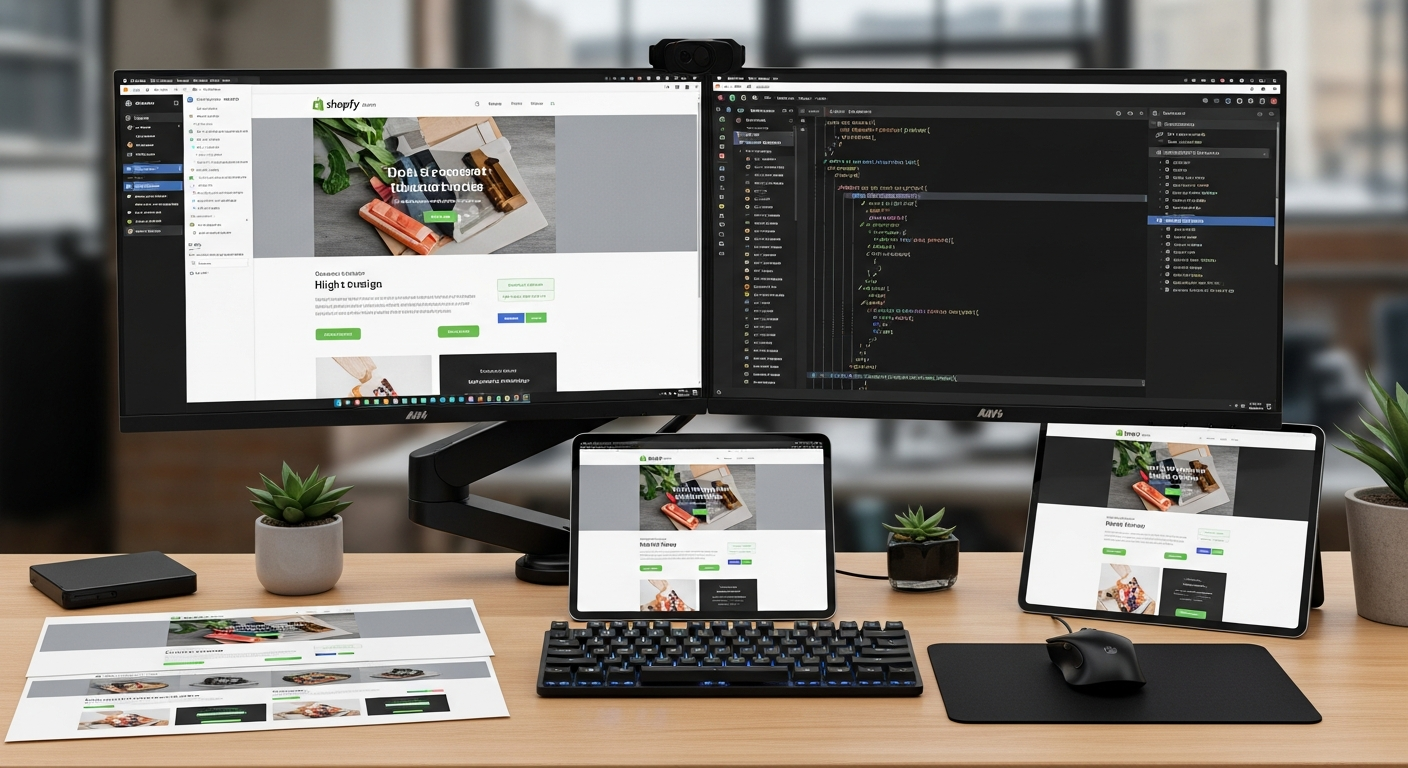
Most Shopify stores are built the same way — a stock theme, a handful of apps bolted on top, and a prayer that conversions will follow. They don’t. According to Shopify’s own merchant data, the median ecommerce conversion rate sits at 1.4%, but stores built on purpose-engineered custom Shopify development consistently hit 3–5%. The difference is almost never the product. It’s the build quality underneath it.
Whether you’re scaling past $500K/year and your theme is holding you back, or you’re building from scratch and want to do it right, this guide gives you the exact practices that top-tier custom Shopify development agencies use — without the agency retainer.
- Why your theme architecture is either your biggest asset or your most expensive liability
- How to approach custom Shopify app development without accumulating app bloat
- The performance benchmarks your store must hit to compete in 2026
- Honest answers on hiring, costs, and whether AI is coming for Shopify developers
- The real reason most Shopify + Facebook Ads combinations fail (it’s not the ads)
1. Treat Your Shopify Theme as a Product, Not a Template
The biggest mistake store owners make is buying an off-the-shelf theme from the Shopify Theme Store and calling it “custom” after changing fonts and colors. A real custom Shopify theme development project starts with a component inventory — every section, block, and snippet mapped to a specific business function before a single line of Liquid is written.
In 2026, Shopify’s Online Store 2.0 architecture is the baseline. Every section should be JSON-driven, every block should be independently configurable, and no section should depend on another section’s rendered state. This makes your theme maintainable when your team changes and upgradeable when Shopify releases new APIs.
Architect Your Sections for the Merchant, Not Just the Designer
Developers often build beautiful sections that are impossible for non-technical merchants to manage. Follow these rules when building custom sections:
- Expose only the settings a merchant will realistically change — hiding advanced options prevents accidental breakage.
- Use Shopify’s
presetsin your section schema so merchants can add sections from the theme editor without reading a manual. - Every image block should have an explicit
alttext field — never skip accessibility inputs in the schema. - Build mobile-first in CSS, not as an afterthought — Shopify reports that over 67% of its platform traffic is mobile, and a layout that breaks at 390px width costs you real revenue.
Use Metafields and Metaobjects to Replace App Dependency
Before reaching for a third-party app, ask whether Shopify’s native Metafields or Metaobjects can handle the data structure you need. Go to Shopify Admin → Settings → Custom Data to create structured metafield definitions. Product-specific size charts, ingredient lists, care instructions, and FAQ content can all live natively in Shopify — rendering in Liquid without an app API call on every page load.
2. Write Liquid Like a Senior Engineer, Not a Tutorial Follower
Liquid is deceptively simple until your template logic grows into an unreadable nest of {% if %} tags. Poor Liquid is the single most common technical debt in custom Shopify store development projects — and it directly kills page speed.
Specific Liquid Patterns to Adopt Now
- Avoid output inside loops when possible. Build strings in
{% assign %}blocks and output once — this reduces render cycles on collection pages with 100+ products. - Use
{% render %}over{% include %}.Therendertag creates an isolated scope, preventing variable leakage across snippets — Shopify officially deprecatedincludefor this reason. - Cache expensive Liquid filters. If you’re calling
| money_with_currencyor doing complex string manipulation inside a loop, assign the result to a variable first. - Lazy-load non-critical sections. Use the
loading="lazy"attribute on all below-the-fold images and defer third-party scripts withdeferorasync.
3. Custom Shopify App Development: Build Only What You Cannot Buy
Custom Shopify app development is expensive and time-consuming. The right question isn’t “can we build this?” — it’s “does a Shopify App Store solution already do 80% of this, and is the remaining 20% worth 6–12 weeks of development?”
When the answer is genuinely yes — when your workflow, data model, or integration requirement has no adequate off-the-shelf match — here’s how to build apps correctly.
Choose the Right App Type for Your Use Case
| App Type | Best For | Hosting Required | Shopify API Access | Typical Build Time |
|---|---|---|---|---|
| Public App | Multi-merchant SaaS tools | Yes (external server) | Full Admin + Storefront | 8–20 weeks |
| Custom App | Single-store integrations, ERP, PIM | Yes (external server) | Full Admin + Storefront | 3–10 weeks |
| Theme App Extension | Storefront UI features (widgets, banners) | Shopify CDN-hosted blocks | Storefront only | 1–4 weeks |
| Shopify Functions | Custom discounts, payment/delivery logic | No (runs on Shopify infra) | Commerce-specific APIs | 1–3 weeks |
Shopify Functions are the most underused tool in custom development today. If you need custom discount logic — bundle pricing, tiered B2B discounts, BOGO rules that the native discount engine can’t express — Shopify Functions run serverlessly inside Shopify’s infrastructure. No external server costs, no webhook latency, no reliability risk.
Use Shopify’s CLI 3.x and Dev Environments Properly
- Install Shopify CLI 3.x and run
shopify app devto spin up a local tunnel linked to a development store — never develop against a live store’s data. - Set up separate environments: development → staging → production. Use Shopify’s store duplication feature or Theme Kit for theme versioning.
- Store all secrets (API keys, webhook signing secrets) in environment variables — never hardcode credentials in your app repo.
- Register webhooks through the Partner Dashboard, not ad hoc in code — this ensures webhooks survive app reinstalls.
4. Performance Is a Feature, Not an Afterthought
Google’s Core Web Vitals are a ranking factor, and a one-second delay in mobile page load time reduces conversions by up to 20% (Google/Deloitte, 2025). On Shopify, performance problems almost always come from three sources: unoptimized images, JavaScript bloat from apps, and render-blocking third-party scripts.
Benchmarks Your Store Should Hit in 2026
| Metric | Poor | Needs Improvement | Good (Target) | Shopify Tool to Diagnose |
|---|---|---|---|---|
| Largest Contentful Paint (LCP) | > 4.0s | 2.5s – 4.0s | < 2.5s | PageSpeed Insights |
| Interaction to Next Paint (INP) | > 500ms | 200ms – 500ms | < 200ms | PageSpeed Insights / GA4 |
| Cumulative Layout Shift (CLS) | > 0.25 | 0.1 – 0.25 | < 0.1 | PageSpeed Insights |
| Time to First Byte (TTFB) | > 1800ms | 800ms – 1800ms | < 800ms | WebPageTest |
| Total Page Weight (mobile) | > 4MB | 2MB – 4MB | < 2MB | Chrome DevTools |
Run your store through PageSpeed Insights monthly and track trends — a single new app install can tank your INP score overnight. Use Hotjar session recordings to find UX friction that speed scores can’t surface: rage clicks, scroll depth drop-offs, and form abandonment.
5. Integrate Your Tech Stack Around Shopify’s APIs, Not Around Apps
High-revenue stores often have a fragile stack — ten apps all writing to and reading from Shopify’s product and order data simultaneously, with no clear data ownership. This creates race conditions, duplicate webhooks, and customer-facing bugs that are nearly impossible to debug.
The right model is API-first integration design:
- Klaviyo owns customer segmentation and email/SMS data — connect it via the Klaviyo Shopify integration and feed it custom events using Shopify’s Customer Events API (formerly Pixels).
- Rebuy for personalized product recommendations — use its Shopify Storefront API integration rather than injecting scripts that fight with your theme’s JavaScript.
- Okendo for reviews — implement it as a Theme App Extension so review widgets load as blocks controlled from the Theme Editor, not as injected DOM elements.
- For analytics, pipe all events to Google Analytics 4 via Shopify’s Customer Events API rather than relying on GA4’s out-of-the-box Shopify tag, which misses server-side purchase events.
6. Version Control, Code Review, and Deployment Discipline
Custom development without version control is not development — it’s gambling. Every Shopify project, regardless of team size, must follow these baseline standards:
- Use GitHub or GitLab with branch protection on
main. No direct pushes to production. Every change goes through a pull request. - Use Shopify GitHub integration (Settings → Apps and sales channels → Shopify GitHub integration) to sync theme changes directly from your repo to Shopify. This gives you a deployment history and one-click rollback.
- Write component-level tests for Shopify Functions using the Shopify Functions testing library — logic errors in discount or delivery functions cost you money on every affected order.
- Document every non-obvious Liquid workaround. Custom Shopify development inherits quirks — write inline comments explaining why a hack exists, not just what it does.
Why Do 90% of People Doing Shopify with FB Ads Fail?
This question gets asked constantly, and the answer almost everyone gives is wrong. People blame ad creative, audience targeting, or rising CPMs. Those matter — but the primary failure point is almost always the post-click experience: the Shopify store itself.
Consider the math. A Facebook ad sending traffic to a product page with a 1.2% conversion rate costs you roughly $83 per conversion at a $1 CPM. Improve that same store’s conversion rate to 3.5% and your effective cost per conversion drops to $28 — without touching a single ad.
Here’s what actually kills Shopify + FB Ads performance in 2026:
- Slow landing pages. Facebook’s algorithm penalizes landing page experiences with high bounce rates. If your product page takes 4+ seconds to load on mobile, you’re paying more per click AND converting fewer of those clicks. Use PageSpeed Insights to audit your product page specifically — not just the homepage.
- Mismatched message-to-page continuity. The ad promises one thing; the page delivers something adjacent. Custom Shopify development solves this by enabling dedicated landing sections with editable hero text, social proof blocks, and product-specific FAQ sections — all manageable without a developer on every campaign.
- No post-purchase sequencing. Most stores send traffic, get a sale, and move on. According to Klaviyo’s 2025 benchmark report, post-purchase email flows generate an average of $7.46 per recipient — more than most first-order margins. If you’re not capturing emails at checkout and triggering a Klaviyo post-purchase flow within 30 minutes, you’re leaving retention revenue on the table.
- Checkout friction. Go to Shopify Admin → Settings → Checkout and enable Shop Pay, one-page checkout, and autofill. Each step you remove from checkout increases completed purchase rate. Shop Pay has a documented 91% higher checkout completion rate compared to guest checkout (Shopify, 2025).
- No trust infrastructure. Cold Facebook traffic has zero brand familiarity. Product pages need Okendo reviews with photo UGC, trust badges, clear return policy links, and real inventory urgency — not fake countdown timers.
The 10% who succeed with Shopify + Facebook Ads are not better advertisers. They have better-engineered stores. Custom development isn’t a luxury at that point — it’s a competitive requirement.
Can I Hire Someone to Build My Shopify Store?
Yes — and in most cases, you should. The question is who to hire, what to give them, and how to avoid the most common hiring mistakes in custom Shopify store development.
Your three main hiring options are:
- Shopify Experts Marketplace: The official directory at
experts.shopify.comlists vetted freelancers and agencies. You can filter by service type (theme development, app development, store setup) and see completed work examples. Quality varies enormously — read case studies, not just reviews. - Specialist Shopify Agencies: Agencies with dedicated Shopify practices — like Blend Commerce, Underwaterpistol, or regional specialists — bring structured delivery processes, QA workflows, and ongoing support agreements. They cost more than freelancers ($5K–$100K+ projects) but carry less delivery risk on complex builds.
- Freelance Platforms (Upwork, Toptal): Faster to hire, lower day rates, but requires more hands-on project management from you. Suitable for scoped tasks like adding a custom section or building a single integration — not for full custom builds without technical oversight.
Before you hire anyone, prepare these four assets:
- A written scope document — list every page, feature, and integration you need. Vague briefs produce vague deliverables.
- A reference list — 3–5 Shopify stores you admire for specific reasons (UX, speed, section flexibility). Concrete references eliminate subjective design debates.
- Your tech stack — tell candidates what’s non-negotiable (Klaviyo for email, Okendo for reviews) and what’s flexible.
- Your timeline and budget range — be honest about both. A $3,000 budget and a 2-week timeline for a custom theme build will get you a template with new fonts, not a custom build.
Always ask candidates to walk you through a previous store’s technical decisions — not just show you the design. A developer who can explain why they chose Shopify Functions over a custom app, or why they architected sections a certain way, is worth ten developers who can only show you a pretty screenshot.
Will AI Replace Shopify Developers?
Partially — and that partial replacement is already happening. But the picture is more nuanced than the headline suggests, and for Shopify merchants, it has direct implications for where you spend your development budget.
What AI is already doing well in Shopify development:
- Generating boilerplate Liquid sections from a text description (GitHub Copilot, Cursor, and Claude can produce a usable first draft of standard sections in minutes)
- Writing Shopify Functions stubs and suggesting API query structures for the Admin API and Storefront API
- Debugging Liquid logic errors with high accuracy when given proper context
- Drafting initial CSS from a design reference image
What AI still cannot do reliably in 2026:
- Make architectural decisions — choosing between a metaobject-based content system and a custom app backend requires business context that AI doesn’t have
- Debug race conditions between multiple apps and Shopify webhooks — this requires deep understanding of Shopify’s event model
- Optimize for conversion — AI can write code, but it doesn’t know why your specific audience abandons your cart on mobile
- Manage client relationships, interpret vague requirements, and push back on bad ideas — skills that separate senior developers from code generators
The net effect for store owners: AI is compressing development timelines and reducing the cost of repetitive, well-defined tasks by 30–50%. A custom Shopify theme that took 12 weeks to build in 2023 now takes 7–8 weeks with AI-assisted development. Hourly rates for mid-level developers are under pressure, but senior architects and strategists who can make the right decisions about what to build are more valuable, not less.
If you’re hiring a developer or agency in 2026, ask them explicitly how they use AI in their workflow. Developers who dismiss it entirely are slower and more expensive. Developers who rely on it exclusively without understanding the output will ship bugs disguised as features.
How Much Does a Shopify Developer Cost?
Costs vary significantly by geography, experience level, project scope, and engagement type. Here’s an honest breakdown based on 2026 market rates:
| Developer Type | Hourly Rate (USD) | Full Custom Theme Build | Custom App (Mid-Complexity) | Best For |
|---|---|---|---|---|
| Freelancer (Eastern Europe / LATAM) | $35–$75/hr | $3,500–$12,000 | $5,000–$20,000 | Scoped, well-defined tasks |
| Freelancer (US / UK / AU) | $100–$175/hr | $12,000–$35,000 | $20,000–$60,000 | Complex builds needing timezone alignment |
| Mid-tier Shopify Agency | $120–$180/hr | $15,000–$50,000 | $25,000–$80,000 | Growth-stage stores needing process + delivery |
| Top-tier / Enterprise Agency | $180–$300/hr | $50,000–$200,000+ | $80,000–$300,000+ | Shopify Plus stores, headless builds, complex integrations |
| In-house Shopify Developer (US salary) | N/A | $95,000–$145,000/yr | Same resource | Stores with ongoing development needs (>$2M/yr) |
Don’t optimize purely for the lowest rate. A $40/hr developer who takes 200 hours to deliver a buggy theme costs you $8,000 in fees plus months of lost revenue. A $150/hr developer who delivers a clean, documented build in 80 hours costs $12,000 and runs reliably for 3 years.
For stores doing $500K–$2M/year, a mid-tier specialist agency on a project basis is typically the highest ROI option. At $2M+, an in-house developer paired with an agency for strategic projects usually wins.
Always structure contracts with milestone-based payments tied to deliverables — 30% on kickoff, 40% on staging delivery, 30% on production launch with a 30-day defect warranty period. This aligns incentives and protects you from scope creep and delivery delays.
7. Security and Compliance Are Not Optional at Scale
As your custom Shopify store development grows in complexity, so does your attack surface. Shopify handles PCI compliance for payment data, but everything you build on top is your responsibility.
- Never store customer PII in custom app databases without explicit consent and a documented data retention policy. GDPR and CCPA exposure at the app level falls on you, not Shopify.
- Use Shopify’s Customer Privacy API to manage cookie consent — go to Shopify Admin → Online Store → Preferences → Cookie Banner to configure compliant consent collection that feeds into your GA4 and Klaviyo tracking correctly.
- Rotate API credentials on a quarterly schedule and use Shopify’s scoped access tokens — request only the permissions your app actually needs.
- If you’re building a custom checkout extension, audit it against Shopify’s checkout extension security guidelines — custom UI components in checkout have strict CSP restrictions that will silently block non-compliant scripts.
8. Test Everything Before You Ship
Custom development without structured testing is how a Saturday morning deploy wipes out your weekend revenue. Implement this baseline testing protocol before every production deployment:
- Device and browser testing: Chrome, Safari, and Firefox on iOS 17+, Android 14+, and desktop. Pay particular attention to Safari on iOS — it handles CSS
position: sticky, custom fonts, and video autoplay differently from every other browser. - Checkout flow end-to-end: Place a real test order using Shopify’s Bogus Gateway (Shopify Admin → Settings → Payments → Shopify Payments → Enable test mode) on mobile and desktop.
- PageSpeed regression testing: Run PageSpeed Insights on your homepage and top product page before and after every deploy. A performance regression from a new feature needs to be caught before customers feel it.
- Hotjar session review: After any major UX change, watch 20 session recordings in the first 48 hours. Users will do things in production you never anticipated in staging.
Putting It All Together: The Standards That Define Elite Custom Shopify Development
The stores that outperform their categories in 2026 share a common pattern: they were built with discipline, not just creativity. Custom Shopify development done right means theme architecture designed for the merchant to manage, Liquid written for performance not just functionality, apps built only when they’re genuinely necessary, and integrations designed around clean data ownership rather than convenience.
The performance benchmarks, cost frameworks, and development practices in this guide aren’t theoretical — they’re the operating standards of the stores doing $3M–$10M/year on Shopify that didn’t get there by accident. Whether you’re hiring a custom Shopify development agency, evaluating in-house talent, or auditing your existing build, these are the benchmarks worth holding your work to. The technical gap between an average Shopify store and a purpose-built one is measurable in conversion points — and conversion points are revenue.