Shopify Headless Commerce: 12 Pros & Cons to Know Before You Build (2026)
If you’re running a Shopify store doing $500K or more per year, someone has probably told you that going headless will solve your performance problems, unlock design freedom, and future-proof your stack. Sometimes they’re right. Shopify headless commerce implementations can deliver Lighthouse scores above 95 and conversion rate lifts of 20–30% — but they can also double your development costs, introduce new failure points, and leave your marketing team unable to make a simple banner change without a developer on call.
The decision is not a checkbox. It’s a strategic commitment that affects your engineering budget, your content workflow, your app ecosystem, and your time-to-market for every future feature. According to a 2025 Forrester report, 61% of merchants who adopted headless architecture reported longer-than-expected build timelines, yet 74% said they would make the same decision again. That tension — real pain, real reward — is exactly what this guide unpacks.
- The 7 genuine advantages of Shopify headless commerce — and when they actually apply to your store
- The 5 significant drawbacks most agencies won’t tell you upfront
- A benchmark comparison table: headless vs. traditional Shopify performance metrics
- How to evaluate whether your store is ready for a headless build in 2026
- Specific tools, frameworks, and Shopify-native APIs to use if you do go headless
What Is Shopify Headless Commerce? (A Quick Operational Definition)
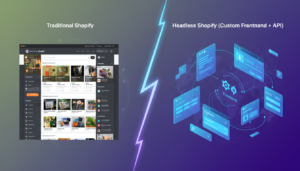
In a traditional Shopify setup, the frontend (what customers see) and the backend (cart, checkout, inventory, payments) are tightly coupled inside Shopify’s theme system. Your Liquid templates directly render store data. Change a product price in the admin, it updates on your storefront instantly — because they’re the same system.
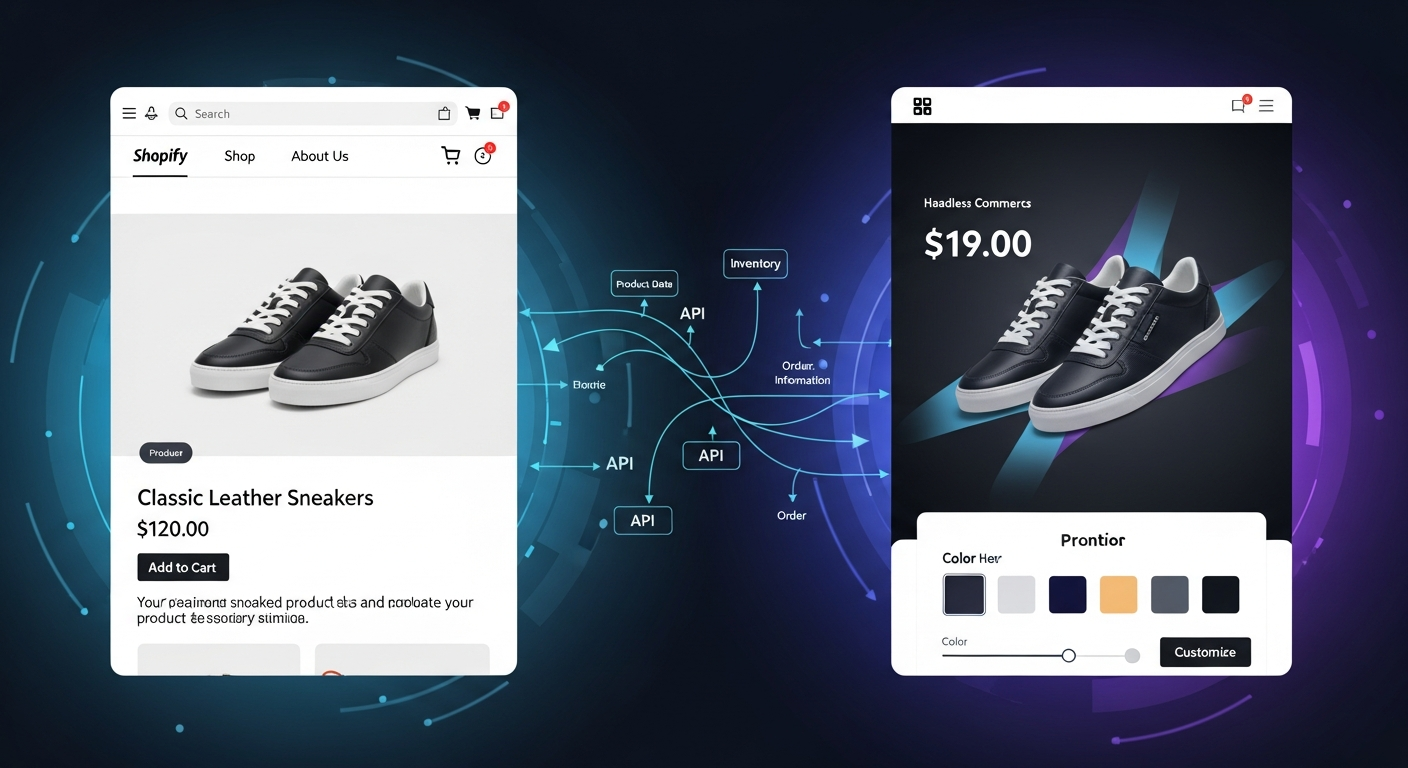
In a headless build, you decouple that frontend. You build a completely custom presentation layer — typically using React, Next.js, or Nuxt.js — and connect it to Shopify’s backend via the Storefront API or the newer Hydrogen framework (Shopify’s own React-based headless toolkit). Shopify handles commerce logic: products, checkout, payments, inventory, fulfillment. Your custom frontend handles everything the customer sees and interacts with.
Shopify offers two main paths for headless in 2026:
- Shopify Hydrogen + Oxygen: Shopify’s first-party headless framework and hosting platform. Oxygen is included free on all Shopify plans. Hydrogen is built on Remix and optimized for the Storefront API.
- Third-party composable stacks: Next.js or Nuxt.js frontends deployed on Vercel or Netlify, using Shopify’s Storefront API, often combined with a headless CMS like Contentful, Sanity, or Prismic.
The 7 Biggest Pros of Shopify Headless Commerce
1. Near-Total Frontend Performance Control
With a traditional Shopify theme, you’re inheriting Shopify’s rendering pipeline, and every third-party app that injects scripts adds to your page weight. A headless frontend built on Next.js with server-side rendering (SSR) or static site generation (SSG) gives you complete control over what loads, when, and in what order. Merchants who migrated to Shopify Hydrogen in 2025 reported median Largest Contentful Paint (LCP) times dropping from 3.8 seconds to under 1.2 seconds (Shopify Partner Blog, 2025).
You can implement granular code-splitting, lazy load every non-critical asset, and eliminate render-blocking scripts entirely. Run your build through Google PageSpeed Insights before and after — the delta is typically dramatic. This performance gain directly affects Google’s Core Web Vitals rankings and your SEO.
2. Complete Design Freedom Without Theme Constraints
Shopify themes — even highly customized ones — operate within the constraints of Liquid and the Online Store 2.0 section schema. Headless removes those constraints entirely. You can build pixel-perfect, interactive experiences: full-page video backgrounds, WebGL product visualizers, scroll-triggered animations, and micro-interactions that would be impossible or painfully hacky in Liquid.
This matters most for brands competing on premium aesthetics — luxury goods, beauty, high-end furniture — where the browsing experience is part of the brand equity.
3. True Multi-Channel Commerce From a Single Backend
One Shopify backend can simultaneously power your web storefront, your iOS/Android native app, a kiosk display, a smart TV app, and a B2B portal — all reading from the same Storefront API. You manage products, pricing, and inventory in one place. This is the “build once, deploy everywhere” promise of composable commerce, and Shopify’s Storefront API makes it genuinely achievable.
4. Headless CMS Integration for Faster Content Publishing
Pair Shopify headless with Contentful, Sanity, or Storyblok and your content team can publish editorial content, campaign landing pages, and blog posts without touching the Shopify admin or waiting for a developer. This is a significant operational win for brands running frequent seasonal campaigns. Editors get a visual drag-and-drop interface; developers get structured content delivered via API.
5. Easier Integration With Complex Third-Party Systems
Enterprise merchants often need deep integrations with ERPs (NetSuite, SAP), PIMs (Akeneo, Salsify), or custom loyalty platforms. A headless architecture lets you build these integrations at the API layer without the limitations of Shopify’s app proxy system or the performance overhead of script injection. Your integration layer is clean, versioned, and testable.
6. Better A/B Testing and Personalization at Scale
Tools like Optimizely, VWO, and even custom React component trees make it far easier to run server-side A/B tests on a headless frontend without the flicker problem that plagues client-side testing on traditional Shopify themes. Combined with a personalization engine like Rebuy or a customer data platform, you can serve genuinely different experiences to different segments without a single app install in the Shopify admin.
7. Independent Frontend and Backend Deployment Cycles
In a coupled Shopify setup, a theme update touches everything. In a headless setup, your frontend team can ship UI changes, fix layout bugs, and deploy new pages without any risk to the commerce backend. Your backend team can update API integrations without touching the frontend. This independence accelerates release velocity on both sides.
The 5 Real Cons of Shopify Headless Commerce
1. Dramatically Higher Build and Maintenance Costs
A custom Shopify theme — even a highly bespoke one — typically costs $15,000–$50,000 to build. A production-ready headless Shopify build starts at $80,000 and can easily reach $250,000+ for complex implementations. You’re not just paying for a frontend; you’re paying for infrastructure, API integration, CMS setup, performance architecture, and ongoing DevOps. Budget at least 30–40% of your initial build cost annually for maintenance — API versioning, dependency updates, and security patches are continuous obligations.
2. Shopify’s Native Features Often Break or Require Rebuilding
Many of the features that “just work” in a traditional Shopify store — Shop Pay, Shopify Markets, native product reviews, metafield displays, Shopify Flow automations — require custom implementation in a headless context. The Shopify Checkout remains hosted (which is actually good for conversion and PCI compliance), but everything leading up to checkout must be rebuilt. App compatibility is a major risk: most Shopify apps inject JavaScript into Liquid templates, which means they simply don’t work in a headless frontend. Before you go headless, audit every app in your stack and verify API availability for each.
3. Increased Operational Complexity for Non-Technical Teams
With a traditional Shopify theme and a decent page builder like Shogun or PageFly, a marketing manager can launch a new landing page in an afternoon. In a headless setup — even with a visual CMS — that workflow requires more coordination, more QA, and often still needs a developer for anything outside pre-built templates. Analytics setup also becomes more complex: you’ll need to manually implement GA4 event tracking, fire pixels for Meta Ads and TikTok Ads, and configure Klaviyo’s JavaScript SDK, because the automatic Shopify integrations won’t apply.
4. SEO Requires Deliberate Engineering
A common misconception is that headless automatically improves SEO because of speed. In reality, a poorly implemented headless frontend — one that relies on client-side rendering without SSR — can be catastrophic for SEO. Googlebot crawls JavaScript-rendered content less reliably than server-rendered HTML. If your headless build uses client-side React without SSR or SSG, your product pages may not be indexed correctly. You must architect for SSR or SSG from day one, implement proper canonical tags, structured data (JSON-LD), and hreflang attributes manually — none of which Shopify handles automatically in a headless context.
5. Shopify Checkout Is Still a Walled Garden
Even in a headless build, Shopify’s checkout is hosted on checkout.shopify.com — you cannot fully replace it with a custom frontend. Shopify Plus merchants get Checkout Extensibility (formerly checkout.liquid customizations), which allows UI extensions via Shopify Functions and the Checkout Extensions API. But non-Plus merchants have very limited checkout customization options regardless of how sophisticated their headless frontend is. If bespoke checkout UX is your primary goal, you need Shopify Plus — which starts at $2,500/month in 2026.
Headless vs. Traditional Shopify: Performance and Cost Benchmarks
| Metric | Traditional Shopify Theme (Online Store 2.0) | Shopify Headless (Hydrogen / Next.js) |
|---|---|---|
| Average Lighthouse Performance Score | 55–72 | 85–97 |
| Median LCP (Mobile) | 2.8–4.5 seconds | 0.9–1.8 seconds |
| Time to First Byte (TTFB) | 400–900ms | 80–250ms (with edge caching) |
| Initial Build Cost | $10,000–$60,000 | $80,000–$300,000+ |
| Annual Maintenance Cost | $5,000–$20,000 | $25,000–$80,000 |
| App Ecosystem Compatibility | ~95% of Shopify Apps | ~30–40% (API-based apps only) |
| Content Team Autonomy | High (native theme editor + page builders) | Medium (requires headless CMS setup) |
| Time-to-Launch (New Store) | 4–12 weeks | 16–40 weeks |
| Recommended Annual Revenue Threshold | $0–$5M+ | $2M+ (ideally $5M+) |
Sources: Shopify Partner Blog (2025), Forrester Composable Commerce Report (2025), internal agency benchmarks from headless implementations on Shopify Plus.
What Are the Real Pros of Shopify Headless Commerce?
This question deserves a direct, detailed answer because the benefits are real — but they’re conditional. The pros of Shopify headless commerce aren’t universal advantages; they’re advantages that materialize under specific conditions.
Performance at scale is the most defensible pro. When you’re running thousands of SKUs, geo-targeted pricing, and personalized content simultaneously, a traditional Shopify theme starts to buckle under the weight of conflicting app scripts and Liquid rendering overhead. A headless architecture distributes that load: edge-cached static pages handle traffic spikes, API calls are parallelized, and only the dynamic content (cart, user-specific pricing) is fetched client-side. A merchant selling customizable products with complex variant logic — say, a print-on-demand store with 10,000+ SKUs — will see measurable UX improvements with headless that a standard Shopify theme simply cannot match.
Brand differentiation is a legitimate pro for design-led businesses. If your competitors are all running Dawn or Prestige themes with minor customizations, a fully custom headless frontend is a genuine competitive differentiator. Customers notice when a brand’s website feels materially different — smoother, faster, more immersive. That differentiation translates to longer session durations, lower bounce rates, and higher average order values. Track this with Hotjar session recordings before and after migration to validate the lift.
The multi-channel pro is underrated and under-discussed. If you’re running a Shopify store today and planning to launch a mobile app within 12 months, building headless now means your app and your web storefront share the same API layer and the same product/inventory data. You avoid the costly duplication of maintaining two separate commerce backends. For brands with serious mobile commerce ambitions, this architectural decision pays dividends in year two and beyond.
Developer experience improves significantly. Modern React tooling — TypeScript, Jest, Storybook, CI/CD pipelines with GitHub Actions — is far more sophisticated than the Liquid development environment. If you’re recruiting or retaining senior frontend engineers, a React/Next.js codebase is dramatically more attractive than a Liquid theme. This talent advantage compounds over time as your team ships faster and catches bugs earlier.
The CMS integration pro solves a real operational bottleneck. Growing DTC brands publish new content constantly — blog posts, campaign pages, editorial lookbooks, size guides. In a traditional Shopify setup, all of this lives in a Liquid template or a page builder. In a headless setup with Sanity or Contentful, your content team has a professional editorial environment, your developers have a clean API, and your SEO team can implement structured content schemas that directly inform how Google indexes your pages. Measure the SEO impact in Google Search Console after migration — impressions and clicks from editorial content typically increase within 3–4 months.
How Do You Fix Common Problems in a Shopify Headless Commerce Build?
The most common problems in Shopify headless builds are not architectural — they’re operational. And most of them have specific, actionable fixes.
Fix 1: App Compatibility Gaps
Before you start your headless build, run a full audit of every Shopify app you rely on. For each app, check whether it offers a headless-compatible API, a JavaScript SDK, or a REST/GraphQL endpoint. Apps built on Shopify’s App Bridge 2.0 or higher generally work in headless contexts. Apps that rely exclusively on theme.liquid injection do not. Replace non-compatible apps with API-first alternatives:
- Replace Yotpo or Stamped for reviews with Okendo, which offers a headless SDK.
- Replace traditional upsell apps with Rebuy, which is fully headless-compatible via its REST API.
- Replace native Shopify Email with Klaviyo, which integrates via the Storefront API and provides JavaScript SDK for behavioral tracking without Shopify’s standard embed.
Fix 2: SEO Regressions After Migration
The most dangerous headless mistake is launching a client-side-rendered frontend and watching your organic traffic collapse. Fix this before launch:
- Mandate SSR or SSG for all product, collection, and blog pages. In Next.js, use
getServerSidePropsfor dynamic content andgetStaticPropswith Incremental Static Regeneration (ISR) for product pages. - Implement JSON-LD structured data for Product, BreadcrumbList, and Organization schemas manually — Shopify’s automatic structured data doesn’t carry over to headless.
- Set up Google Search Console on the new domain/path and monitor crawl coverage weekly for the first 90 days post-launch.
- Run Screaming Frog against your headless staging environment to catch missing meta titles, broken canonical tags, or orphaned pages before go-live.
Fix 3: Analytics Tracking Gaps
GA4 ecommerce events — view_item, add_to_cart, begin_checkout, purchase — must be manually implemented in your headless frontend. Shopify’s native GA4 integration only works with Shopify themes. Fix this by:
- Installing the GA4 JavaScript snippet via your frontend’s
_document.js(Next.js) or root layout file. - Firing ecommerce events using the
gtag('event', ...)API at every relevant user interaction. - Using Hotjar for qualitative session analysis — install the Hotjar snippet the same way and validate recordings are capturing all page types in your headless frontend.
- Testing your entire event funnel in GA4 DebugView before launch. Every event must appear there before you go live.
Fix 4: Slow Storefront API Response Times
If your headless frontend feels slow despite good Lighthouse scores, the culprit is usually unoptimized Storefront API queries. Fix this by:
- Requesting only the fields you need in your GraphQL queries — avoid over-fetching with broad fragment spreads.
- Implementing persisted queries to reduce query payload size and enable edge caching.
- Caching product and collection data at the CDN layer (Vercel Edge Network or Cloudflare) with appropriate cache-control headers. Product data that changes infrequently can be cached for 60–300 seconds without meaningful staleness risk.
Why Do Shopify Merchants Consider Going Headless? (The Real Drivers)
Understanding why merchants move to headless commerce helps you evaluate whether those same drivers apply to your business — or whether you’re solving a problem you don’t actually have.
The most common driver is performance frustration. A merchant adds their 15th Shopify app, loads their storefront on a 4G mobile connection, and sees a 6-second load time. They read that headless is fast, and they assume going headless will fix their performance problem. Sometimes it will. But often, the performance problem is fixable within a traditional Shopify theme by auditing and removing bloated apps, implementing lazy loading, and optimizing images with the Shopify CDN’s built-in image transformation parameters (?width=800&format=webp). Run Google PageSpeed Insights on your current store before assuming headless is the only path to performance gains.
The second driver is design ambition that outgrows Liquid. Merchants who want immersive, editorial-grade shopping experiences — animated product reveals, parallax storytelling, 3D product viewers — hit real walls in Liquid. This is a legitimate driver for headless. If your design team is consistently producing mockups that your development team says are “impossible in Liquid,” that’s a signal worth heeding.
The third driver is enterprise integration complexity. When you’re integrating Shopify with NetSuite for ERP sync, Akeneo for product data management, and a custom loyalty platform, the integration layer in a traditional Shopify setup becomes brittle and hard to maintain. Headless gives you a clean API-first integration architecture where each system communicates through well-defined contracts.
The fourth — and often unspoken — driver is competitive copying. A competitor launches a beautiful, fast headless storefront and suddenly leadership wants the same. This is the weakest driver and the one most likely to result in a headless project that doesn’t deliver ROI. Headless is not a feature — it’s an architectural approach. Build it because your specific requirements demand it, not because someone else has it.
How to Decide Whether Shopify Headless Is Right for Your Store in 2026
Use this framework to make the decision with clarity rather than hype.
Step 1: Audit Your Current Performance Baseline
Run your existing Shopify store through Google PageSpeed Insights, WebPageTest, and the Shopify-native Speed Report (available in Shopify Admin → Online Store → Themes → View report). If your mobile Lighthouse score is above 65 and your LCP is under 2.5 seconds, a theme optimization project will likely close the performance gap for a fraction of the cost of a headless build.
Step 2: Inventory Your App Stack for API Compatibility
List every app you use. Check whether each offers a REST or GraphQL API. If more than 40% of your critical apps are theme-injection-only, your headless migration will require replacing significant parts of your marketing and commerce stack. Factor that replacement cost into your total project budget.
Step 3: Assess Your Engineering Resources
Do you have in-house React/Next.js developers? Or are you fully dependent on an agency? If you’re agency-dependent, who maintains the codebase after launch? Headless builds require ongoing engineering investment. If you don’t have a clear answer to the post-launch maintenance question, you’re not ready to go headless.
Step 4: Define the Specific Business Outcome You’re Targeting
Before approving a headless project, define the exact metric you expect to improve and by how much. “Better performance” is not a business outcome. “Reduce mobile bounce rate from 68% to 50% within 6 months” is. Set your baseline in GA4, define your target, and make the headless investment conditional on achieving it.
Step 5: Evaluate Shopify Hydrogen First
If you’ve decided headless is the right path, evaluate Shopify Hydrogen before building on Next.js + Storefront API. Hydrogen is Shopify’s first-party headless framework — it’s actively maintained, deeply integrated with Shopify’s APIs (including Cart API, Customer Account API, and Storefront API), and deployed on Oxygen (free hosting included with your Shopify plan). The developer experience has matured significantly in 2025–2026, and the Shopify community around Hydrogen is growing rapidly. For most merchants, Hydrogen is the lower-risk, lower-cost headless path compared to a fully custom composable stack.
Shopify Headless Commerce in 2026: The Honest Summary
Shopify headless commerce is one of the most powerful architectural approaches available to ambitious merchants — and one of the most misapplied. The merchants who extract real ROI from headless are those who have outgrown the performance ceiling of traditional Shopify themes, who have clear multi-channel commerce requirements, and who have the engineering capacity to maintain a sophisticated frontend codebase over time.
For stores doing under $1M/year, a well-optimized Shopify theme with clean app discipline will outperform a poorly resourced headless build every time. For stores doing $2M–$5M+ with serious design ambitions, multi-channel requirements, or enterprise integration complexity, headless is worth the investment — provided you go in with realistic cost expectations, a clear performance target, and a plan for long-term maintenance.
The frameworks to evaluate are Shopify Hydrogen (first-party, Remix-based, free Oxygen hosting) and Next.js on Vercel (more flexibility, higher infrastructure overhead). The tools to build around are Okendo for reviews, Rebuy for personalization, Klaviyo for email/SMS, Hotjar for qualitative UX research, and GA4 with manual event instrumentation for analytics. The metrics to track are LCP, Lighthouse performance score, mobile bounce rate, add-to-cart rate, and checkout conversion rate — measured before and after, with statistical significance.
Go headless when the business case is clear and the resources are committed. Stay on a traditional Shopify theme when they’re not. That decision — made clearly — is worth more than any framework choice.