Shopify Checkout Conversion Rate: 14 Tactics to Stop Losing Sales (2026)
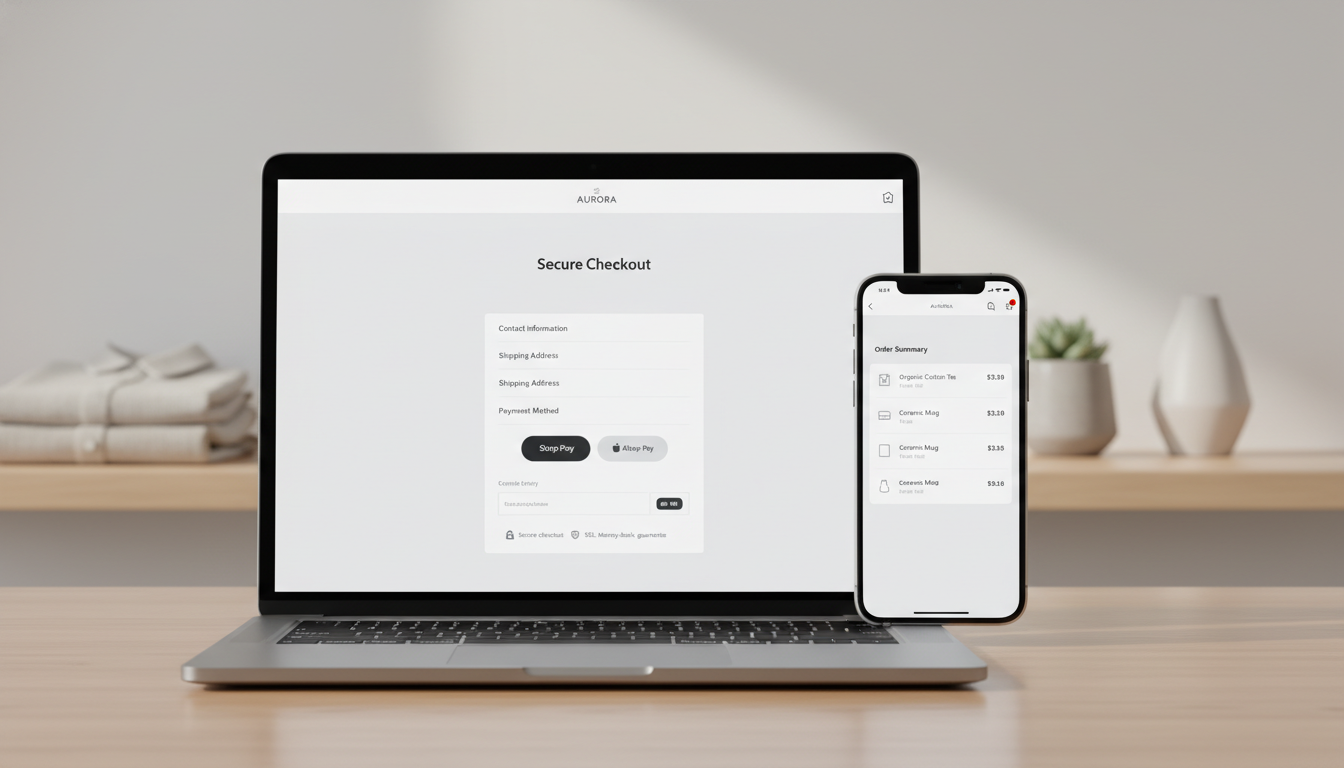
Your Shopify store is getting traffic, products are being added to cart — and then customers vanish. The average cart abandonment rate across ecommerce sits at 70.19% (Baymard Institute, 2025), meaning roughly seven out of every ten shoppers who reach your checkout never complete their purchase. For a Shopify store doing $500K/year, fixing that leak is worth more than any ad campaign you’ll run this quarter.
Improving your Shopify checkout conversion rate isn’t about guessing — it’s about identifying the exact friction points in your funnel and eliminating them with the right tools and configuration. This guide gives you 14 specific, implementable tactics ranked by impact.
- What a good Shopify checkout conversion rate actually looks like (with industry benchmarks)
- The highest-impact checkout friction points and how to fix them inside Shopify Admin
- Which tools — Hotjar, Klaviyo, Rebuy, GA4 — to use and exactly how to deploy them
- How to recover abandoned checkouts systematically, not just with one email
- Mobile-specific checkout optimizations most stores overlook
Shopify Checkout Conversion Rate Benchmarks: Where Do You Stand?
Before you fix anything, you need to know whether you actually have a problem — and how big it is. Shopify defines checkout conversion rate as the percentage of sessions that reach the checkout and then complete a purchase. This is distinct from your overall store conversion rate.
The table below breaks down typical checkout-to-purchase conversion rates by vertical, based on data from Shopify’s Commerce Trends report, Littledata’s 2025 benchmarks, and the Baymard Institute.
| Industry Vertical | Average Checkout Conversion Rate | Top 20% (Best-in-Class) |
|---|---|---|
| Fashion & Apparel | 47% | 65%+ |
| Health & Beauty | 52% | 68%+ |
| Home & Garden | 43% | 60%+ |
| Electronics & Tech | 38% | 55%+ |
| Sports & Outdoors | 45% | 62%+ |
| Food & Beverage | 55% | 72%+ |
| Pet Supplies | 50% | 66%+ |
If your checkout conversion rate is more than 10 percentage points below the average for your vertical, you have a structural problem — not just a traffic problem. Pull this number from your Shopify Admin by going to Analytics → Reports → Conversion summary, then filter for “Reached checkout” vs. “Sessions converted.”
What Is a Good Checkout Conversion Rate on Shopify?
A good Shopify checkout conversion rate is typically 60–65% or higher — meaning that for every 100 sessions that reach your checkout page, at least 60 result in a completed order. This is the threshold where you’re performing above the ecommerce average and leaving minimal money on the table from structural friction.
However, “good” is always relative to your context. A $1,200 average order value luxury goods store will naturally see lower checkout conversion than a $25 consumable subscription brand, because high-ticket purchases involve more deliberation and comparison shopping. Littledata’s 2025 ecommerce benchmark report found that the median Shopify checkout conversion rate sits at around 49–52%, with top performers in the 70%+ range.
Here’s how to interpret your numbers with more precision:
- Below 35%: Critical friction exists. Likely culprits are mandatory account creation, unexpected shipping costs, or a broken mobile experience.
- 35%–50%: Below average. Meaningful optimization opportunities exist across trust signals, payment methods, and form design.
- 50%–65%: Average to good. You’re competitive but leaving revenue on the table — focus on abandonment recovery and upsell sequencing.
- 65%–75%: Strong. You’re likely running Shop Pay, have trust badges in place, and have reduced form fields. Marginal gains from A/B testing here.
- 75%+: Best-in-class. Typically seen in stores with loyal repeat customer bases, subscription models, or extremely streamlined one-product funnels.
One important note: don’t benchmark your checkout conversion rate against your overall store conversion rate — they measure completely different stages of the funnel. Your overall store conversion rate (typically 1.5%–3.5% for Shopify stores) factors in all visitors, including people who never intended to buy. Your checkout rate only captures people who were committed enough to initiate checkout — and losing them there is far more costly.
Track both metrics separately in Google Analytics 4 by setting up a funnel exploration: go to GA4 → Explore → Funnel exploration, then map steps from “begin_checkout” to “purchase” events. Shopify’s native GA4 integration fires these events automatically via the Shopify Google & YouTube channel app.
How to Optimize Shopify Checkout: 14 High-Impact Tactics
The following tactics are ordered by typical impact and implementation difficulty. Start at the top and work down.
1. Enable Shop Pay as Your Default Accelerated Checkout
Shop Pay is the single highest-ROI checkout optimization available to Shopify merchants. Shop Pay converts at a rate 50% higher than guest checkout (Shopify internal data, 2025), because it pre-fills address, payment, and shipping details for over 150 million shoppers who’ve previously used it.
To enable it: Go to Settings → Payments → Shopify Payments → Manage → Enable Shop Pay. Also enable the Shop Pay button on product pages and cart pages, not just checkout. Every additional touch point where Shop Pay appears increases the likelihood a returning user completes their purchase instantly.
2. Remove Mandatory Account Creation
Forcing customers to create an account before purchasing is one of the top three reasons for checkout abandonment, cited by 24% of US online shoppers (Baymard Institute, 2025). Guest checkout must be the default path, not an afterthought.
In Shopify Admin: Go to Settings → Checkout → Customer accounts, and set it to “Accounts are optional.” You can still offer account creation post-purchase — in fact, that’s the right place to do it, when the customer already trusts you.
3. Show Shipping Costs Before Checkout
Unexpected shipping costs at checkout are the #1 reason for cart abandonment, according to Baymard’s 2025 data — cited by 48% of abandoning shoppers. Display your shipping costs (or “Free shipping on orders over $X”) prominently on product pages and in the cart drawer, before the customer ever clicks “Checkout.”
Use Shopify’s built-in shipping rates display in your cart template, or install a free shipping progress bar app like Gift Box or Monster Cart Upsell to dynamically show customers how close they are to the free shipping threshold.
4. Add Trust Signals Inside the Checkout
Shopify’s native checkout (used on Shopify Plus via Checkout Extensibility, or the standard checkout on other plans) allows you to add trust badges, security seals, and short reassurance copy directly in the checkout sidebar. For Shopify Plus merchants, this is done via checkout extensions in the Theme Editor.
For non-Plus merchants: Add trust copy to your cart page above the “Checkout” button — include SSL security badges, your return policy in one line (“Free 30-day returns”), and accepted payment icons. These micro-reassurances reduce anxiety at the moment of decision.
5. Reduce Form Fields to the Minimum
Every additional field in your checkout form is a drop-off risk. Shopify’s default checkout already trims unnecessary fields, but review your configuration in Settings → Checkout → Form options. Set fields like “Company name” and “Address line 2” to “Hidden” unless your product category genuinely requires them.
For address autocomplete, Shopify uses Google Places API by default on plans with Shopify Payments enabled — this alone reduces address entry time by ~40% and cuts typo-related failed orders.
6. Activate All Relevant Payment Methods
Customers have payment preferences, and if their preferred method isn’t available, they leave. Beyond Shop Pay, you should enable:
- PayPal Express — still used by 45%+ of US online shoppers as a trust proxy
- Apple Pay and Google Pay — critical for mobile conversion (one-tap checkout)
- Buy Now, Pay Later (BNPL) — Shopify Installments (powered by Affirm) for orders over $50 can increase AOV by 15–20%
- Klarna or Afterpay — particularly effective for fashion, furniture, and electronics verticals
To manage payment methods: Go to Settings → Payments → Add payment methods. Each wallet payment you add eliminates a category of checkout abandonment.
7. Optimize for Mobile Checkout — Specifically
Mobile accounts for 67% of Shopify store traffic but typically converts 20–30% worse than desktop (Shopify Commerce Trends 2025). The gap is almost entirely due to friction in the mobile checkout experience. Run your store through PageSpeed Insights (pagespeed.web.dev) and target a mobile score above 70 — anything below 50 is costing you conversions measurably.
Mobile-specific fixes that move the needle:
- Ensure your “Checkout” button is sticky at the bottom of the cart page on mobile — it should never require scrolling
- Increase tap target size for all checkout CTAs to at least 44×44px
- Set the correct keyboard type on form fields (numeric for postal codes and card numbers, email keyboard for the email field) — this is controlled in your Liquid theme files
- Test Apple Pay and Google Pay displays on actual iOS and Android devices, not just browser simulators
8. Deploy Hotjar Recordings on Your Checkout Flow
You can’t fix what you can’t see. Install Hotjar on your Shopify store and filter session recordings specifically to sessions that reached checkout but did not convert. This single filter will show you patterns you’d never find in GA4 alone — fields that cause rage clicks, error messages that don’t display clearly, and drop-off points by device type.
In Hotjar: Create a segment called “Checkout Abandoners” by filtering for URL contains “/checkouts/” AND no “thank_you” page visit in the same session. Review 50 recordings per week for two weeks — you’ll identify your top 3 friction points with certainty.
9. Implement a 3-Step Abandoned Checkout Email Sequence with Klaviyo
Shopify’s native abandoned checkout email is a single touchpoint. That’s not enough. Klaviyo’s abandoned checkout flow allows you to build a precise, timed sequence that recovers significantly more revenue.
The sequence that consistently performs best:
- Email 1 — 1 hour after abandonment: Simple reminder, no discount. Show the cart contents, a clear CTA, and your return policy. Subject line: “You left something behind.”
- Email 2 — 24 hours after abandonment: Add social proof. Include a product review (pull from Okendo or Judge.me), a trust statement, and optionally a 10% discount if your margins allow.
- Email 3 — 72 hours after abandonment: Urgency + final offer. “Your cart expires soon” with your strongest conversion element — discount, free shipping, or a gift-with-purchase.
Klaviyo benchmarks show a well-configured 3-step abandoned checkout flow recovers 5–8% of abandoned checkout sessions — which for a store doing $1M/year can mean $50,000–$80,000 in recovered revenue annually.
10. Add Post-Purchase Upsells with Rebuy
While not directly a checkout conversion fix, Rebuy’s post-purchase upsell feature (available on Shopify Plus and Advanced) allows you to present a one-click upsell offer on the order confirmation page. This is revenue with zero additional checkout friction because the primary purchase is already complete.
Rebuy’s data shows post-purchase upsells convert at 8–15% for relevant product recommendations, with an average AOV lift of 12–18%. Set up Rebuy’s Smart Cart and configure post-purchase funnels in Rebuy → Funnels → Add funnel → Trigger: Order created.
11. Display a Progress Indicator in Checkout
Shopify’s default checkout uses a 3-step flow (Information → Shipping → Payment) with a visual breadcrumb progress indicator. Do not remove this. If you’re on Shopify Plus and have customized your checkout, verify this indicator is still visible — it reduces abandonment by signaling to the customer exactly how close they are to completion.
12. Test One-Page vs. Multi-Step Checkout (Plus Only)
Shopify introduced a native one-page checkout option in late 2023, and it’s available to all Shopify plans. Enable it by going to Settings → Checkout → Checkout layout → One-page checkout. Shopify’s own A/B testing showed the one-page checkout improved conversion rates by up to 4 percentage points for stores with high mobile traffic.
However, this isn’t universally true — for high-ticket items, some stores find multi-step checkout performs better because it feels less overwhelming. Run your own A/B test over a 2–4 week period with at least 500 checkout sessions per variant before declaring a winner.
13. Add Real-Time Inventory and Urgency Signals
Authentic scarcity copy — “Only 3 left in stock” — at the cart and checkout stages reduces abandonment by creating a reason to complete the purchase now rather than return later. Shopify’s inventory tracking gives you the data; the question is surfacing it at the right moment.
Apps like Hurrify or Countdown Timer Bar allow you to display real-time low-stock warnings inside the cart. The key word is “authentic” — manufactured fake scarcity damages trust when customers spot the pattern. Only trigger these messages when inventory is genuinely low (under 5 units is a reasonable threshold).
14. Fix Your Error Messaging
One of the most underrated checkout conversion killers is unclear error messaging. When a credit card is declined, when an address doesn’t validate, or when a discount code fails, the default Shopify error copy is often vague and unhelpful. A confused customer is an abandoned customer.
On Shopify Plus, you can customize error messages via checkout extensions. On standard plans, work with your developer to add clearer helper text next to form fields using theme customizations. For payment failures specifically, the message should tell the customer exactly what went wrong and what to do next — not just “Your payment was declined.”
How to Increase Checkout Conversion Rate: A Prioritized Action Plan
With 14 tactics on the table, the real question is: where do you start? The answer depends on your current metrics, but here’s the prioritization framework that applies to most Shopify stores in the $100K–$2M revenue range.
Week 1: Diagnose Before You Optimize
- Pull your current checkout conversion rate from Shopify Admin → Analytics → Reports → Conversion summary. Note it by device type (desktop vs. mobile).
- Set up GA4 funnel exploration to map your “begin_checkout” → “add_payment_info” → “purchase” drop-off at each step.
- Install Hotjar and begin recording checkout sessions — filter to non-converting sessions immediately.
- Use PageSpeed Insights to benchmark your mobile checkout speed. Note your LCP (Largest Contentful Paint) and CLS (Cumulative Layout Shift) scores.
Week 2: Remove the Biggest Blockers
- Enable Shop Pay (if not already active): Settings → Payments → Shopify Payments → Manage → Shop Pay.
- Set customer accounts to optional: Settings → Checkout → Customer accounts → Accounts are optional.
- Enable Apple Pay, Google Pay, and PayPal: Settings → Payments → Add payment methods.
- Enable one-page checkout: Settings → Checkout → Checkout layout → One-page checkout.
- Add shipping cost transparency to your cart template (your developer should surface Shopify’s native shipping rate data in the cart drawer).
Week 3–4: Set Up Recovery Infrastructure
- Build your 3-step abandoned checkout flow in Klaviyo — connect Klaviyo via Shopify Admin → Apps → Klaviyo.
- Disable Shopify’s native abandoned checkout email once Klaviyo’s flow is live to avoid duplicate messaging: Settings → Notifications → Abandoned checkout → Disable.
- Set up Rebuy post-purchase upsells if you’re on Shopify Advanced or Plus.
Month 2: Iterate Based on Data
Review Hotjar recordings weekly. Pull your GA4 funnel data bi-weekly. Run one A/B test at a time — test one-page vs. multi-step checkout, or test adding a trust badge block vs. no badge in the checkout sidebar. Let data, not intuition, determine what stays.
Is a 25% Conversion Rate Good?
A 25% checkout conversion rate is well below average for a Shopify store and signals significant, addressable friction in your checkout experience. Based on Littledata’s 2025 Shopify benchmarks, the median checkout-to-purchase conversion rate sits around 49–52%, meaning a 25% rate puts you in roughly the bottom 15% of Shopify merchants.
To be clear about what a 25% checkout conversion rate means in revenue terms: if 1,000 sessions per month reach your checkout and only 250 complete a purchase, you’re losing 750 potential orders. At a $75 average order value, that’s $56,250 in monthly revenue leaking out of your checkout. Even moving from 25% to 45% would recover approximately $15,000/month at those metrics.
If you’re seeing a 25% checkout conversion rate, the most common root causes are:
- Unexpected costs at checkout: Shipping fees, taxes, or fees that weren’t visible earlier in the funnel. Fix this by surfacing all costs before checkout begins.
- Mandatory account creation: Go to Settings → Checkout → Customer accounts → Set to “Optional” immediately.
- Limited payment options: If you’re only accepting credit cards, you’re excluding a significant portion of mobile shoppers who prefer Apple Pay, Google Pay, or PayPal.
- Mobile experience failure: A 25% rate often comes from a mobile-specific breakdown — a form that won’t submit, a button that’s unclickable, or a page that loads in over 5 seconds on 4G. Run PageSpeed Insights on your checkout URL directly.
- Trust deficit: No visible security signals, no return policy, no social proof near the checkout decision. This is especially common in newer stores with lower brand recognition.
- Broken discount codes: A discount code that errors out can kill a checkout session. Test every active code in Shopify Admin under Discounts → [Code] → Verify.
A 25% checkout conversion rate is a crisis worth prioritizing above everything else in your marketing stack. Before spending another dollar on paid ads or influencer campaigns, fix the checkout. You’re paying to send traffic into a funnel that’s failing to close three-quarters of its most committed visitors.
Start with the diagnostic framework in the “Week 1” section above. Within 30 days of systematic optimization — primarily around Shop Pay, account optionality, payment methods, and abandoned cart recovery — most stores can move from 25% to 40%+ checkout conversion. Getting from 40% to 60% takes longer and requires more A/B testing, but the first leap is almost entirely about removing obvious blockers.
How to Track Shopify Checkout Conversion Rate Accurately
Your optimization efforts are only as good as your measurement. Many Shopify stores are working with inaccurate checkout conversion data because of tracking gaps introduced when iOS 14+ privacy changes disrupted pixel-based attribution.
Here’s how to ensure your checkout conversion tracking is accurate in 2026:
Use Shopify’s Native Analytics First
Shopify’s own conversion funnel data (under Analytics → Reports → Conversion summary) is the most reliable source for checkout conversion rate because it’s based on server-side order data, not browser-based JavaScript events. It’s immune to ad blockers and iOS privacy restrictions. Use this as your source of truth for checkout conversion rate specifically.
Layer GA4 for Behavioral Insights
GA4’s funnel exploration and checkout behavior reports give you the “why” behind the numbers — which step has the highest drop-off, which device type abandons most, which traffic source produces the worst checkout conversion. Set up enhanced ecommerce tracking through the Shopify Google & YouTube channel app, which fires all standard GA4 ecommerce events automatically.
Use Hotjar for Qualitative Validation
Hotjar session recordings validate the quantitative patterns you see in GA4. When GA4 shows a 40% drop between “add_payment_info” and “purchase,” Hotjar recordings show you exactly what’s happening at that moment — a confusing CAPTCHA, a payment gateway error, or a form that resets after an invalid entry.
The Compounding Effect of Checkout Optimization
Every percentage point improvement in your Shopify checkout conversion rate compounds across your entire marketing operation. If you’re spending $10,000/month on paid traffic and your checkout converts at 30%, you’re effectively wasting 70% of that traffic spend at the final step. Fix the checkout to 55%, and suddenly that same $10,000 in ad spend produces nearly twice the return without changing a single targeting parameter or ad creative.
The stores that consistently outperform in ecommerce aren’t always those with the best products or the highest ad budgets — they’re the ones that have systematically closed the gap between “reached checkout” and “purchased.” A 1% improvement in checkout conversion rate on a $1M/year store equals roughly $10,000 in incremental annual revenue, assuming stable traffic and AOV. Stack five such improvements over six months and you’ve added $50,000 in annual revenue without acquiring a single additional customer.
Start with your data, eliminate the structural blockers first, then use tools like Klaviyo, Hotjar, and Rebuy to build the recovery and optimization infrastructure that keeps your checkout conversion rate moving upward quarter over quarter.