Shopify A/B Testing: 12 High-Impact Experiments to Run in 2026
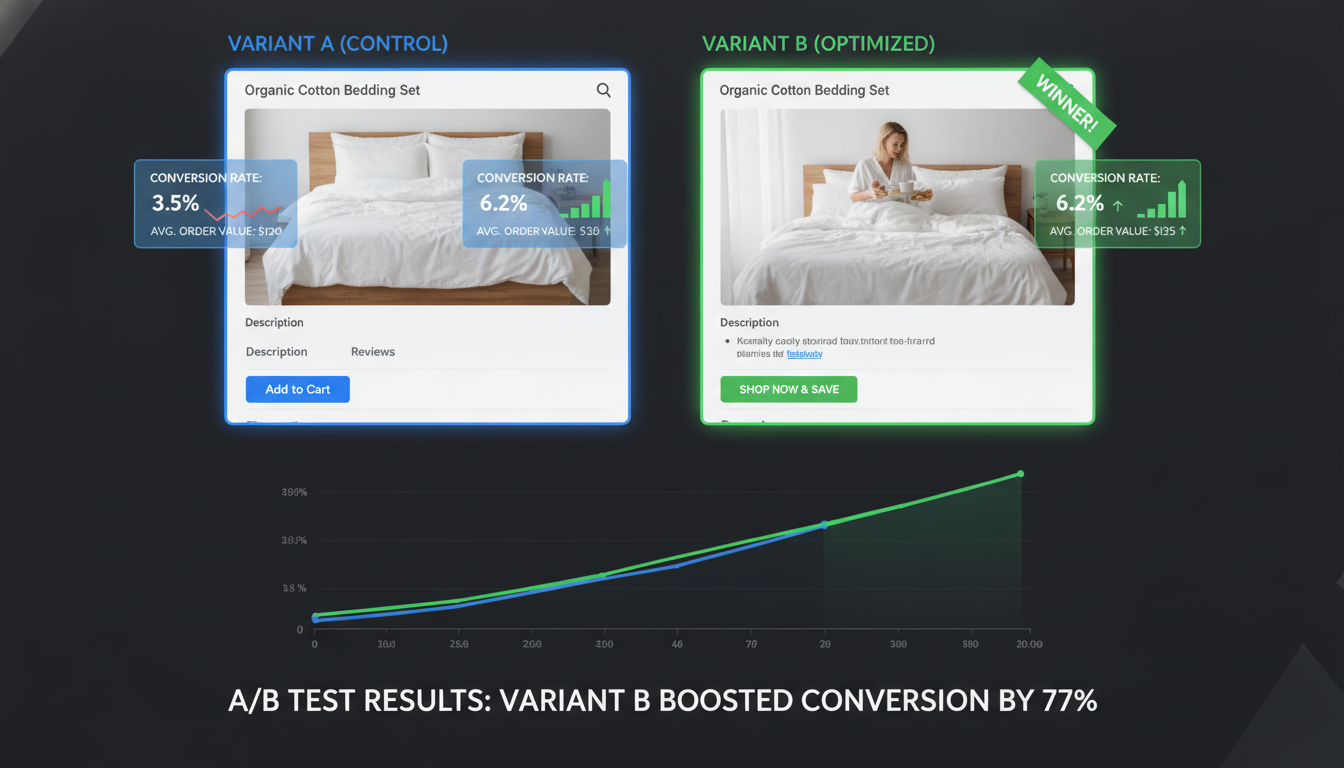
Your Shopify store is leaving money on the table right now — not because your product is wrong, but because you’re guessing instead of testing. The average Shopify store converts at just 1.4% (Littledata, 2025), while the top 20% of stores convert at 3.3% or above. That gap isn’t luck — it’s systematic experimentation. A/B testing on Shopify is the most reliable method to move your store from average to elite, and this guide gives you exactly 12 experiments to run, ranked by impact.
- The 12 highest-ROI A/B tests for Shopify stores in 2026, with specific tools and setup steps
- Shopify Admin paths and third-party apps to run statistically valid experiments without a developer
- Conversion benchmarks by industry so you know what “good” actually looks like
- Why most Shopify A/B tests fail — and the minimum sample sizes to avoid wasting traffic
- Answers to the most common questions store owners ask about Shopify testing and viability
Why Most Shopify A/B Tests Produce Useless Data
Before you run a single experiment, you need to understand why most store owners get burned. They run a test for three days, see one variant winning, declare victory, and ship it — only to find their monthly revenue unchanged.
The core problem is statistical significance. A/B tests require a minimum of 100 conversions per variant and at least 2 full business cycles (typically 2 weeks) to be valid (VWO, 2025). Running on 200 total sessions is noise, not data.
Three other common failure modes:
- Testing too many elements at once. Change one variable — headline, button color, image, price display — per test. Multi-element changes make it impossible to isolate what moved the needle.
- Not segmenting traffic sources. A variant that wins for Google Shopping traffic may lose for Meta ads traffic. Use Google Analytics 4 (GA4) segments to break down results by acquisition channel.
- Ignoring mobile vs. desktop splits. On Shopify stores, mobile accounts for 71% of traffic but only 53% of revenue (Shopify Commerce Report, 2025). A desktop-winning variant can actively hurt mobile conversions.
The Right A/B Testing Stack for Shopify in 2026
You have three credible options for running A/B tests on Shopify. Each fits a different store size and technical capability.
Option 1: Google Optimize Replacement — VWO or Convert.com
Google Optimize was sunset in 2023. The two strongest enterprise-grade replacements integrated with Shopify are VWO (starts at $199/month) and Convert.com (starts at $299/month). Both offer visual editors, heatmaps, and direct GA4 integration. For stores doing $500K+ annually, this investment pays for itself in a single winning test.
Option 2: Shopify-Native — Intelligems
Intelligems is built specifically for Shopify and handles price testing, content testing, and theme testing natively without injecting external JavaScript that slows your Core Web Vitals. It reads directly from your Shopify storefront API, which means cleaner data and no flicker effect on page load. Pricing starts at $99/month. This is the tool most mid-market Shopify stores ($100K–$2M/year) should default to.
Option 3: Free Baseline — Hotjar + GA4
If your traffic is under 10,000 sessions/month, formal A/B testing is premature. Instead, use Hotjar for heatmaps and session recordings to find friction points qualitatively, then use GA4 to validate hypotheses through funnel analysis. Build your testing backlog before you have the traffic to run valid experiments.
| Tool | Best For | Starting Price | Shopify Native? | Price Testing? |
|---|---|---|---|---|
| Intelligems | Shopify stores $100K–$2M/yr | $99/month | Yes | Yes |
| VWO | High-traffic, enterprise stores | $199/month | No (via script) | Limited |
| Convert.com | Agencies managing multiple stores | $299/month | No (via script) | No |
| Hotjar | Qualitative research, pre-test stage | Free / $39/month | No (via script) | No |
| Google Optimize | Sunset — do not use | N/A | No | No |
12 High-Impact A/B Tests to Run on Your Shopify Store
1. Product Page Hero Image Format
Test lifestyle images versus clean white-background product shots as your primary image. For fashion and beauty brands, lifestyle images consistently win by 15–25% in conversion rate. For electronics and tools, white-background technical shots with multiple angles often outperform. You won’t know which applies to your audience until you test it.
2. Add-to-Cart Button Copy
The default “Add to Cart” is Shopify’s standard, but it’s not always optimal. Test against “Buy Now,” “Get Yours Today,” or urgency-driven copy like “Only 3 Left — Add to Cart.” Button copy changes are fast to implement and have produced 10–15% ATC rate lifts in documented Shopify case studies. Navigate to your theme editor: Online Store → Themes → Customize → Product Page → Button Label to make this change in Dawn and most Shopify 2.0 themes without touching code.
3. Checkout Button Placement on Mobile
On mobile, test a sticky “Proceed to Checkout” bar that stays visible as users scroll the cart page versus the default static placement. This single change has been documented to lift checkout initiation rates by 8–12% on mobile-heavy stores. Implement via your cart template in Online Store → Themes → Edit Code → Sections → cart-items.liquid.
4. Product Page Price Display
Test showing the per-unit price for multi-packs, the monthly equivalent for high-ticket items, or a “You Save $X” badge alongside the sale price. Intelligems is purpose-built for this — it handles Shopify’s price display logic without breaking your checkout flow. Price anchoring tests routinely produce 5–20% conversion lifts on consumables and supplement brands.
5. Social Proof Placement
Most Shopify themes place reviews at the bottom of the product page. Test moving a condensed star-rating summary with review count directly beneath the product title — above the fold. Tools like Okendo and Judge.me both support inline widget placement. Above-the-fold social proof can reduce bounce rates by up to 18% (Okendo Benchmark Report, 2025).
6. Homepage Hero CTA Destination
Test your homepage hero button linking to your best-selling collection versus your single highest-converting product. Many stores assume collection pages are the right entry point, but direct-to-product-page routing often converts better for stores with a clear hero product. Measure using GA4’s funnel exploration report.
7. Free Shipping Threshold Messaging
If you offer free shipping above a threshold, test the copy style of that announcement bar. “Free shipping on orders over $75” versus “You’re $12 away from free shipping” (dynamic, personalized) — the latter consistently outperforms by 15–30% in average order value lift. Rebuy and CartHook both offer dynamic cart messaging that updates in real time as customers add items.
8. Email Capture Popup Timing
Test exit-intent popups versus time-delayed popups (15 seconds) versus scroll-depth triggers (50% page scroll). For Shopify stores using Klaviyo, you can connect popup form variants directly to separate Klaviyo flows and measure not just signup rate but 30-day revenue per subscriber — the metric that actually matters.
9. Product Description Format
Test long-form narrative descriptions versus short bullet-point benefit lists. High-consideration products (mattresses, supplements, electronics) tend to favor detailed descriptions. Impulse or gift products often convert better with scannable bullet points. Neither wins universally — your category determines the outcome.
10. Trust Badges on Product Pages
Test displaying trust badges (secure checkout, money-back guarantee, free returns) beneath the Add to Cart button versus omitting them entirely. Some audiences respond well to them; others find them visually cluttered and they can actually reduce conversion. This is a classic example of a test where conventional wisdom fails — verify it on your specific audience.
11. Checkout Page One-Page vs. Three-Page Flow
Shopify’s native checkout supports both one-page and three-page flows as of Shopify Checkout Extensibility (2024). Navigate to Settings → Checkout → Checkout Layout to toggle between them. One-page checkout has shown a 10.9% lift in checkout completion rate in Shopify’s own internal data. If you haven’t tested this yet, it should be at the top of your queue.
12. Post-Purchase Upsell Offer
Test which product you present as a post-purchase upsell and at what discount level (10% vs. 20% vs. no discount). Use Rebuy or AfterSell for Shopify-native post-purchase upsell pages. Post-purchase offers have a reported average acceptance rate of 8–15%, and because there’s no checkout abandonment risk (the customer already paid), this is one of the highest-ROI tests you can run.
How to Prioritize Your A/B Test Backlog
You cannot run 12 tests simultaneously. Use the PIE framework to prioritize:
- Potential: How much room for improvement exists? Use Hotjar heatmaps and GA4 funnel drop-off data to identify where users leave.
- Importance: Does this page get high traffic? A winning test on a page that gets 50 visits/month is meaningless.
- Ease: How fast can this be implemented and measured? Quick wins keep momentum.
Score each test 1–10 on each dimension, average the scores, and run the highest-PIE tests first. Review your GA4 Funnel Exploration report (GA4 → Explore → Funnel Exploration) to identify your biggest drop-off points before scoring.
Shopify Conversion Rate Benchmarks by Industry (2026)
Knowing where your store stands against category benchmarks tells you how aggressively you need to test. Don’t benchmark against all e-commerce — benchmark against your vertical.
| Shopify Store Category | Average CVR | Top 20% CVR | Top 5% CVR |
|---|---|---|---|
| Health & Beauty | 2.1% | 4.2% | 6.8% |
| Fashion & Apparel | 1.5% | 3.1% | 5.0% |
| Home & Garden | 1.3% | 2.9% | 4.5% |
| Food & Beverage | 2.8% | 5.1% | 7.4% |
| Electronics & Gadgets | 0.9% | 2.0% | 3.2% |
| Sporting Goods | 1.2% | 2.7% | 4.1% |
| Pets | 2.3% | 4.6% | 6.9% |
Source: Littledata Shopify Benchmarks, 2025; Intelligems Conversion Benchmark Report, 2025
How to Test If Your Shopify Store Works?
This is one of the most common questions new store owners ask — and “works” can mean several different things. Here’s a systematic checklist covering technical function, conversion readiness, and traffic readiness.
Technical Functionality Testing
Start with the basics. Go through your store as a customer would, on both desktop and mobile, using Google Chrome’s Incognito mode (so you’re not logged in as admin). Test the following end-to-end:
- Add a product to cart → proceed to checkout → complete a real or test purchase. For test purchases, go to Settings → Payments → Manage → Enable Test Mode in your Shopify Admin and use Shopify’s provided test card numbers.
- Verify the order confirmation email is triggered correctly. Check Settings → Notifications → Order Confirmation to preview the email template.
- Test all navigation links. Broken links are indexed by Google and hurt your SEO. Use Screaming Frog SEO Spider (free up to 500 URLs) to crawl your store and surface 404 errors.
- Test your store’s page speed using Google PageSpeed Insights at pagespeed.web.dev. Shopify stores scoring below 50 on mobile PageSpeed lose an estimated 12% of conversions for every additional second of load time (Google/SOASTA research). Aim for a Largest Contentful Paint (LCP) under 2.5 seconds.
- Test your checkout on both iOS Safari and Android Chrome. These two browsers account for over 80% of mobile e-commerce traffic and render differently.
Conversion Readiness Testing
Install Hotjar (free tier is sufficient for early-stage stores) and record at least 50 sessions before drawing any conclusions. Watch for rage clicks (users tapping the same element repeatedly in frustration), scroll depth on product pages (are users reaching your reviews and guarantee sections?), and exit patterns on the cart page.
Use GA4’s built-in e-commerce funnel to measure where you’re losing users between product view → add to cart → checkout initiated → purchase. Industry average add-to-cart rate is 6–8% (Baymard Institute, 2025). If you’re below 4%, your product page has friction. If your cart abandonment is above 75%, your checkout has friction.
Traffic Readiness Testing
A store can “work” technically and still fail commercially because it has no traffic strategy. Before investing heavily in paid traffic, verify that your Google Search Console is verified (Online Store → Preferences → Google Search Console) and that your sitemap is submitted. Check that your product pages have unique meta titles and descriptions — navigate to any product in Products → [Product Name] → Search Engine Listing Preview to edit them.
Why Do 90% of People Doing Shopify with FB Ads Fail?
This statistic circulates widely in Shopify communities and it’s largely accurate — the failure rate for new Shopify store owners running Meta (Facebook/Instagram) ads is estimated between 85–92% within the first 12 months (eCommerce Fuel survey data, 2024). The reasons are specific and avoidable.
Reason 1: They Test Ads Before the Store Converts Organically
Paid traffic amplifies what’s already happening on your store. If you have a 0.5% conversion rate from organic or direct traffic, paid traffic will also convert at roughly 0.5% — just with a much higher customer acquisition cost. The minimum viable CVR before scaling Meta ads is 1.5%–2%. Verify this using GA4 before spending a dollar on ads.
Reason 2: They Don’t Understand the Meta Learning Phase
Meta’s algorithm requires 50 optimization events per ad set per week to exit the learning phase and stabilize delivery. Most new store owners run 3–5 ad sets at $10–$20/day, get inconsistent results during the learning phase, panic, and kill campaigns before the algorithm has enough data. This is a structural misunderstanding of how Meta’s bidding system works, not a product problem.
Reason 3: Weak Creative, Not Weak Product
Meta’s own internal data shows that creative quality accounts for 56–70% of ad performance variance (Meta Business Insights, 2024). Most failing store owners are running single static images with minimal copy. Top-performing Shopify advertisers on Meta run 3–6 creative variants per ad set (mixing video, UGC, static, and carousel), let Meta’s Advantage+ Creative Optimization choose winners, and refresh creative every 2–3 weeks before fatigue sets in.
Reason 4: No Post-Click Retention Strategy
Getting the click is step one. If you have no email capture sequence (via Klaviyo), no retargeting audiences built in Meta, and no SMS flow, you’re paying full price for every customer with zero ability to recapture abandoners. Email marketing generates $42 for every $1 spent (Klaviyo Industry Benchmark, 2025). Running Meta ads without a Klaviyo abandoned cart flow running in parallel means you’re leaking money at every step.
Reason 5: Wrong Product-Market Fit, Not Wrong Platform
Some products genuinely don’t work on Meta. High-consideration purchases (mattresses, B2B software, complex electronics) require research cycles that Meta’s impulse-buy environment doesn’t support. These products perform better through Google Shopping, SEO, and YouTube. The platform isn’t broken — the channel-product match is wrong.
What Is the $200 Threshold on Shopify?
The “$200 threshold” most commonly refers to Shopify’s fraud analysis and payment hold behavior, though it also appears in two other specific contexts. Here’s a breakdown of all three.
The Fraud Analysis Threshold
Shopify Payments automatically flags orders for manual review when certain risk signals are present — mismatched billing/shipping addresses, high-risk IP locations, or CVV failures. While there’s no single universal $200 cutoff published by Shopify officially, many store owners observe that orders above $150–$200 receive more aggressive fraud scoring, particularly for new or unverified customers. This is configurable: go to Settings → Payments → Shopify Payments → Manage → Fraud Prevention to set your manual review thresholds and automatic fulfillment rules.
The Chargeback Reserve Threshold
When a new Shopify Payments account processes its first significant volume of orders, Shopify may place a rolling reserve on payouts if your chargeback rate exceeds 0.5% or if you’re processing above certain volume thresholds early in your account history. The industry standard chargeback threshold that triggers payment processor intervention is 1% of monthly transactions (Visa/Mastercard published guidelines). Keeping chargebacks below this requires prompt customer service, clear refund policies, and accurate product descriptions.
The Ad Spend Testing Rule of Thumb
A third common use of the “$200 threshold” in Shopify communities is as an informal benchmark for Meta ad testing: spend at least $200 per audience or creative test before judging performance. This is rooted in the statistical need for sufficient data before drawing conclusions. At a $20/day budget, that means running a test for 10 days minimum — which aligns with the 2-week minimum test duration principle mentioned earlier. This rule applies specifically to top-of-funnel cold traffic campaigns, not retargeting (where you can make decisions faster due to warmer audiences).
Is Shopify Still Worth It in 2026?
This question comes up constantly, usually triggered by pricing changes, platform fee announcements, or competitive noise from other platforms. The direct answer: yes, Shopify is still the most commercially viable e-commerce platform for stores doing $50K–$5M annually in 2026 — but with important caveats.
What Shopify Gets Right in 2026
Shopify’s ecosystem advantage is unmatched. With over 8,000 apps in the Shopify App Store, a mature network of developers and agencies, Shopify Checkout (which converts at the highest rate of any hosted checkout solution), and deep integrations with Meta, TikTok Shop, Google Shopping, and Amazon, the platform has more commerce infrastructure than any competitor.
Shopify powers 4.8 million active stores globally and processes over $235 billion in annual GMV (Shopify Annual Report, 2024). Network effects at this scale mean the platform improves faster than alternatives. Features like Shopify Markets Pro, B2B on Shopify, and Checkout Extensibility are genuinely enterprise-grade capabilities that previously required custom development.
Where Shopify Has Real Weaknesses
Shopify’s pricing has increased meaningfully. The Basic plan is $39/month, Shopify plan is $105/month, and Advanced is $399/month (as of 2026 pricing). Transaction fees for non-Shopify Payments users (0.5%–2%) add up fast at scale. If you’re doing $1M+ in revenue through a third-party payment processor, you’re paying $5,000–$20,000/year in transaction fees alone.
Shopify also has genuine limitations for complex B2B operations, multi-warehouse inventory management, and highly customized checkout flows. For these use cases, Shopify Plus ($2,300/month starting price) or a headless commerce build on Shopify’s Storefront API may be appropriate — but both require significant investment.
The Honest Comparison
WooCommerce is cheaper but requires significantly more technical maintenance. BigCommerce has stronger native B2B features but a smaller app ecosystem. Wix and Squarespace are inappropriate for any store doing serious volume. For the vast majority of DTC brands, Shopify in 2026 remains the highest-probability path to a profitable e-commerce operation — provided you’re using the platform strategically rather than just using its defaults.
The stores that struggle on Shopify aren’t struggling because of the platform. They’re struggling because they haven’t done the systematic conversion work — including A/B testing — that separates average stores from high-performing ones.
Building a Continuous Testing Culture on Shopify
The stores in the top 5% of Shopify conversion rates aren’t running one A/B test per quarter. They’re running 2–4 tests simultaneously across different pages, documenting results in a shared testing log, and building institutional knowledge about what their specific audience responds to.
Set up a simple testing log in Notion or Google Sheets with these columns: Test Name, Hypothesis, Start Date, End Date, Traffic Split, Metric Primary, Metric Secondary, Result, Statistical Confidence, Decision. After 20+ tests, you’ll start to see patterns specific to your store — patterns no agency or blog post could have predicted for you.
The compounding effect of systematic A/B testing is significant: stores that run 12+ tests per year see an average 30–40% improvement in conversion rate over 12 months (Intelligems customer data, 2025), compared to 5–8% for stores making ad-hoc changes without testing. That difference, applied to $500K in annual revenue, is $125,000–$160,000 in additional top-line sales from the same traffic you’re already paying for.
Start with the highest-PIE test on your list this week, set your minimum sample size before you look at results, and let data — not instinct — drive your store’s evolution.