
Shopify Headless Commerce: 12 Pros, Cons & Real Trade-offs (2026)
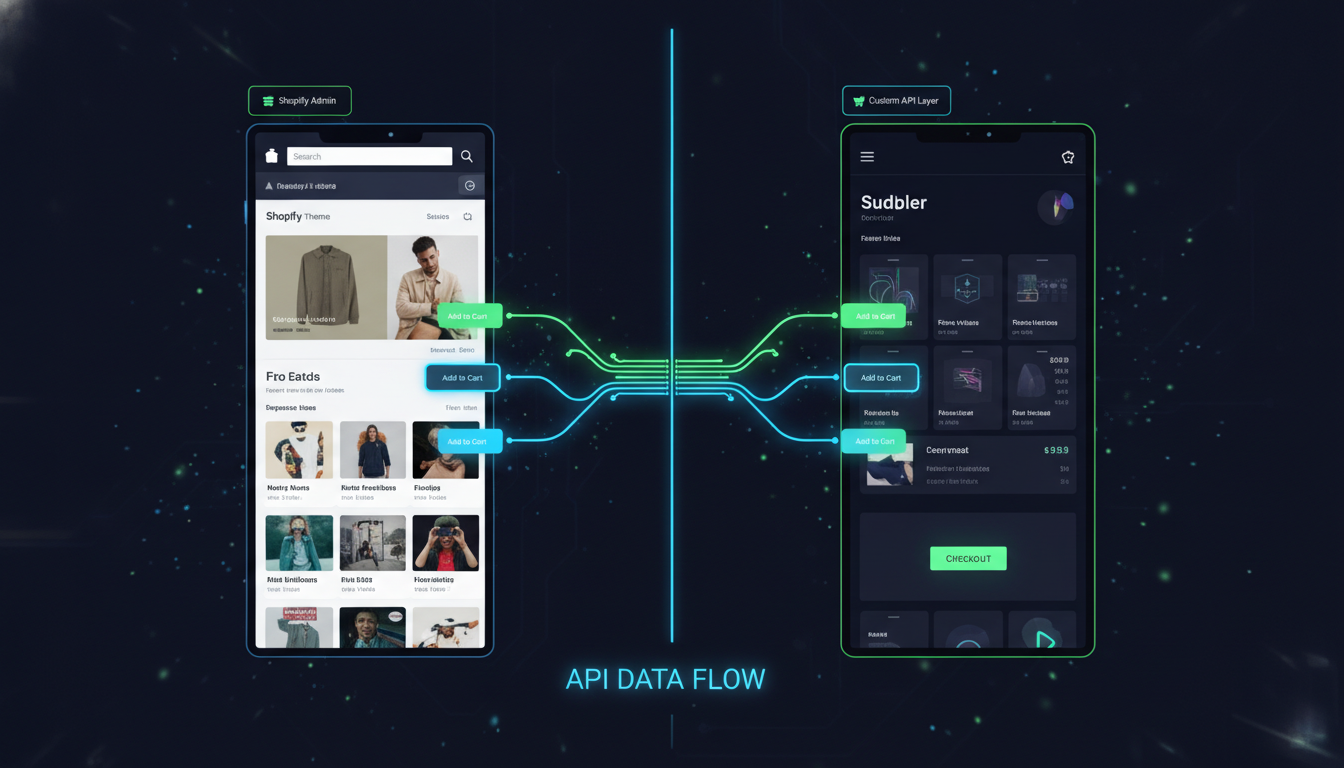
Your Shopify store’s frontend is slowing you down — and you know it. Every time your dev team needs to change a hero banner, they’re fighting Liquid templating constraints, app conflicts, and theme limitations that have nothing to do with what a customer actually sees. According to Google’s 2025 Core Web Vitals report, stores with sub-1.5s Largest Contentful Paint convert at 2.5x the rate of stores loading beyond 3 seconds — and for many Shopify merchants, that speed ceiling is a theme problem. Shopify headless commerce is the architectural fix that decouples your frontend from Shopify’s backend, giving you total UI freedom while keeping Shopify’s powerful commerce engine underneath.
But going headless is not a universal upgrade. It’s an expensive, technically demanding decision that will either unlock your next growth stage or drain your dev budget with zero ROI. This guide gives you the unfiltered trade-offs.
- Headless Shopify separates your storefront from Shopify’s commerce backend via the Storefront API — giving you full frontend freedom.
- Performance gains are real but not guaranteed: poorly built headless storefronts can be slower than a well-optimized Dawn theme.
- The true cost of going headless ranges from $30,000 to $250,000+ in initial build cost, depending on stack and complexity.
- Shopify’s Hydrogen framework and Oxygen hosting (launched as production-ready in 2023 and now deeply mature in 2026) have significantly lowered the barrier to entry.
- Headless is right for brands doing $1M+ annually, with complex multi-channel or content-heavy requirements — not for most stores under that threshold.
What Exactly Is Shopify Headless Commerce?
Traditional Shopify architecture serves both the frontend (what shoppers see) and the backend (cart, checkout, orders, inventory) as a single connected system. Your Liquid theme is tightly coupled to Shopify’s server-side rendering. Headless architecture breaks that coupling.
In a headless setup, your frontend — built in React, Next.js, Vue, or Shopify’s own Hydrogen framework — communicates with Shopify exclusively through its Storefront API (GraphQL). Shopify handles products, collections, checkout, payments, and fulfillment. Your custom frontend handles every pixel the customer sees.
Shopify’s own headless solution, Hydrogen + Oxygen, is the recommended path for most merchants considering this architecture. Hydrogen is a React-based framework purpose-built for Shopify, while Oxygen is Shopify’s global edge hosting network for Hydrogen storefronts. As of 2026, Hydrogen v3 supports full streaming SSR and has a rich ecosystem of community templates.
The Three Common Headless Configurations for Shopify
- Hydrogen + Oxygen: Shopify’s native headless stack. Best first-party support, tightest Storefront API integration, edge-deployed globally.
- Next.js + Shopify Storefront API: The most popular third-party approach. Hosted on Vercel or Netlify. More flexibility, larger talent pool, but more configuration work.
- Contentful/Sanity CMS + Shopify: A composable commerce approach where content is managed in a headless CMS and commerce data comes from Shopify. Best for content-heavy brands.
The Real Pros of Shopify Headless Commerce
1. Genuine Frontend Performance Gains
A well-architected headless storefront can achieve Core Web Vitals scores that standard Shopify themes simply cannot reach. By serving pages as static or edge-cached HTML with minimal JavaScript hydration, headless storefronts routinely hit LCP under 1.2 seconds and CLS scores below 0.05. The Allbirds headless migration is frequently cited: they reported a 30% improvement in mobile conversion rate post-launch.
The key word is “well-architected.” Headless done wrong — with bloated JavaScript bundles, unoptimized images, and no edge caching — produces worse PageSpeed Insights scores than a lean Dawn theme. Performance is a potential, not a guarantee.
2. Complete Design and UX Freedom
Shopify’s Online Store 2.0 themes are powerful, but they impose structural constraints. Section schemas, block limits, and Liquid rendering logic cap what you can build without creative workarounds. In a headless setup, your frontend team builds in React components with no Liquid overhead — meaning truly custom animations, sub-frame interactions, and design systems that match your brand exactly.
3. True Omnichannel Content Delivery
If you’re serving a mobile app, a web storefront, in-store kiosks, and a content site from the same product catalog, headless architecture makes this tractable. A single Storefront API feeds all surfaces. Combined with a headless CMS like Sanity or Contentful, your merchandising team manages content once and publishes everywhere.
4. Richer Third-Party Integrations at the Edge
Headless architecture lets you integrate tools like Klevu for AI-powered search, Rebuy for personalization, and Klaviyo for behavior-based flows directly at the component level — with no app embed scripts slowing your storefront. You control exactly when and how each integration loads.
5. Independent Frontend Deployments
Your frontend team can deploy UI changes, run A/B tests via a tool like Statsig or Split.io, and iterate on design without touching Shopify’s admin or risking theme publish conflicts. This dramatically accelerates experimentation velocity for teams doing serious conversion rate optimization.
6. Multi-Region and Multi-Language Scalability
Shopify Markets handles currency and language natively, but headless makes it easier to serve truly localized experiences — different content, layouts, and promotions by region — from a single codebase using i18n routing at the edge.
The Real Cons of Shopify Headless Commerce
1. The True Cost Is Rarely What Agencies Quote First
Initial headless builds range from $30,000 for a basic Hydrogen project to $250,000+ for a full composable commerce implementation with CMS integration, custom checkout extensions, and a design system. But the ongoing cost is the real killer: you now own a frontend application that needs dedicated developers. Expect to budget $8,000–$20,000/month for ongoing frontend engineering retainers.
2. Shopify Checkout Is Still Locked
This is the constraint most agencies underplay. Even in a headless setup, Shopify’s native checkout is a hosted page you cannot fully own — only Plus merchants can customize it via Checkout Extensibility (Go to: Shopify Admin → Settings → Checkout → Customize). You cannot rebuild checkout from scratch with the Storefront API without losing Shopify Payments, Shop Pay, and PCI compliance guarantees. The beautiful headless storefront you built hands off to Shopify’s checkout — which you style with checkout extensions, not full Liquid control.
3. Shopify Apps Break or Don’t Work
Roughly 60–70% of Shopify apps are built for Online Store 2.0 themes using app embeds or script tags injected into Liquid templates. In a headless setup, these apps simply don’t function. Review apps like Okendo, upsell apps like Rebuy, and loyalty programs like LoyaltyLion require custom frontend implementation using their APIs instead of their plug-and-play Shopify integrations. Every app is now a development project.
4. SEO Requires Extra Diligence
Server-side rendering in Hydrogen and Next.js resolves the classic “JavaScript SEO” problem — Googlebot can crawl SSR-rendered headless sites reliably. But you now own your own sitemap generation, structured data markup (JSON-LD for products, breadcrumbs, reviews), canonical tags, and hreflang implementation. Shopify’s theme engine handled most of this automatically. Use Google Search Console and Screaming Frog to audit crawlability on a headless storefront before and after launch.
5. Team Skillset Requirements Jump Significantly
Shopify Liquid has a relatively shallow learning curve. Hydrogen requires mid-to-senior React developers comfortable with GraphQL, edge computing, and modern JavaScript tooling. If your current dev team works primarily in Liquid and PHP, a headless migration isn’t just a tech change — it’s a full team restructuring.
6. Analytics and Tracking Complexity
Shopify’s native analytics, Google Analytics 4 via the Shopify Google channel, and pixel-based tools like Hotjar all need manual implementation in headless. GA4 event tracking (add_to_cart, begin_checkout, purchase) must be instrumented using GA4’s gtag.js or server-side with GA4’s Measurement Protocol. Shopify’s Web Pixel API helps, but it requires configuration that Shopify’s standard theme integration handles automatically.
Headless vs. Traditional Shopify: Benchmark Comparison
| Factor | Traditional Shopify (OS 2.0 Theme) | Headless Shopify (Hydrogen/Next.js) |
|---|---|---|
| Avg. Initial Build Cost | $3,000–$20,000 | $30,000–$250,000+ |
| Time to Launch | 2–8 weeks | 3–9 months |
| Ongoing Dev Cost/Month | $500–$3,000 | $8,000–$20,000+ |
| LCP (Best Case) | 1.5–2.5s | 0.8–1.4s |
| LCP (Poorly Optimized) | 2.5–4s | 2s–5s+ |
| App Compatibility | Near 100% of Shopify App Store | ~30–40% (API-based apps only) |
| SEO Out-of-the-Box | Strong (Shopify handles sitemap, structured data) | Manual — requires dedicated SEO engineering |
| Checkout Customization | Checkout Extensibility (Plus only) | Same — headless doesn’t change checkout access |
| Design Freedom | High within theme constraints | Total — no Liquid constraints |
| Recommended Annual Revenue | $0–$2M+ | $1M+ (ideally $3M+) |
What Are the Benefits of Headless Commerce?
The core benefit of headless commerce — whether on Shopify or another platform — is the separation of concerns between how your store looks and how it operates. This separation pays dividends across four dimensions that matter most to scaling merchants.
Performance at scale: Traditional monolithic storefronts render pages server-side from a single origin. Headless storefronts built on frameworks like Hydrogen are edge-deployed across Shopify’s Oxygen network (200+ global edge nodes as of 2026), meaning a shopper in Sydney gets the same sub-second response as one in London. Akamai’s 2024 ecommerce benchmark report found that a 100ms reduction in page load time correlates with a 1% increase in conversion rate — compounded across millions of sessions, that’s significant revenue.
Content flexibility: With a headless CMS like Sanity or Contentful powering your editorial layer, your marketing team publishes rich content — editorial pages, lookbooks, interactive guides — that’s deeply integrated with product data from Shopify’s Storefront API. This isn’t possible in a traditional theme without significant compromise.
Experimentation velocity: When your frontend is a React application, you can run component-level A/B tests using tools like Statsig or VWO without impacting Shopify’s backend. Product page layouts, add-to-cart button placements, cross-sell widget positions — all testable independently, with faster deployment cycles than theme-based experimentation.
Future-proofing your tech stack: If you ever want to migrate your commerce backend from Shopify to another platform — or add a second backend for wholesale or B2B — a headless frontend means that migration doesn’t require a full site rebuild. The frontend simply points to a different API. For brands with $5M+ in revenue considering platform flexibility, this architectural resilience has real strategic value.
The caveat is that none of these benefits come free. Each one requires skilled engineering, deliberate architecture decisions, and ongoing maintenance. The benefits are real; so is the cost of capturing them.
Is Headless Shopify Worth It?
For most Shopify stores, the honest answer is no — not yet. Shopify’s own internal data (shared at Unite 2024) suggests fewer than 2% of active Shopify stores use a headless architecture, which reflects both the technical barrier and the reality that well-optimized traditional themes serve most merchants extremely well.
The ROI calculation for headless Shopify depends on three variables: your current revenue, your current performance bottlenecks, and your team’s technical capacity.
Headless Shopify makes sense if:
- Your store does more than $1M annually and conversion rate improvements of even 0.5% represent $5,000+ in monthly revenue — enough to justify the engineering investment.
- Your PageSpeed Insights mobile score (check at pagespeed.web.dev) is consistently below 50, and your dev team has exhausted theme optimization — image compression via Shopify’s built-in CDN, lazy loading, app script reduction, and font optimization.
- You’re operating a content-commerce hybrid — a brand where editorial content (recipes, tutorials, editorial campaigns) is as important as product pages, and a headless CMS integration would materially improve your content team’s workflow.
- You’re running a multi-brand or multi-region operation where a single Shopify backend needs to power genuinely different frontend experiences by market.
Headless Shopify does not make sense if:
- You rely heavily on Shopify App Store plugins that don’t have robust APIs — your app stack will need rebuilding from scratch.
- You don’t have a dedicated frontend engineering team or a $15,000+/month agency retainer budget.
- Your primary performance problem is server response time or third-party app script bloat — both are fixable in a traditional theme without going headless.
- You’re under $500K in annual revenue — the ROI math rarely works below this threshold.
Before committing to headless, run a structured audit: use Hotjar to identify where users drop off, Google Analytics 4 to find your highest-exit product and collection pages, and PageSpeed Insights to get specific LCP and CLS scores. If the data points to frontend performance as your primary conversion bottleneck and your revenue justifies the investment, headless is worth a serious evaluation. If the data points to checkout friction, pricing, or trust signals — those are solvable without rebuilding your entire frontend.
Why Do 90% of People Doing Shopify with FB Ads Fail?
This question comes up often in the context of headless because merchants chasing performance improvements sometimes assume a faster storefront will fix their Facebook ads ROI. It won’t — because the failure rate in Shopify + Facebook Ads has almost nothing to do with site speed, and almost everything to do with economics, attribution, and offer quality.
The real reasons Shopify merchants fail with Facebook/Meta ads in 2026 are:
1. Broken attribution erodes every optimization decision. iOS 17’s continued privacy restrictions and the deprecation of third-party cookie tracking mean that Meta’s ad attribution is, at best, directionally accurate for most stores. Merchants are scaling campaigns based on ROAS numbers that exclude 30–50% of actual conversions — then cutting winning ads because the reported ROAS looks unprofitable. The fix is implementing Meta’s Conversions API (CAPI) via Shopify’s native Meta channel (Go to: Shopify Admin → Marketing → Meta → Configure → Events Manager → Set up Conversions API). CAPI sends server-side events directly to Meta, recovering a significant portion of lost conversion signals. Additionally, use a triple attribution model — compare Meta-reported ROAS, GA4 last-click attribution, and a 7-day MER (Marketing Efficiency Ratio: total revenue ÷ total ad spend) to get an accurate picture.
2. The offer is the ad. Most failing Shopify merchants are running product-feature ads with aggressive discount messaging into cold audiences. According to Meta’s own Creative Performance benchmarks (2025), creative fatigue sets in after 3–5 days at scale for most accounts spending under $5,000/day. The stores winning with Meta ads are running problem-solution video creatives, strong UGC, and aggressive angle testing — 10+ new creatives per week — not recycling the same three product images.
3. Unit economics don’t support cold traffic. If your average order value is $45 and your gross margin is 40%, you have $18 to acquire a customer. With a blended CPM of $18–$25 and a 1.5% CTR, you’re paying $1.20–$1.67 per click. To break even on the first purchase, you need a 12–14% conversion rate from cold traffic — which essentially no store achieves. The stores that survive on Facebook ads have either a high AOV ($100+), a strong LTV from repeat purchase, or aggressive post-purchase email sequences via Klaviyo that generate enough repeat revenue to justify the customer acquisition cost on the front end. Going headless doesn’t fix any of these economics.
4. Poor post-click experience burns ad spend. Landing on a slow, generic collection page from a Meta ad is a conversion killer. The fix here isn’t headless — it’s dedicated landing pages. Use Shopify’s native page builder or a tool like Shogun to build product-specific landing pages with matched messaging to your ad creative, clear above-the-fold value propositions, and a single conversion goal per page.
What Is the Advantage of Headless Operation?
Beyond the ecommerce-specific benefits, “headless operation” as an architectural principle — decoupling presentation from data and logic — delivers organizational and technical advantages that compound over time.
Technology stack independence: In a headless architecture, your frontend team and backend team operate independently. Frontend developers work in React/TypeScript with their own deployment pipeline, testing suite, and release cadence. Shopify admins manage products, pricing, and fulfillment without touching a line of code. This separation reduces the risk of a theme publish breaking a product page, or a backend change wiping out frontend customizations — a daily reality in tightly coupled traditional setups.
Incremental migration capability: One underappreciated advantage of headless Shopify is that you can migrate pages incrementally. A common approach is to run your homepage and product pages as headless while keeping your existing Liquid theme for lower-traffic pages during the transition. Shopify’s Storefront API supports this hybrid approach — though it requires careful planning of shared state (cart, customer sessions) between the two frontends.
Superior A/B testing infrastructure: Running A/B tests on a Liquid theme requires either a dedicated theme testing app or complex branch management. In a headless React application, you integrate a feature flagging SDK — Statsig, LaunchDarkly, or Split.io — and control experiment exposure at the component level with no deployment required. This lets growth teams run 5–10 concurrent experiments rather than the 1–2 that most theme-based stores can manage.
Personalization at scale: Headless architecture makes it tractable to serve meaningfully different experiences to different customer segments. Returning high-LTV customers can see a different homepage layout with loyalty-focused messaging. First-time visitors from a specific ad campaign see a landing experience matched to that campaign’s creative. Tools like Ninetailed and Rebuy support this kind of segment-driven personalization with Shopify Storefront API integrations — but they work significantly better in a component-driven headless environment than in Liquid.
Multi-surface commerce: A headless backend is a prerequisite for deploying your Shopify catalog to truly native mobile apps (iOS/Android), interactive in-store displays, voice commerce interfaces, or AR/VR shopping experiences. The Storefront API is the universal data layer that makes one backend serve all these surfaces. Brands doing $5M+ with aggressive channel expansion strategies will find this architectural flexibility increasingly valuable.
How to Decide: A 5-Step Framework Before Going Headless
- Benchmark your current store’s performance. Run your top five landing pages through PageSpeed Insights. If your mobile LCP is consistently below 2.5s and your CWV pass rate is above 75%, your performance problem is not a theme problem — investigate app scripts first using Chrome DevTools’ Performance tab or Shopify’s Web Performance dashboard (Admin → Online Store → Themes → View Report).
- Audit your app stack for API availability. List every app you use. Check whether each one has a public API or headless integration. Apps without API access — common with niche review, bundling, and subscription apps — will need to be replaced or rebuilt.
- Calculate the ROI threshold. Estimate the conversion rate lift you’d need to justify a $50,000 headless build. At a $100 AOV and 50% gross margin, a 0.5% lift at 50,000 monthly sessions generates $25,000/year in additional gross profit. A $50,000 build breaks even in two years — before accounting for ongoing maintenance. Run this math for your actual numbers.
- Evaluate Hydrogen vs. third-party stack. If you’re committed to Shopify long-term, Hydrogen + Oxygen is the right call. It has the best Storefront API support, native Shopify Markets integration, and the most active 2026 community. Next.js is the right call if your team is deeply experienced in that ecosystem and you need more hosting flexibility.
- Plan your analytics foundation before writing a line of code. Define every GA4 event you need to track. Map every Klaviyo flow trigger to the Storefront API event that will fire it. Design your Hotjar heatmap and session recording strategy for the new frontend. Analytics gaps are the most common post-launch regret in headless migrations — build the instrumentation plan before the build plan.
The Bottom Line on Shopify Headless Commerce
Shopify headless commerce is a powerful architectural choice for the right brand at the right stage — and the wrong choice for everyone else. The performance ceiling it unlocks is real: edge-deployed storefronts, total design freedom, and omnichannel content delivery are genuine advantages that well-optimized traditional themes cannot match. But the cost — in upfront build investment, ongoing engineering, app ecosystem rebuild, and SEO diligence — is equally real and frequently underestimated.
The brands winning with headless Shopify in 2026 share three traits: they’re doing meaningful revenue ($1M+ annually), they have dedicated frontend engineering capacity, and they’ve exhausted what traditional Shopify themes can deliver. If you check all three boxes, Shopify’s Hydrogen framework with Oxygen hosting is the most mature, best-supported entry point into headless commerce available today. If you don’t check all three, invest that engineering budget in checkout optimization, Klaviyo automation, and conversion rate work on your existing theme — the ROI will be faster and more predictable.