Shopify A/B Testing Guide: 12 High-Impact Experiments to Grow Revenue (2026)
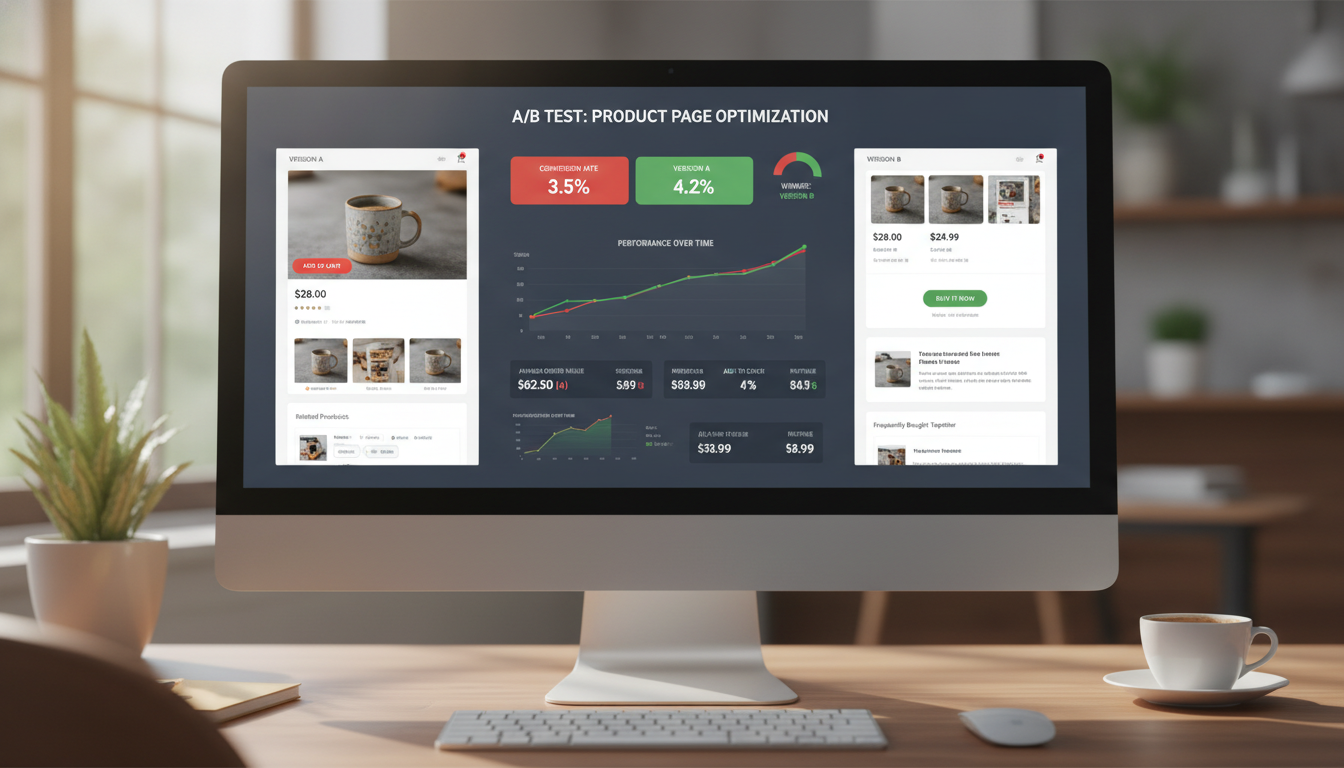
Most Shopify store owners guess their way to better conversion rates — changing a button color here, rewriting a headline there, then checking revenue at the end of the month and calling it a day. That approach is expensive and slow. According to VWO’s 2025 benchmark report, the average e-commerce A/B test lifts conversion rates by 12–20% when run correctly — but fewer than 15% of Shopify merchants run structured experiments at all. If you’re running a Shopify store doing $50K–$5M per year, this guide gives you the exact framework, tools, and 12 prioritized experiments to turn guesswork into compounding revenue growth.
- A/B testing on Shopify requires the right tooling — native Shopify features cover less than you think.
- The highest-ROI tests are almost always on product pages, checkout flow, and mobile UX — in that order.
- Statistical significance (95%+) is non-negotiable; most merchants call tests too early and act on noise.
- Facebook ad failure on Shopify is overwhelmingly caused by poor landing page alignment, not ad creative.
- Pre-launch store testing has a specific checklist that differs entirely from conversion testing.
Why A/B Testing on Shopify Is Different From Other Platforms
Shopify’s storefront architecture — built on Liquid templates and, increasingly, Hydrogen/Oxygen for headless builds — creates both constraints and opportunities for experimentation. Unlike WordPress, where you can drop in a JavaScript snippet anywhere, Shopify’s checkout is a protected environment. Only Shopify Plus merchants can fully customize checkout.liquid and run native checkout A/B tests.
This matters because checkout is where most conversion leakage happens. If you’re on a standard Shopify plan, your testing surface area is limited to everything before the checkout — product pages, collection pages, the cart drawer, landing pages, and homepage elements. That’s still a large and valuable testing surface, but you need to know where the walls are before you build your roadmap.
The Shopify Testing Stack Worth Using in 2026
You don’t need a dozen tools. You need three layers:
- Behavior analytics: Hotjar (heatmaps, session recordings, funnel analysis) or Microsoft Clarity (free, surprisingly capable)
- A/B testing engine: Google Optimize was sunset in 2023 — use Convert.com, Intelligems (Shopify-native, built specifically for price and content testing), or VWO for mid-to-large stores
- Performance analytics: Google Analytics 4 with Shopify’s GA4 integration, cross-referenced with Shopify’s native analytics for revenue attribution
Intelligems deserves special attention here. It’s purpose-built for Shopify, handles price testing without cookie conflicts, and integrates cleanly with Klaviyo segments — making it the strongest choice for merchants between $200K and $2M in annual revenue.
The 12 A/B Tests Every Shopify Store Should Run
These are ranked by average impact-to-effort ratio, based on aggregated data from Shopify agency benchmarks published by Blend Commerce, Underwaterpistol, and conversion data from Baymard Institute’s 2025 checkout usability study.
1. Product Page — Hero Image Order
The first product image is the single highest-leverage element on your product page. Switching from a studio shot to a lifestyle/in-use image as the hero image has shown conversion lifts of 8–22% in controlled tests (Baymard Institute, 2025). Run this for 2 weeks minimum, targeting 500+ add-to-cart events per variant for significance.
2. Add-to-Cart Button — Text and Color
Button text like “Add to Cart” vs. “Buy Now” vs. “Get Yours Today” produces measurable differences depending on your product category. Urgency-framed CTAs outperform neutral ones for fashion and consumables; trust-framed CTAs (“Add to Cart — Free Returns”) outperform for electronics and high-ticket items. Use Intelligems or Convert.com to test this without touching your theme code directly.
3. Pricing Display — Anchoring and Format
Showing a crossed-out compare-at price next to your selling price is table stakes. The test worth running is how that anchor is displayed — “Was $89, Now $59” vs. “$59 (Save 34%)” vs. “$59 — You Save $30.” Percentage-based savings frames outperform dollar-amount frames for items under $100; dollar-amount frames win for items over $150 (CXL Institute, 2024).
4. Shipping Threshold Messaging
If your free shipping threshold is $75, testing the copy that communicates it in the cart drawer is one of the fastest wins available. “You’re $12 away from free shipping” with a progress bar consistently outperforms static text by 10–18% on average order value. Shopify apps like Monster Cart Upsell and Rebuy make this test straightforward to deploy.
5. Product Description Format — Bullets vs. Paragraphs
Long-form paragraphs lose to scannable bullet points on mobile — and over 74% of Shopify traffic is now mobile-first (Shopify Commerce Trends, 2026). Test a restructured description that leads with three benefit-focused bullets before expanding into details. Pair this with Hotjar scroll maps to confirm users are actually reading past the fold.
6. Reviews Placement and Format
Moving your Okendo or Judge.me review widget from the bottom of the product page to directly below the price/CTA block has produced conversion lifts of 6–14% across multiple documented Shopify store tests. Test review count display (“4,200+ reviews”) vs. star rating prominence vs. photo review carousels as separate experiments — don’t bundle them.
7. Homepage — Value Proposition Above the Fold
Your homepage hero should communicate what you sell, who it’s for, and why you’re different — in under 8 words of headline copy. Test a direct product-category headline against a benefit-driven headline. For example: “Premium Matcha Tea” vs. “The Smoothest Matcha You’ll Ever Taste.” Neither is universally better; your audience tells you which wins.
8. Cart Page — Single-Page vs. Drawer Cart
Shopify’s default cart page and a slide-out cart drawer behave differently by device. Drawer carts typically perform better on mobile by reducing page transitions; dedicated cart pages allow for richer upsell layouts on desktop. If your theme supports both, this is worth a direct head-to-head test using GA4 funnel analysis to measure drop-off at the cart stage.
9. Checkout — Express Payment Button Placement (Plus Only)
For Shopify Plus merchants, moving Shop Pay and Apple Pay buttons to the product page — not just the cart — reduces steps to purchase. Go to Settings → Payments → Accelerated Checkouts to enable dynamic checkout buttons on product pages. Then test their placement: above the Add-to-Cart button vs. below it. Above consistently wins for impulse and low-ticket products.
10. Email Capture — Popup Timing and Offer
A 10%-off welcome discount popup vs. a “Join our community” popup with no discount isn’t really a fair test for most stores — discount wins almost every time on raw capture rate. The more valuable test is popup trigger timing: on-load after 3 seconds vs. exit-intent vs. 50% scroll depth. Exit-intent typically captures higher-intent visitors with lower annoyance scores (measured via Hotjar rage-click data).
11. Collection Page — Filter Layout and Sort Default
Your default sort order on collection pages is a silent conversion killer. Test “Best Selling” vs. “Recommended” vs. “Newest” as the default sort. Then test filter placement — sidebar vs. top-bar horizontal filters. On mobile, top-bar filters with a sticky behavior outperform sidebar filters significantly because they don’t compete with product grid scroll behavior.
12. Post-Purchase — Upsell Page Offer Structure
If you’re using Rebuy or AfterSell for post-purchase upsells, test the offer type rather than just the product. A one-click discounted add-on at 25% off vs. a BOGO offer vs. a subscription upsell each perform differently by product category. Post-purchase pages are zero-risk to test because they appear after the conversion is already captured.
Shopify A/B Testing Benchmarks and Tool Comparison
| Tool | Best For | Shopify Plan Required | Price/Month (2026) | Checkout Testing |
|---|---|---|---|---|
| Intelligems | Price testing, content tests, Shopify-native | All plans | From $99 | Partial (pre-checkout) |
| Convert.com | Full-site experimentation, enterprise | All plans | From $299 | Plus only (checkout) |
| VWO | Mid-market, heatmaps + testing bundled | All plans | From $199 | Plus only (checkout) |
| Hotjar | Behavior analytics only (no A/B engine) | All plans | Free–$99 | No |
| Shopify Native (Themes) | Theme publishing as A/B via traffic split | All plans | Included | No |
How to Run a Statistically Valid A/B Test on Shopify
Running a test is easy. Running a valid test is where most merchants fail. Follow this exact process:
- Define a single hypothesis. “Changing the hero image to a lifestyle photo will increase Add-to-Cart rate because shoppers respond better to in-context product use.” One variable. One metric.
- Calculate required sample size before you start. Use a free sample size calculator (Evan Miller’s is the standard). At a baseline conversion rate of 2.5% and a minimum detectable effect of 15%, you need roughly 4,700 visitors per variant — per the calculator. Don’t eyeball this.
- Set up your test in your chosen tool. In Intelligems: navigate to your dashboard → Create Experiment → select Content Test → choose your product page URL → define variants. For GA4 tracking, connect via Intelligems’ built-in GA4 integration under Settings → Integrations.
- Run the test for a minimum of 2 full business cycles. This means 14 days minimum, regardless of traffic. Weekly seasonality (weekend vs. weekday behavior) will skew results if you run shorter.
- Check for 95% statistical significance before calling a winner. Both Convert.com and VWO display this in-dashboard. Do not call a winner at 80% confidence — you will make wrong decisions approximately 1 in 5 times.
- Implement the winner and document it. Keep a running test log in Notion or Google Sheets with hypothesis, variant, result, and date. Your test log becomes your most valuable CRO asset over 12 months.
How to Test If Your Shopify Store Works?
When merchants ask “does my Shopify store work,” they usually mean one of two things: technical functionality or commercial viability. Both require different testing approaches.
For technical functionality, run through this checklist before and after any major theme change or app install:
- Place a real test order using a genuine payment method (then immediately refund it via Orders → [Order] → Refund). Shopify’s test mode simulates payment but doesn’t catch every real-world checkout issue, particularly with third-party payment gateways like Klarna or Afterpay.
- Check PageSpeed Insights (pagespeed.web.dev) for both mobile and desktop scores. A Shopify store scoring below 50 on mobile is losing measurable revenue — Google’s own data shows a 1-second delay in mobile load time reduces conversions by up to 20%.
- In Shopify Admin, go to Online Store → Themes → Actions → Preview and walk through your store on a mobile device emulator. Check navigation, product image zoom, cart drawer, and checkout entry on both iOS Safari and Android Chrome — they behave differently.
- Check all active discount codes via Discounts → [Code] → View Details to confirm usage limits and expiry dates are correct.
- Verify shipping rates are displaying accurately by simulating a cart at different product weights and destination zip codes.
- Confirm email notifications are firing correctly: go to Settings → Notifications and send test emails for Order Confirmation, Shipping Confirmation, and Abandoned Checkout.
For commercial viability, “working” means your traffic-to-purchase funnel is converting at benchmark rates. Use GA4’s funnel exploration report (Explore → Funnel Exploration) to map sessions → product views → add-to-cart → checkout initiation → purchase. Industry benchmarks from Littledata’s 2025 Shopify dataset show the median add-to-cart rate is 5.5%, cart-to-checkout rate is 49%, and checkout-to-purchase rate is 64%. If you’re significantly below any of these benchmarks, that stage is where your testing energy should focus first.
Why Do 90% of People Doing Shopify With FB Ads Fail?
The “90% failure rate” figure circulates widely in e-commerce communities, and while the exact number varies by source, the failure pattern is consistent and well-documented. The root cause is almost never the Facebook ads themselves — it’s the landing page experience those ads send traffic to.
Here’s the specific breakdown of why this happens:
Ad-to-Landing Page Message Mismatch
A Facebook ad that says “Organic, handmade soap — 30% off today only” sends a visitor to a homepage or a generic collection page. The visitor arrives expecting to find that specific soap at that specific discount. Instead, they see a brand story, a navigation menu, and a grid of 40 products. Studies from WordStream show that message-matched landing pages convert 2–5x better than generic destination pages. Every Facebook campaign should drive to a dedicated landing page or a filtered collection page that mirrors the exact ad offer.
Insufficient Testing Budget and Patience
Facebook’s algorithm needs data to optimize — specifically, it needs roughly 50 purchase events per ad set per week to exit the learning phase. At a $30 CPA and $15/day spend, you will never generate enough data for the algorithm to stabilize. Most merchants kill campaigns after 3 days because ROAS looks terrible, not realizing the algorithm is still in a high-cost learning phase. This is compounded by testing too many audiences and creatives simultaneously, which fragments the data further.
No Retargeting or Post-Click Recovery
Cold Facebook traffic converts at 0.5–1.5% for most Shopify stores — this is normal. The failure comes from not recapturing non-converting visitors. A Klaviyo browse abandonment flow, a Hotjar exit-intent popup with a discount, and a Facebook retargeting audience built from product-page viewers (set up via Meta Business Suite → Audiences → Custom Audience → Website → Product Page Views) are the three recovery layers that turn a break-even ad account into a profitable one. Most failing merchants have none of these in place.
Weak Offer on a Commodity Product
Facebook ads amplify offers. If your product has no meaningful differentiation from what’s available on Amazon, no ad creative will compensate for that. Before scaling Facebook spend, your Shopify store needs a clear, defensible reason to buy from you specifically — whether that’s a bundle, a guarantee, a subscription model, or a community element. Merchants who succeed with Facebook ads almost always have a proprietary offer structure, not just a product.
What Is the $200 Threshold on Shopify?
The “$200 threshold” most commonly refers to Shopify Payments’ payout reserve policy for new stores, though it’s also referenced in the context of Facebook ad spend thresholds and Shopify Balance account features. Here’s what you actually need to know about each interpretation:
Shopify Payments Payout Reserves
When you first activate Shopify Payments, Shopify may hold a reserve on a portion of your payouts to protect against chargebacks and fraud, particularly in the first 90 days of processing. The threshold at which this activates, and the percentage held, varies by account risk profile. It is not a universal $200 limit — it depends on your chargeback rate, order volume, and product category. High-risk categories (supplements, electronics, digital goods) are more likely to trigger a reserve. To review your payout schedule and any reserve status, go to Settings → Payments → Shopify Payments → Manage → Payout Schedule.
The Facebook Ads $200 Testing Threshold
In e-commerce advertising communities, the $200 rule refers to a heuristic for validating a Facebook ad creative or audience: spend $200 at a CPM-optimized level before concluding that an ad doesn’t work. The logic is that below $200 in spend, sample sizes are too small to distinguish between a bad ad and an unlucky impression distribution. This is a guideline, not a Shopify platform feature, but it’s widely referenced by Shopify merchants running paid social. The actual minimum viable test budget depends on your target CPA — a more rigorous rule is to spend 3x your target CPA before evaluating creative performance.
Shopify Balance and Spending Accounts
Some merchants reference a $200 minimum in the context of Shopify Balance’s cashback rewards tiers or Shopify Capital’s minimum loan eligibility. As of 2026, Shopify Capital requires a minimum of approximately $200 in average daily sales to qualify for an initial offer, though this varies by region and merchant history. Check your eligibility directly via Settings → Capital in your Shopify Admin — offers are calculated algorithmically and displayed when you meet the threshold.
How to Test a Shopify Store Before Going Live?
Pre-launch testing is a structured quality assurance process, and it’s entirely different from ongoing A/B testing for conversion optimization. Think of it as making sure the car runs before you test which fuel makes it faster. Here is the complete pre-launch checklist:
Step 1 — Enable Shopify’s Password Protection and Test in a Staging Environment
Go to Online Store → Preferences → Password Protection and enable it while testing. This keeps your store invisible to search engines and real customers while you work. For major redesigns, use Shopify’s theme duplication feature — Online Store → Themes → Actions → Duplicate — to create a safe copy you can test against without affecting your live store.
Step 2 — Process Test Transactions
Go to Settings → Payments → Shopify Payments → Enable Test Mode. Use Shopify’s test credit card numbers (Visa: 4242 4242 4242 4242, any future expiry, any CVV) to simulate successful, declined, and disputed transactions. Confirm that order confirmation emails fire, inventory decrements correctly, and the order appears in Orders with the correct line items and customer details.
Step 3 — Cross-Browser and Cross-Device Testing
Test on at minimum: Chrome (desktop), Safari (desktop), Chrome (Android), and Safari (iOS). Pay specific attention to:
- Font rendering and image aspect ratios on each browser
- Sticky header behavior on mobile scroll
- Checkout button visibility on small screens (375px viewport)
- Apple Pay appearing on Safari if enabled in your payments settings
Step 4 — SEO and Metadata Review
Before going live, audit every product and collection page for title tags and meta descriptions via Online Store → Pages / Products → [Item] → Search Engine Listing Preview. Confirm your sitemap at yourdomain.com/sitemap.xml is correctly structured, and submit it to Google Search Console immediately after launch. Set canonical URLs to prevent duplicate content from Shopify’s default URL structures (particularly for collection-filtered pages).
Step 5 — Analytics and Tracking Verification
Connect GA4 via the Shopify Google & YouTube Sales Channel app. Verify events are firing correctly using GA4’s DebugView (accessible via the GA4 Admin panel). Confirm your Meta Pixel is firing PageView, ViewContent, AddToCart, InitiateCheckout, and Purchase events using Meta Pixel Helper (Chrome extension). Do not go live without confirming Purchase events are recording — this is the most commonly misconfigured tracking element on new Shopify stores.
Step 6 — Legal and Compliance Pages
Shopify auto-generates policy templates for Refund Policy, Privacy Policy, Terms of Service, and Shipping Policy. Go to Settings → Policies, customize each template for your specific business, and confirm all four are linked in your footer. Missing or incomplete policies are a leading cause of payment processor holds and Meta ad account flags on new stores.
Building an A/B Testing Culture in Your Shopify Business
The merchants who compound conversion rate improvements over time share one operational habit: they treat testing as a permanent function, not a one-time project. A realistic cadence for a Shopify store doing $200K–$1M/year is two concurrent tests at any time — one on the product page, one on the cart or email capture flow. At this pace, you’ll complete 20–25 validated experiments per year.
Document every test, including the ones that show no change or negative results. A test that reveals your audience doesn’t respond to urgency copy is as valuable as one that finds a 15% lift — it eliminates a direction and sharpens your understanding of your customer. Over 12 months, this log becomes a proprietary competitive advantage that no competitor can replicate by copying your storefront.
The compounding math is worth keeping front of mind: a 5% conversion rate improvement applied four times over a year produces a 21.5% overall lift. At $500K in revenue, that’s $107,500 in additional sales from the same traffic — with zero increase in ad spend. That’s why structured A/B testing on Shopify isn’t a nice-to-have; it’s the highest-ROI marketing activity available to most store owners at this scale.