Shopify Checkout Conversion Rate: 14 Proven Tactics to Stop Losing Sales (2026)
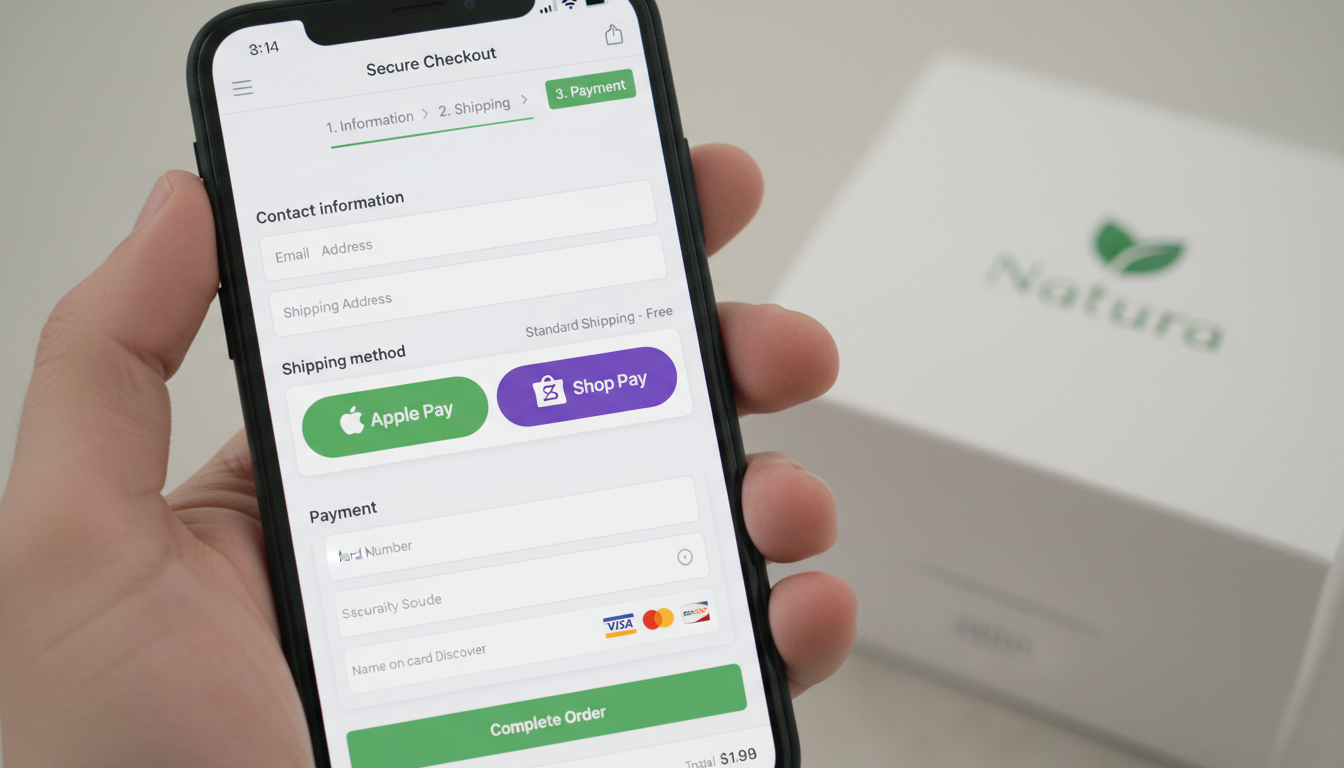
If your Shopify store is getting traffic but your checkout page is bleeding customers, the problem is almost never your product. The average e-commerce checkout abandonment rate sits at 70.19% according to Baymard Institute’s 2025 meta-study — meaning roughly 7 out of every 10 shoppers who reach your checkout page leave without buying. For a Shopify store doing $500K/year, that’s potentially millions of dollars walking out the door every month.
The good news: most Shopify checkout drop-offs are caused by a handful of fixable friction points — forced account creation, hidden fees, slow page loads, and a checkout flow that wasn’t designed for mobile. This guide gives you 14 specific, actionable tactics to fix them, ranked roughly by implementation effort and revenue impact.
- Enabling Shop Pay alone can lift checkout conversion by up to 50% compared to guest checkout on Shopify.
- Unexpected shipping costs at checkout are the #1 reason for cart abandonment — cited by 48% of shoppers (Baymard, 2025).
- Shopify’s one-page checkout, available on all plans since 2023, reduces steps and measurably cuts drop-off.
- Mobile accounts for over 70% of Shopify traffic in 2026 — your checkout UX must be designed mobile-first, not mobile-adapted.
- A structured abandoned checkout email sequence via Klaviyo recovers, on average, 5–15% of abandoned carts.
Why Your Shopify Checkout Conversion Rate Matters More Than Your Traffic
Most Shopify store owners obsess over traffic — ad spend, SEO rankings, influencer reach. But a store converting at 1.5% with 50,000 monthly visitors earns the same revenue as a store converting at 3% with 25,000 visitors. Doubling your conversion rate is mathematically equivalent to doubling your traffic — at zero ad spend.
Shopify’s internal data from 2025 shows that the median checkout-to-order conversion rate across Shopify Plus merchants is approximately 46–60%, but top-performing stores consistently hit 65–80%. The gap between median and top performers is almost entirely attributable to deliberate UX and trust optimization — not product quality or pricing.
Before you touch a single tactic, you need a baseline. Go to Shopify Admin → Analytics → Reports → Checkout funnel (available on Shopify and above plans). Cross-reference with Google Analytics 4 by setting up a GA4 funnel exploration with the steps: View Cart → Begin Checkout → Add Payment Info → Purchase. This tells you exactly where your specific audience drops off — and which of the 14 tactics below should be your priority.
14 Tactics to Improve Your Shopify Checkout Conversion Rate
1. Enable One-Page Checkout
Shopify rolled out its one-page checkout to all merchants in late 2023 and it remains one of the highest-leverage changes you can make. It consolidates contact info, shipping, and payment into a single scrollable page instead of three separate screens.
To enable it: Go to Settings → Checkout → Checkout layout → Select “One-page checkout.” If you’re on Shopify Plus and using a custom checkout.liquid, you’ll need to migrate to the Checkout Extensibility framework before this option appears. The one-page format reduces perceived effort and is particularly effective on mobile, where navigating between pages is more disorienting.
2. Activate Shop Pay Immediately
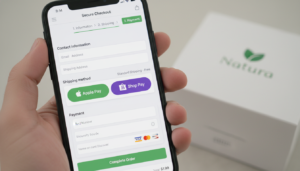
Shop Pay is the single highest-converting payment method available on Shopify. Shopify’s own research shows Shop Pay converts at a rate 50% higher than guest checkout and 91% higher than regular checkouts. It pre-fills shipping and payment details for returning customers across any Shopify store, cutting checkout time to under 30 seconds.
Enable it at Settings → Payments → Shopify Payments → Shop Pay toggle. There’s no additional cost. If you’re not on Shopify Payments, you can still offer Shop Pay — enable it through the Shop Pay standalone option in the same menu. Don’t bury it — make sure Shop Pay appears as the first accelerated checkout button above the form.
3. Add Apple Pay, Google Pay, and PayPal Express
Beyond Shop Pay, accelerated checkout buttons from Apple Pay, Google Pay, and PayPal reduce checkout to 1–2 taps for a huge portion of your audience. PayPal is still used by 44% of U.S. online shoppers (eMarketer, 2025), and ignoring it costs you real conversions. Enable all three under Settings → Payments → Accelerated checkouts. These appear as dynamic buttons on your product page and cart — configure their placement carefully so they don’t compete visually with your primary CTA.
4. Kill Forced Account Creation
Baymard Institute ranks “forced account creation” as the second-most cited reason for checkout abandonment — cited by 26% of US online shoppers who abandoned a checkout in the past quarter. Yet many Shopify stores still default to requiring login. Fix it at Settings → Checkout → Customer contact → Select “Guests can check out.” You can still invite customers to create an account post-purchase, which converts better anyway because the transaction pressure is gone.
5. Surface Shipping Costs Early
Unexpected costs at checkout — primarily shipping fees — are the single largest abandonment driver. The fix is transparency before checkout. Add a shipping calculator to your cart page using an app like Shipify or the native Shopify shipping rate display. If you offer free shipping above a threshold, use a cart progress bar (available through apps like CartBot or free via Shopify’s Theme Customizer on Dawn and similar themes) to show customers how close they are to qualifying. Stores that display shipping costs on the cart page see 8–12% lower checkout abandonment compared to those that reveal them at checkout (Bolt, 2024 Checkout Report).
6. Speed Up Your Checkout Page
Shopify’s hosted checkout is already fast, but your store pages leading up to checkout can kill momentum. A one-second delay in page load time reduces conversions by 7% (Akamai). Run your store through Google PageSpeed Insights (pagespeed.web.dev) and target a mobile performance score above 70. Common culprits on Shopify stores:
- Unoptimized images — use WebP format and compress via TinyIMG or Shopify’s built-in lazy loading
- Excessive third-party scripts — audit via GTmetrix and remove unused chat widgets or abandoned tracking pixels
- Large theme JavaScript bundles — consider a leaner theme like Dawn or Craft if your current theme scores below 50 on mobile
7. Add Trust Signals at the Right Moment
Trust signals don’t belong only on your homepage. Place them directly in the checkout flow where anxiety peaks — at the payment step. Using Shopify’s Checkout Extensibility (available to all merchants via checkout UI extensions), you can add:
- Security badges (SSL, Norton Secured, McAfee)
- Money-back guarantee banners
- Star-rating snippets pulled from Okendo or Judge.me
- Real-time social proof (“23 people bought this today”) via Fomo or Nudgify
Install these via Online Store → Themes → Customize → Checkout using checkout UI extension blocks — no code required on Shopify 2.0 themes.
8. Recover Abandoned Checkouts with a 3-Email Klaviyo Sequence
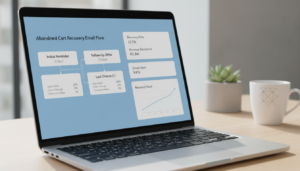
Shopify’s native abandoned checkout emails are functional but limited. Klaviyo’s abandoned checkout flows consistently outperform Shopify’s native emails by 2–3x in revenue per recipient because they allow deep segmentation, dynamic product blocks, and behavioral triggers. Build a three-email sequence:
- Email 1 — 1 hour after abandonment: Simple reminder, product image, one-click return-to-checkout link. No discount yet.
- Email 2 — 24 hours after abandonment: Address objections — link to reviews, highlight free returns, reinforce your guarantee.
- Email 3 — 72 hours after abandonment: Optional 10% discount or free shipping offer for price-sensitive segments only.
Connect Klaviyo at Apps → Klaviyo → Install → Sync Shopify catalog. The average recovered revenue per abandoned checkout flow is $3–$8 per recipient on lists above 10,000 subscribers.
9. Use Rebuy for Smart Upsells — Without Disrupting Flow
Post-purchase upsells are the safest place to increase AOV without touching checkout conversion. Rebuy’s Smart Cart adds AI-driven upsell recommendations inside the cart drawer before checkout begins, and its post-purchase offer page fires immediately after the order is confirmed — meaning no checkout friction whatsoever. Stores using Rebuy’s post-purchase offers report an average AOV lift of 8–15%. Install via the Shopify App Store and configure under Apps → Rebuy → Smart Cart → Rules.
10. Optimize Your Checkout Form for Mobile
Over 70% of Shopify traffic in 2026 is mobile. Yet many checkout forms still use input fields sized for desktop. Specific fixes:
- Set
inputmode="numeric"on phone and card number fields so mobile keyboards auto-switch to number pad - Use
autocompleteattributes on all form fields to trigger browser autofill - Ensure tap targets (buttons, links) are at least 44×44px per Apple’s HIG guidelines
- Test your checkout on real devices — use BrowserStack to cover iOS Safari and Android Chrome simultaneously
Most of these changes require editing checkout.liquid (Shopify Plus) or submitting a request to Shopify’s checkout extensibility team on standard plans.
11. Audit Your Checkout with Hotjar Session Recordings
Before assuming you know where customers drop off, watch them. Hotjar session recordings on your cart and product pages (Hotjar can’t record Shopify’s hosted checkout due to PCI compliance, but it captures everything leading up to it) reveal specific UX failures: rage clicks on non-clickable elements, scroll depth cutoffs, and form hesitation. Set up a Hotjar funnel from your most important product page to /checkout — review 50 sessions per week for two weeks and you’ll spot patterns you’d never find in aggregate data alone.
12. Offer Buy Now, Pay Later (BNPL)
Shopify research shows that offering BNPL options increases average order value by 30–50% and conversion rate by 6–20% for orders above $100. In 2026, the leading BNPL options on Shopify are Shop Pay Installments (powered by Affirm, available natively), Klarna, and Afterpay. Enable Shop Pay Installments at Settings → Payments → Shopify Payments → Shop Pay Installments. For Klarna or Afterpay, install their respective Shopify apps. Display BNPL messaging on product pages — “4 payments of $24.75” — using each provider’s native Shopify widget to reduce sticker shock before customers even reach checkout.
13. Reduce Form Fields to the Absolute Minimum
Every additional field in your checkout is a conversion obstacle. Audit your checkout form fields: do you actually need a “Company” field for a D2C brand? Is “Address Line 2” prominently placed and confusing customers who don’t have a suite number? On Shopify Plus, you can hide or reorder fields in checkout.liquid. On standard Shopify plans, use the Checkout Branding API or a checkout UI extension to conditionally hide non-essential fields. The goal is to get from “email entered” to “payment entered” in as few keystrokes as possible.
14. A/B Test Checkout Elements Systematically
Gut feeling is not a strategy. Use Shopify’s native A/B testing for checkout (available on Shopify Plus via the Checkout Experiments feature, launched 2024) to test button copy (“Complete Purchase” vs. “Place My Order”), trust badge placement, and free shipping threshold messaging. On standard Shopify plans, use Google Optimize’s successor — VWO or Convert.com — with a JavaScript snippet added via Online Store → Themes → theme.liquid. Run tests for a minimum of two weeks or 500 conversions per variant — whichever comes later — before declaring a winner.
Shopify Checkout Conversion Rate Benchmarks by Industry (2026)
| Industry / Niche | Average Checkout Conversion Rate | Top Quartile Rate | Primary Drop-off Cause |
|---|---|---|---|
| Fashion & Apparel | 42% | 61% | Size/fit uncertainty, high return anxiety |
| Health & Beauty | 51% | 69% | Ingredient/safety concerns at payment step |
| Home & Garden | 38% | 57% | High AOV hesitation, shipping cost shock |
| Electronics & Gadgets | 35% | 54% | Price comparison behavior, trust deficit |
| Food & Beverage (DTC) | 58% | 74% | Subscription commitment hesitation |
| Sports & Outdoors | 44% | 63% | Technical spec questions pre-purchase |
| Jewelry & Accessories | 40% | 60% | Authenticity/trust concerns, high AOV |
Sources: Shopify Commerce Trends Report 2026, Baymard Institute 2025, Bolt 2024 Checkout Benchmark Report. Checkout conversion rate = orders placed ÷ checkout sessions initiated.
What Is the Shopify Checkout Conversion Rate?
The Shopify checkout conversion rate measures the percentage of shoppers who begin the checkout process and complete a purchase. It is calculated as: Orders Placed ÷ Checkout Sessions Initiated × 100. This metric is distinct from your overall store conversion rate, which measures purchases against all sessions — including visitors who never added anything to cart.
Understanding the difference matters because the two metrics diagnose different problems. A low overall store conversion rate often points to product-market fit issues, traffic quality problems, or poor product page design. A low checkout conversion rate — when overall traffic and product page performance are reasonable — points specifically to friction inside the checkout experience: trust gaps, UX failures, unexpected costs, or payment method limitations.
In Shopify’s analytics ecosystem, you track this metric at Analytics → Reports → Checkout funnel on Shopify plans and above. The report shows you the exact step-by-step drop-off from “Reached checkout” through “Reached thank you page.” For more granular cohort analysis — breaking down conversion by traffic source, device type, or customer segment — connect your store to Google Analytics 4 and configure an e-commerce funnel exploration. GA4’s funnel visualization will show you, for example, that your mobile checkout conversion rate is 22% lower than desktop, which is a completely different problem than your overall rate suggests.
Globally, the average Shopify checkout-to-purchase conversion rate is approximately 45–55% for mid-market stores, with top performers in low-friction niches (digital products, subscriptions, consumables) reaching 70–80%. If your checkout conversion rate is below 40%, you have meaningful, fixable problems. If it’s above 65%, your incremental gains come from AOV optimization and BNPL enablement rather than abandonment reduction.
One critical nuance: always segment your checkout conversion rate by device. Mobile checkout conversion rates are structurally lower than desktop across all industries — typically by 10–15 percentage points — because form entry is harder and trust signals are less visible on small screens. Treating your blended rate as a single number masks this gap and leads to misdiagnosis.
How to Fix a Low Shopify Checkout Conversion Rate
Fixing a low Shopify checkout conversion rate requires a structured diagnostic process — not random tactic deployment. Here is the exact sequence to follow:
- Establish your baseline: Pull your checkout funnel report from Shopify Admin → Analytics → Reports → Checkout funnel and identify which specific step loses the most shoppers. Is it between “Reached checkout” and “Reached payment info”? Or between “Payment info entered” and “Order placed”? Each gap points to a different problem category.
- Segment by device: In Google Analytics 4, add a “Device Category” breakdown to your funnel exploration. If mobile drop-off at the payment step is 3x higher than desktop, your fix is mobile UX — not trust signals or pricing.
- Run Hotjar recordings: Install Hotjar and capture 50+ sessions of users reaching your cart page. Look for rage clicks, scroll abandonment, and hesitation patterns on specific form fields. This qualitative layer tells you what the numbers can’t.
- Audit your payment methods: Go to Settings → Payments and confirm Shop Pay, Apple Pay, Google Pay, and PayPal are all enabled. Check that BNPL is active for AOVs above $75.
- Check your shipping cost transparency: Add a shipping rate estimator to your cart page and ensure free shipping thresholds are prominently communicated before the customer clicks “Checkout.”
- Test your checkout on a real mobile device: Walk through the entire checkout yourself on an iPhone (Safari) and an Android device (Chrome). Note every tap, every keyboard switch, every moment of visual confusion.
- Prioritize your fixes by estimated impact: Shop Pay enablement and one-page checkout are zero-cost, high-impact changes you can deploy in under 10 minutes. Mobile form optimization and checkout extensibility customizations take longer but compound over time.
- Set up Klaviyo abandoned checkout flows: Capture revenue from shoppers who leave before completing — this is your fastest-acting recovery lever while structural fixes deploy.
The single most common mistake store owners make is implementing trust badges or redesigning their checkout visually when the actual problem is a $15 shipping fee appearing for the first time at step 2. Always diagnose before you build.
Why Does a Shopify Checkout Conversion Rate Drop?
Checkout conversion rates don’t drop randomly. There are identifiable, measurable causes — and understanding them helps you both fix current problems and prevent future ones. The most common causes, ranked by frequency according to Baymard Institute’s 2025 large-scale usability study of 4,500 U.S. and European online shoppers:
- Unexpected costs (48%): Shipping, taxes, and fees that weren’t visible before checkout. This is the #1 cause across all industries and demographics.
- Forced account creation (26%): Requiring shoppers to register before completing a purchase creates a wall that many, especially new customers, refuse to climb.
- Slow delivery times (23%): Shoppers comparing options will abandon if your estimated delivery date is significantly longer than competitors.
- Lack of trust (18%): Missing security badges, no visible return policy, unfamiliar brand — all trigger payment hesitation at the most critical moment.
- Complicated or long checkout (17%): Multi-page checkouts with redundant fields, confusing navigation, and unclear progress indicators.
- Website errors or crashes (12%): Payment gateway timeouts, address validation failures, or broken coupon fields kill conversions and damage brand trust permanently.
Beyond these structural causes, checkout conversion rate drops can be triggered by specific events: a new theme deployment that broke a payment button, a third-party app conflict slowing down the cart page, or a sudden spike in mobile traffic from a campaign that wasn’t tested on mobile first. Any time you see a sudden drop in checkout conversion rate — a 5%+ decline week-over-week — your first check should be Shopify’s status page (status.shopify.com) and a review of recent app installs or theme changes.
Seasonal patterns also play a role. Checkout conversion rates typically dip during Black Friday and Cyber Monday — not because intent drops, but because shoppers are comparison shopping across multiple tabs and delaying final commitment. Counter this with urgency messaging (“Only 3 left at this price”) and streamlined checkout flows deployed specifically for high-traffic periods.
How to Prevent Shopify Checkout Conversion Rate from Declining
Maintaining a high Shopify checkout conversion rate over time requires ongoing monitoring, proactive UX maintenance, and a systematic approach to change management. Here’s how to build that system:
Monitor Weekly, Not Monthly
Set up a weekly automated report in Google Analytics 4 that emails you the checkout funnel conversion rate segmented by device. A 3% week-over-week decline is actionable; catching it a month later means you’ve lost four weeks of revenue. In Shopify Admin, create a custom dashboard at Analytics → Dashboard → Customize with “Checkout conversion rate” as a primary KPI card.
Implement a Pre-Launch Checklist for Theme Changes
Theme updates are the #1 cause of sudden checkout conversion drops outside of Shopify platform issues. Before deploying any theme change to production:
- Test the complete checkout flow on a duplicate theme in Shopify’s theme preview mode
- Confirm all payment buttons render correctly on iPhone Safari and Android Chrome
- Verify that accelerated checkout buttons (Shop Pay, Apple Pay, Google Pay) appear on product pages and cart
- Run a PageSpeed Insights test on the updated theme and compare against your baseline score
Audit Third-Party Apps Quarterly
Every app you install adds JavaScript to your storefront. Apps that load scripts on your cart or product pages directly affect time-to-interactive for checkout. Every quarter, go to Online Store → Themes → Edit code → Inspect theme.liquid and identify third-party scripts. Remove any app you haven’t used in 90 days. Use Shopify’s App Analytics to cross-reference app usage against the date of any conversion rate changes.
Keep Your Payment Stack Current
Payment method preferences shift. BNPL adoption among 25–40 year-olds has grown 34% year-over-year since 2022 (FIS Global Payments Report, 2025). Wallet-based payments (Apple Pay, Google Pay) now account for 28% of mobile e-commerce transactions in the U.S. Review your Settings → Payments page every six months and add new methods as they reach meaningful market adoption.
Run Continuous Micro-Tests
Don’t wait for a major redesign to A/B test. Run small, continuous tests on checkout button copy, trust badge placement, and shipping threshold messaging using VWO or Convert.com. Keep a test log — date, hypothesis, result, decision — so institutional knowledge accumulates rather than being lost when team members change. Even a 1% monthly improvement in checkout conversion compounds to a 12%+ annual lift.
Respond to Customer Feedback Loops
Install a micro-survey on your checkout abandonment exit intent using Hotjar Surveys or Grapevine Post-Purchase Surveys (Shopify App Store). Ask one question: “What almost stopped you from completing your purchase today?” The qualitative data you collect from even 50 responses will surface issues your quantitative funnel data never will — a confusing coupon field, a missing payment method, a return policy that’s hard to find.
A high Shopify checkout conversion rate is not a destination — it’s a discipline. The stores consistently hitting 65–80% checkout conversion aren’t necessarily selling better products than their competitors. They’ve built a systematic process of measurement, diagnosis, testing, and refinement that compounds over months and years. Start with the highest-impact, lowest-effort changes — Shop Pay, one-page checkout, Klaviyo abandoned flows — and build from there with data driving every decision.